Tech App 8.3.8 Update: Search, Filters & Fixes


What's New
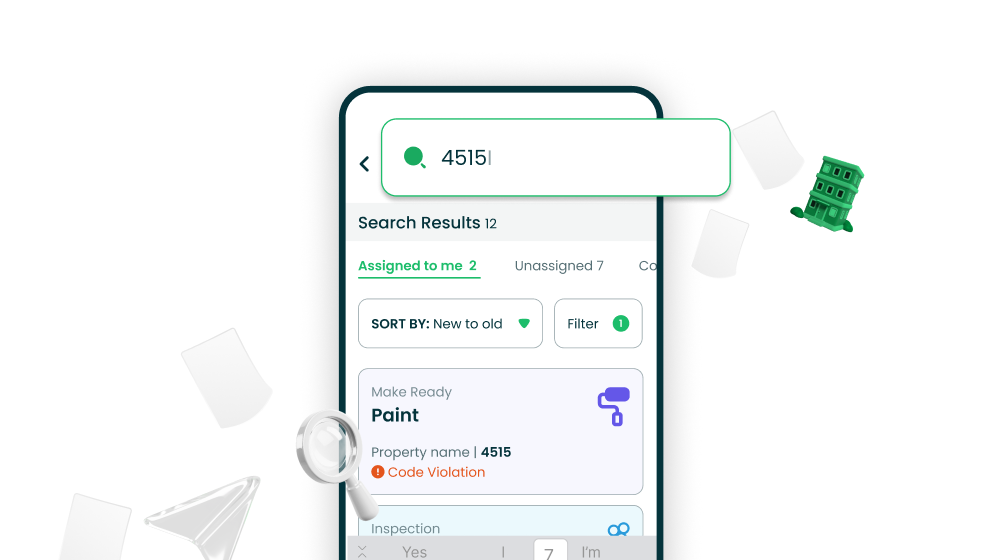
Search Tasks by Unit
Finding the right task just got a whole lot easier. We've added a powerful unit search feature so technicians can quickly locate any task without endlessly scrolling through long lists. Just type the unit number and, boom, your task appears. It's like having a search engine right inside the app.
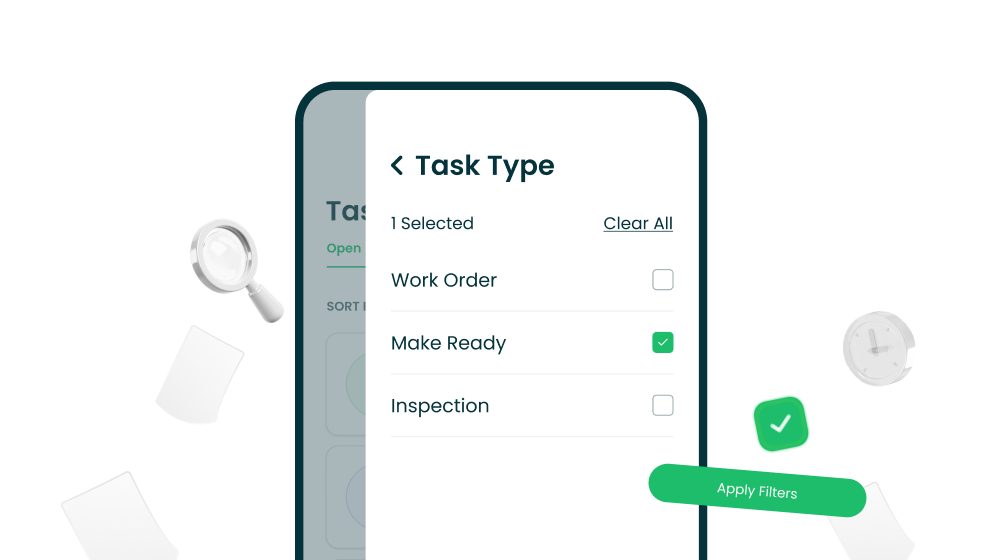
Filter Tasks by Type
Working smarter, not harder. Technicians can now filter their task list by type, making it effortless to focus on exactly what needs attention. Whether you're knocking out inspections, handling work orders, or make readies, just set your filter and let the app do the sorting for you.
Bug Fixes
Newly Assigned Work Orders Now Appear Automatically
We squashed a sneaky sync bug where newly assigned work orders would ghost you — showing up in the system but not in the app. No more logging out and back in just to see what's on your plate. Assigned work orders now appear right when they're supposed to. Like magic, but actually just good engineering.
Under the Hood
We've made a round of behind-the-scenes improvements to keep things running smooth and fast. You might not see these changes, but you'll definitely feel them — better performance, improved stability, and a more reliable experience overall.