
Tech App 8.46.2 New Login and Inspection Overview


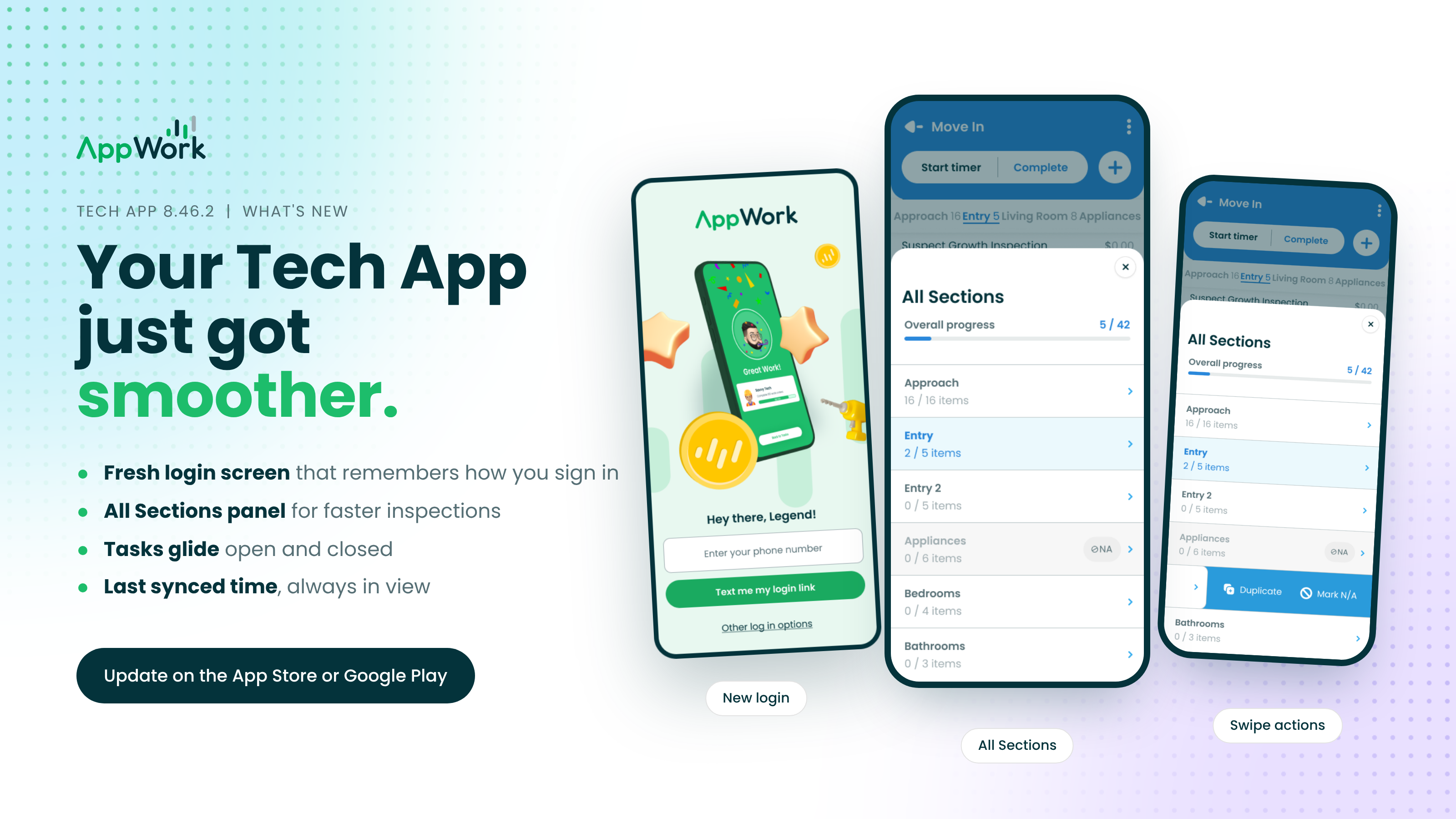
Login
A login screen worth looking at. The first thing you see every morning got a full redesign. Same sign-in you know, with a much cleaner look.
It remembers how you sign in. Log out, come back, and the app already has your last sign-in method ready. One less thing to think about before coffee.
Work Orders
Tasks open like they mean it. Tap a task and the card expands right into the task itself. Close it and you land back on the exact spot in your list using clean animations and transitions.
Know when you last synced. The top right corner now shows your last sync. If it was today you see the time, and anything older shows the date. No more guessing whether what you're looking at is current.
Inspections
All Sections: your whole inspection on one screen. Tap the menu icon at the end of the section bar to see every section, how many items are done in each, and your overall progress. Tap any section to jump straight to it. "Bathroom 2" is now one tap away.
Duplicate or mark N/A with a swipe. Swipe left on any section in the panel to Duplicate it or Mark N/A. No more scrolling to a section just to manage it.
Bigger section tabs. The section bar is a little taller, which makes it easier to hit the right tab when you're on the move.
Bug Fixes
Completed Work Orders stay put. Finish a Work Order while photos are still uploading and it used to slip off your Completed list until the sync wrapped up. Your work was always saved. Now you can see it the whole time.
Update to 8.46.2 on the App Store or Google Play. Your first tap will tell you why.