Out of Office Days for Technicians Are Here Today

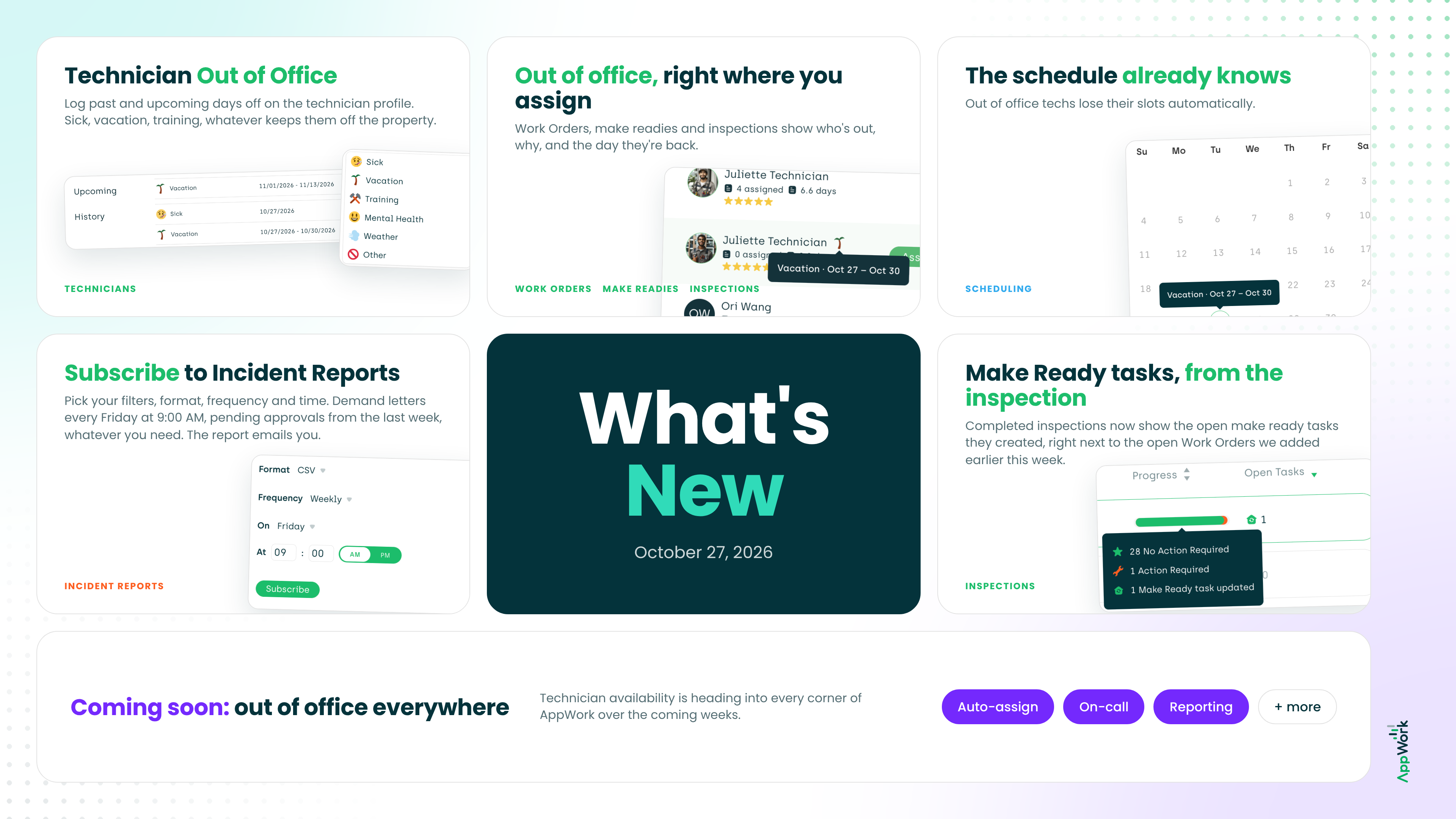
Here’s a problem every maintenance team lives with: the software you use has no idea your technician is on vacation or out sick. Auto-assign keeps assigning. The schedule looks wide open. Then the month-end report makes it look like they barely worked, and nobody remembers why. Work Orders pile up on someone who’s three states away at a wedding, and the resident calls to ask why nobody showed up.
Starting today, AppWork knows when your technicians are out. Sick days, vacation, training, whatever keeps them off the property, you log it once and the platform starts working around it. When you schedule or manually assign a Work Order, make ready or inspection, AppWork now tells you who’s actually available.
In the coming weeks, we’re pushing technician availability into every corner of AppWork: auto-assign, on-call, reporting, and more. The goal is simple. AppWork should never hand work to a technician who isn’t there, and never make you look like you did.
This is one of the biggest shifts we’ve made to how AppWork thinks about your team. Read on to see what’s included in today’s release.
Technicians
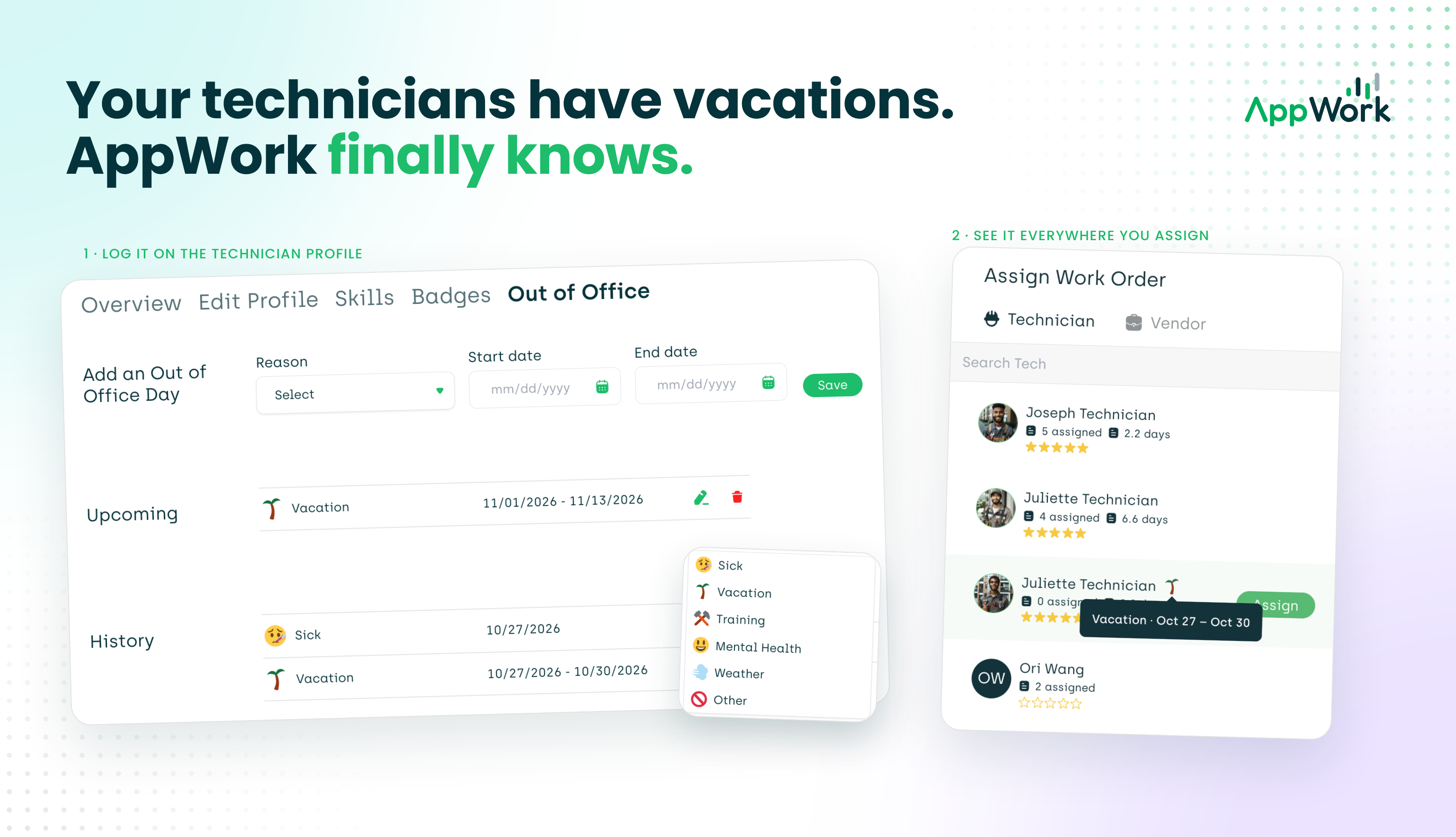
Your technicians can finally take a day off. In AppWork, anyway. You can now log a technician’s past and upcoming out of office days: sick days, vacation, training, whatever keeps them off the property. To add one, go to Technicians > select a technician > Out of Office > Add an out of office day.
No more assigning work to someone who isn’t there. When you go to schedule a Work Order, make ready or inspection to a technician who is out, you’ll see it right there, along with the reason and the day they’re back.
Scheduling
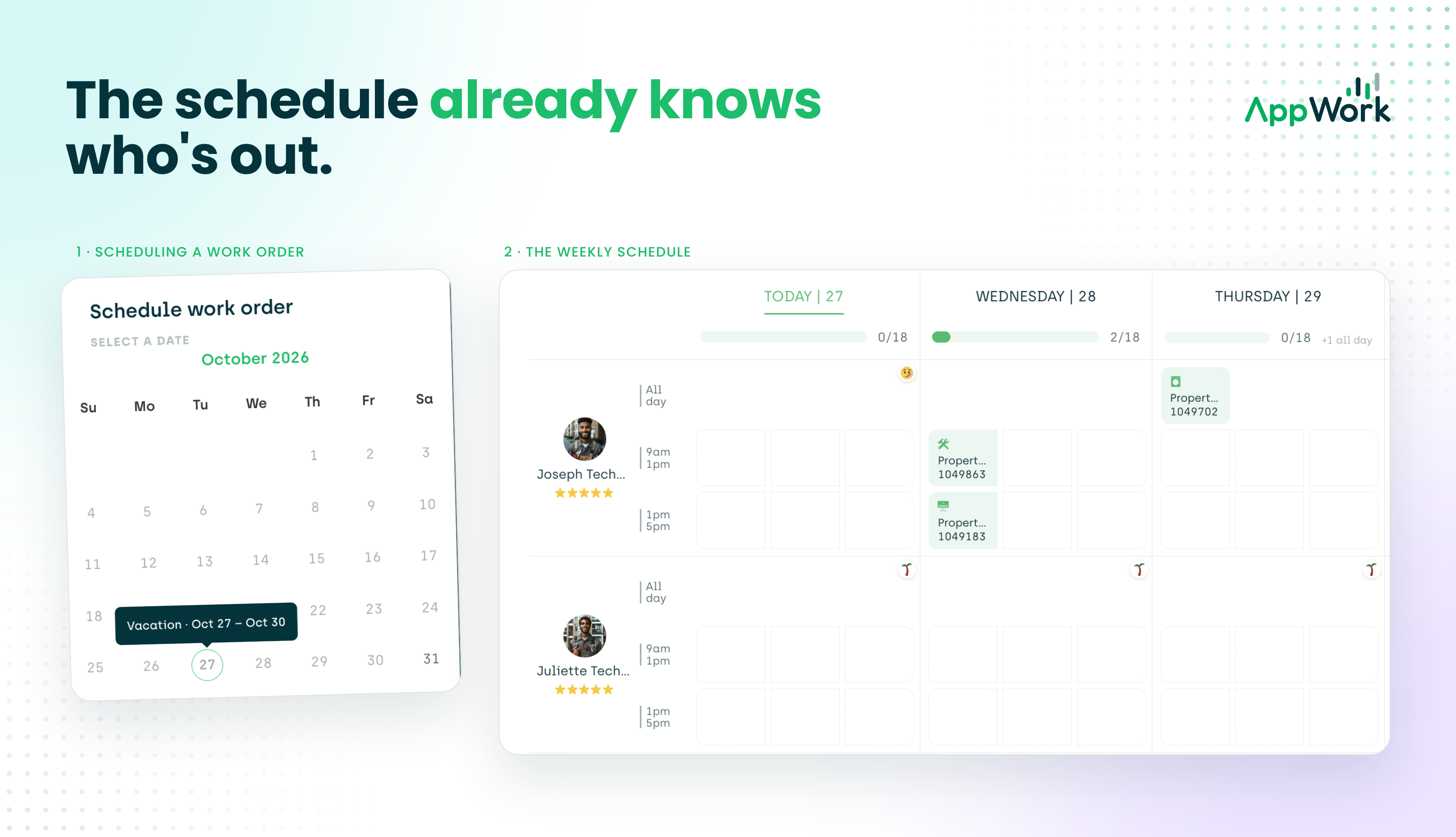
The schedule already knows who’s out. When a technician is out of office, their available slots drop off the schedule automatically, and you get a quick glance at who’s off and when they’re back. Stop building a day around someone who’s at the beach.
Incident Reports
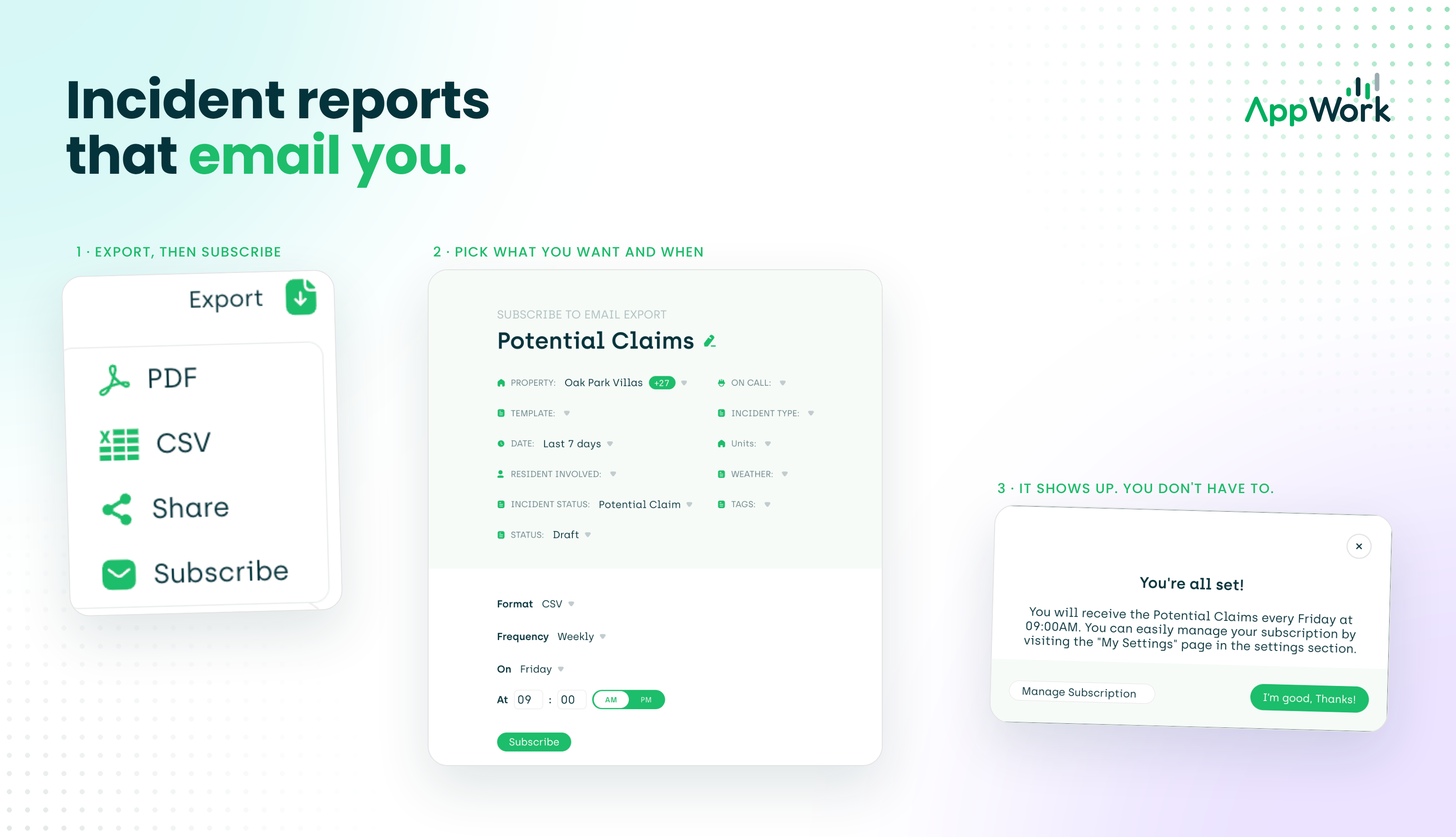
Subscribe to incident reports. You choose what shows up, when it shows up, and where it lands. Want an email every Friday at 9:00 AM listing every incident where you received a demand letter? Done. Want a weekly rundown of pending incident reports still waiting on approval? Also done. Set it once and let the reports come to you.
Inspections
Open make ready tasks, straight from the inspection. Earlier this week we added open Work Orders to completed inspections. Now you can also see the open make ready tasks that inspection created, so everything an inspection kicked off lives in one place.
One catch: your move out inspections need to be mapped to the Make Ready Board, or there’s nothing to see here.
See you in a few days for our next release :)