New Incident Weather Filters and Inspection Stats


Somewhere out there, a Regional Manager or someone on your Risk Management team is explaining to an insurance adjuster why four residents slipped on the same walkway in the same week.
This release is for that person. Incident Reports now filter by weather (and by a few other things, but weather is the one you’ll tell your friends about). And Inspections finally answer the question nobody could answer before: “okay, but did the work actually get done?” Read on. You’ll appreciate this one!
Incident Reports
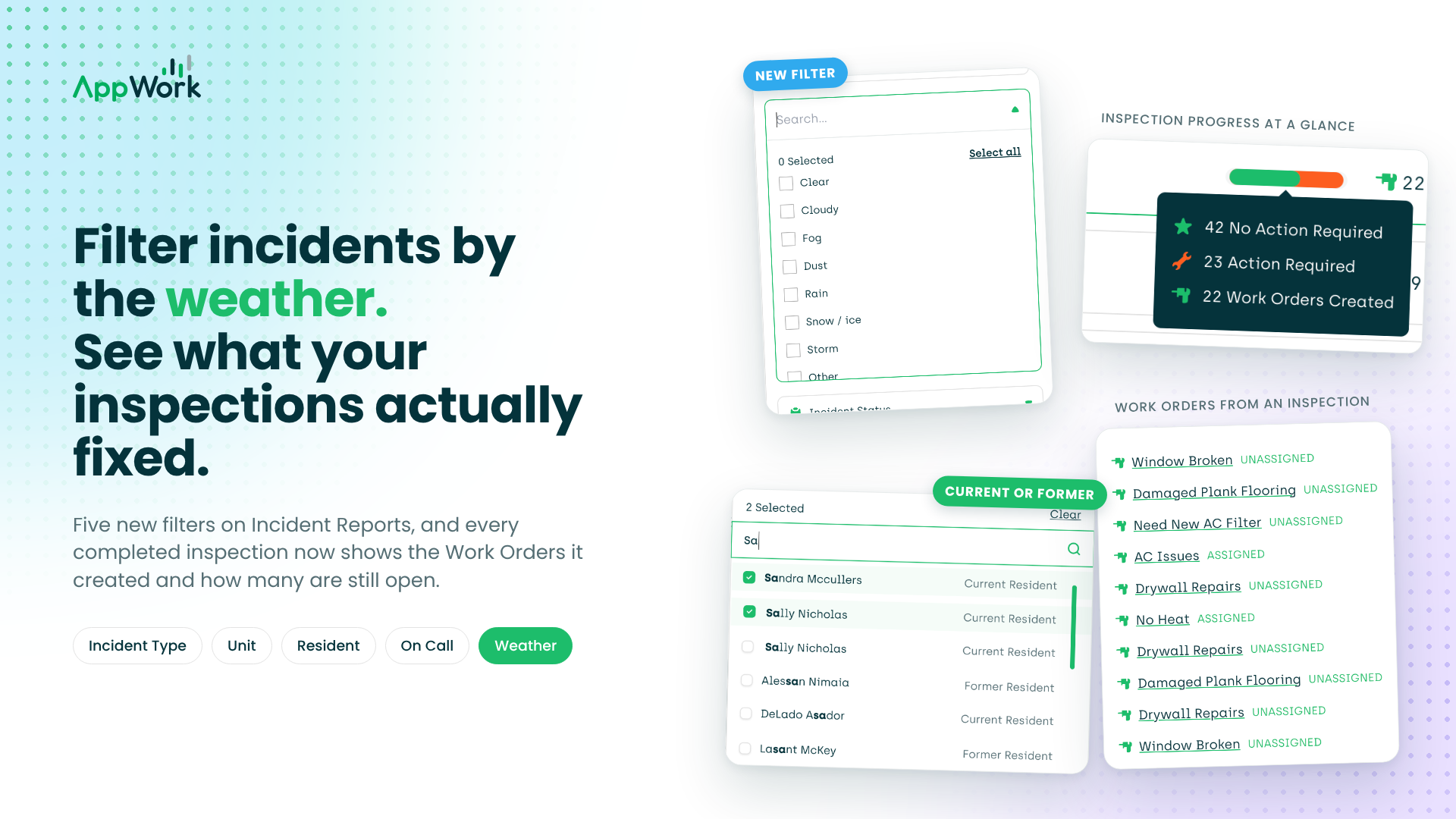
Five new filters. One of them looks out the window. You can now filter the Incident Reports and Claims Management page by Incident Type (the categories from your templates), Unit, Resident, On-Call technician, and Weather. Which means “how many slip-and-falls happened while it was raining?” is now a click, not a spreadsheet project.
Weather was always on the report. Now it’s a filter. AppWork has been logging the weather on every incident from day one. Until today, that data just sat there looking pretty. Now you can filter by Clear, Cloudy, Fog, Dust, Rain, Snow / ice, Storm, or Other and see a pattern instead of a pile of reports. Every slip-and-fall on a foggy morning. Every claim that came in after a storm. Nothing else in this industry does this, and your insurance carrier is going to want to see it.
Current or former? Now you know. When you add an involved resident to an incident report, AppWork tells you whether they still live there or moved out. No more guessing which Mike from 4B you’re dealing with.
Inspections
Completed inspections now show their homework. The Completed tab on the Inspections index shows how many Work Orders came out of each inspection and how many are still open versus done. An inspection used to end when the tech hit complete. Now it ends when the work does. An inspection that spawned twelve Work Orders and closed two is telling you something.
Peek at an inspection before it’s done. Hover over the tooltip on an in-progress inspection and see the results so far. No waiting for the tech to hit submit to find out the water heater is already a problem.
Go filter something by Fog just because you can. Then open the Completed tab on Inspections and find out which of your inspections have been quietly leaving Work Orders open since September. We’ll be here, logging the weather, like we’ve always been. Somebody had to.