New Days Vacant Heat Map on the Make Ready Board


Days Vacant Heat Map
This is a big one for anyone who has ever stared at a vacancy report wondering if the units on the second floor of Building C sit vacant longer than the ground floor units across from the pool.
Make Ready Board
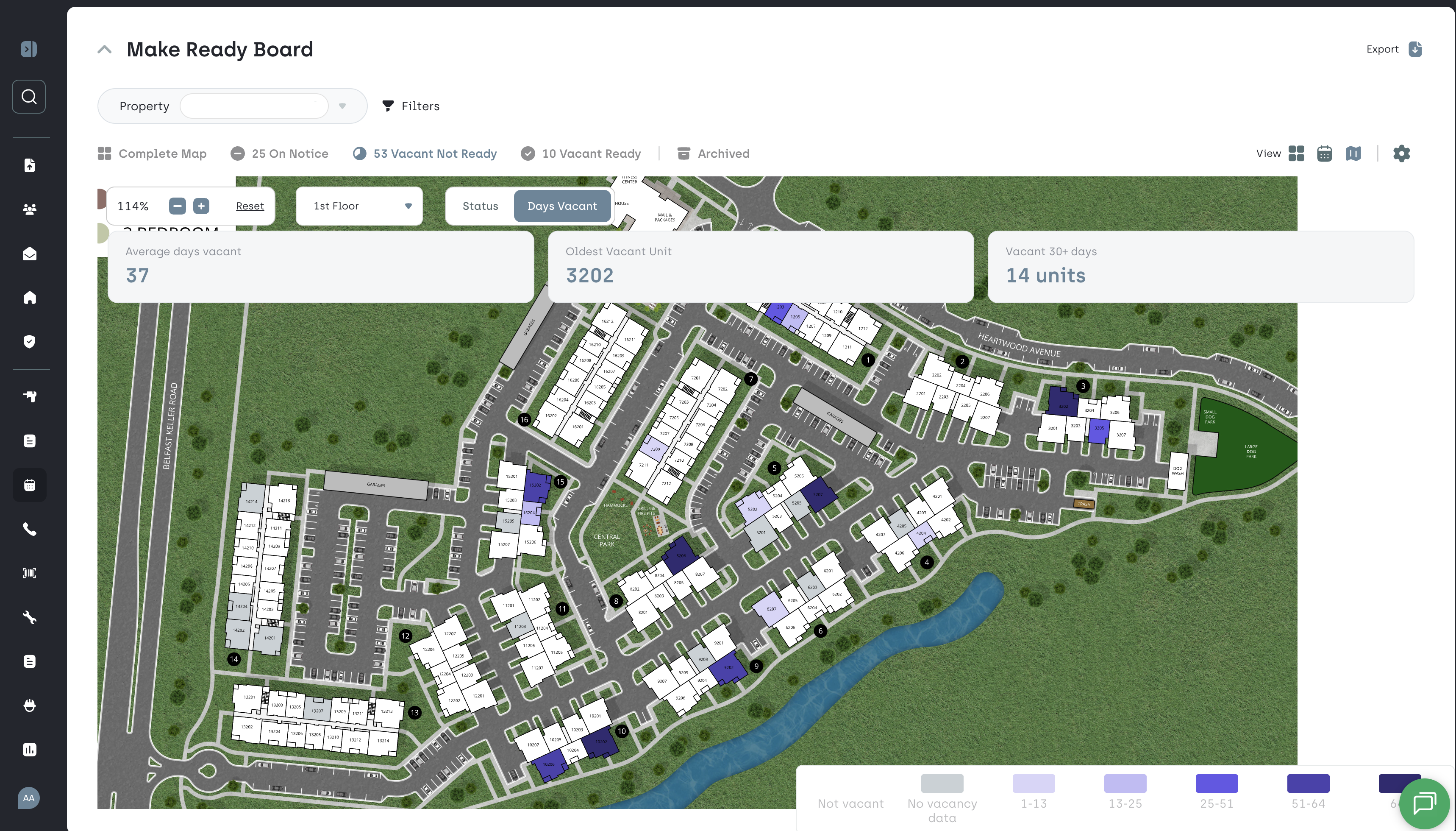
Days Vacant Heat Map This is a big one for anyone who has ever stared at a vacancy report wondering if the units on the second floor of Building C sit vacant longer than the ground floor units across from the pool.
Your vacant units now glow. The longer they sit, the darker they get. The Make Ready Board map has a brand new view: a Days Vacant heat map. Every vacant unit on your property is shaded by how long it has been empty, so the units bleeding the most money are the ones you can't miss.
A vacancy report tells you a number. This shows you where the problem lives. Same building? Same floor? Same corner of the property? Now you can see it.
Three new data points. Average days vacant across your current vacancies, the unit that has been sitting the longest, and how many units have crossed the 30-day line. All 3 are now easily visible and live at the top of the map!
Hover for the why. Hover over any unit on the map and you'll see its days vacant plus quick and helpful context: The unit turn progress and the scheduled move-in date. Two seconds to know whether a unit is almost ready or quietly stuck.
Same map, one toggle. This lives inside the Make Ready map you already use. Flip between the status view and the Days Vacant view whenever you want. Nothing to set up. Nothing to learn.
--- Every day a unit sits vacant is rent you never get back. Seeing those days on a map, not in a spreadsheet, is how you spot the pattern and lease faster.