
New Call Screening and Work Order eSignatures


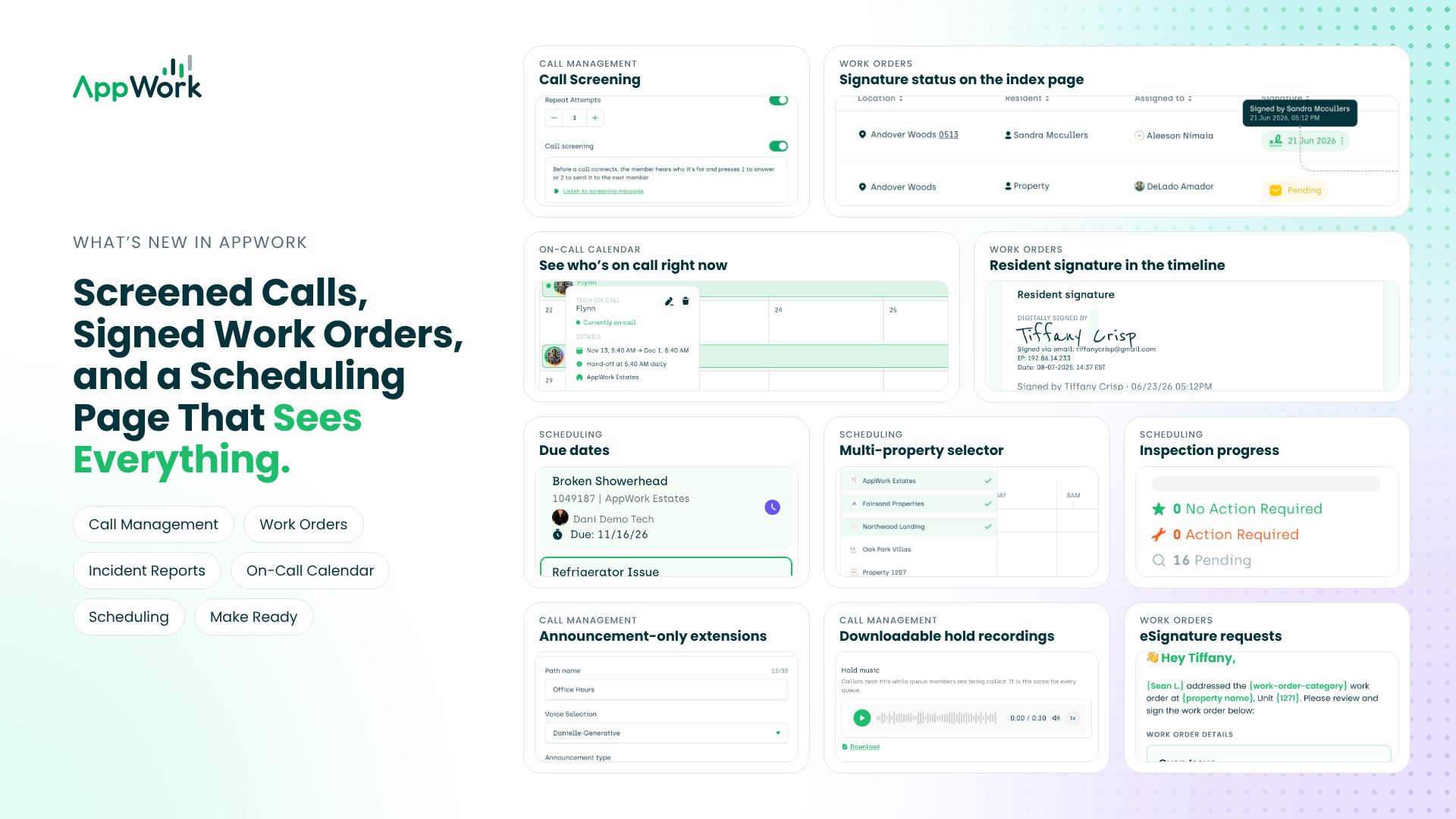
Sometimes we release updates that tiptoe in quietly. This release kicked the door open. Hard.
Your phone lines got a lot smarter and your Work Orders can now ask for a signature. Scheduling can now look at more than one property at a time, which, yes, it probably should have done from the start.
The short version: your team moves faster and your residents get a better experience. Most importantly, you get better documentation and data collection.
Grab a coffee. Here's everything that's new.
Call Management:
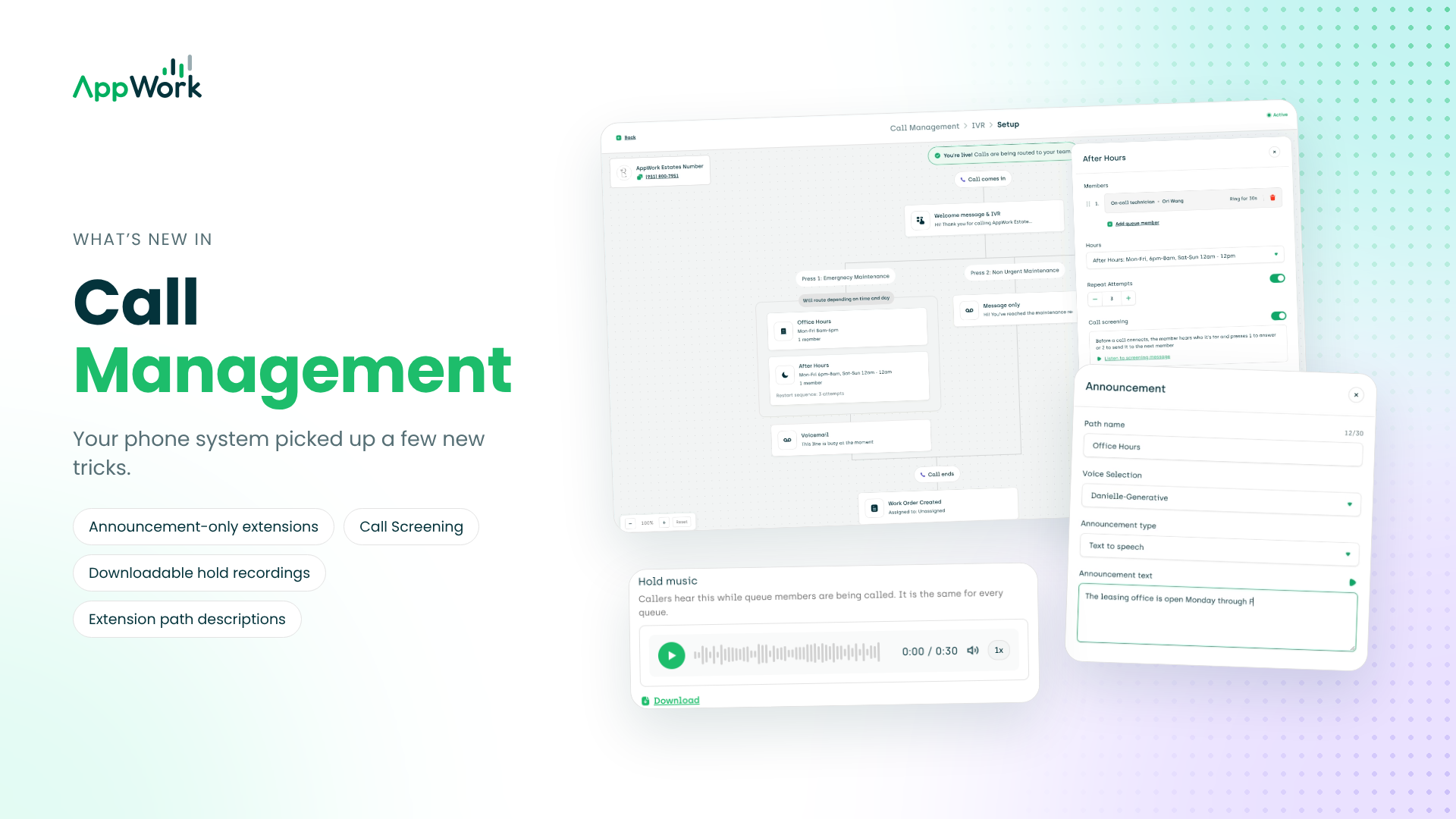
Your phone system picked up a few new tricks, including one your on-call technicians will appreciate at 3:30 in the morning.
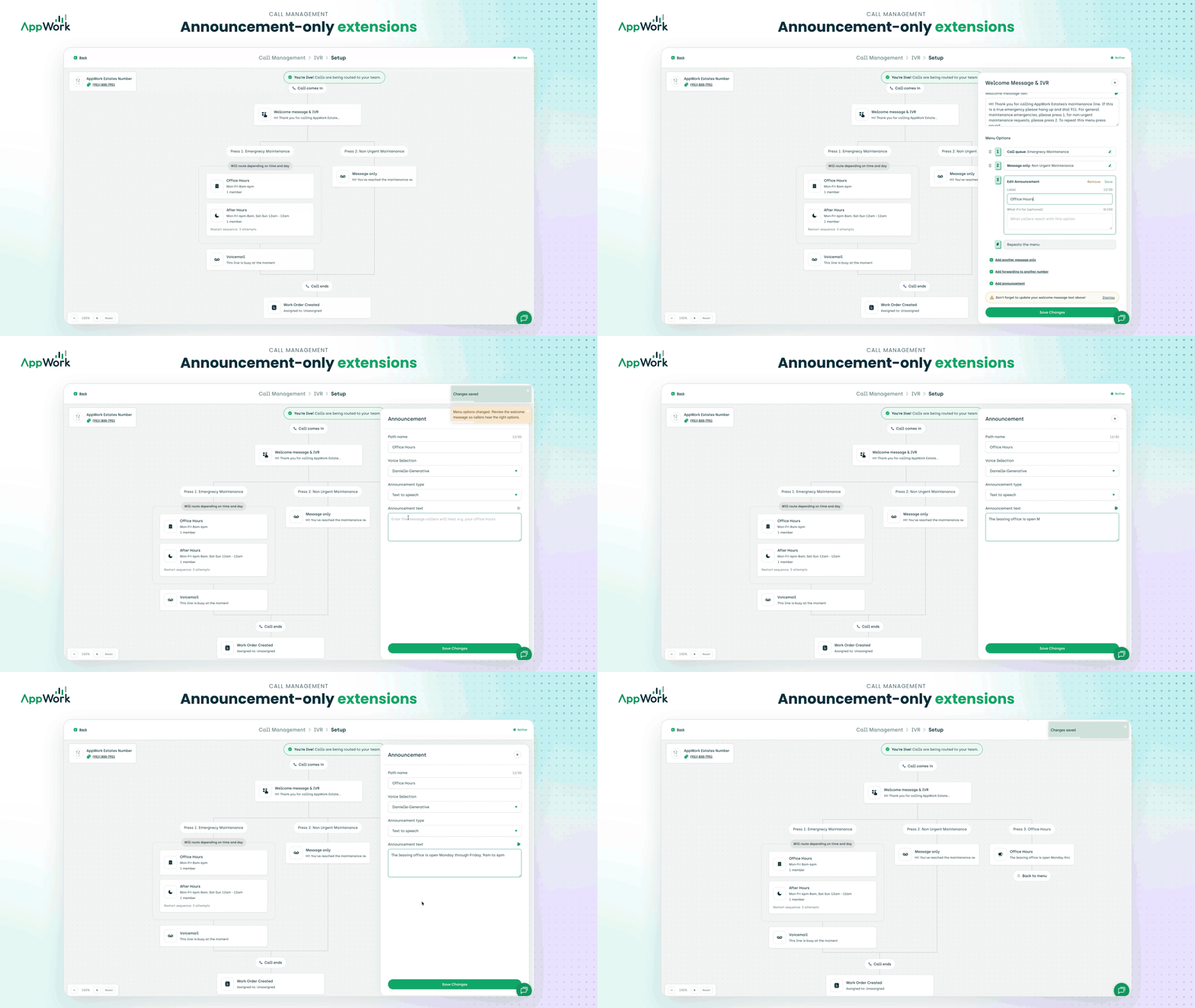
Introducing a new announcement-only extension type that can play office hours, directions, or any other message you'd like! Set it up under Call Management > Welcome Message & IVR Settings > Add Announcement.
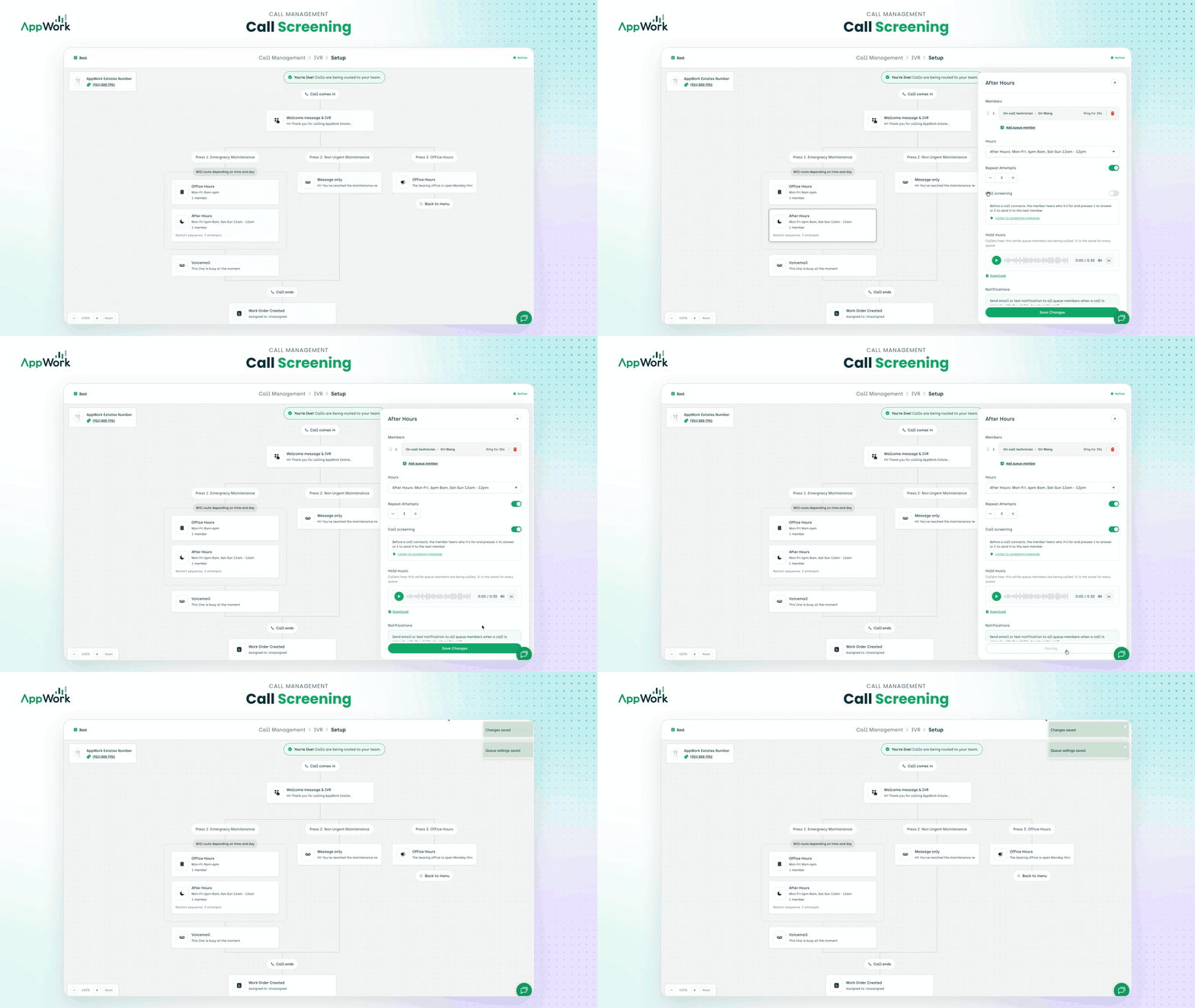
Call Screening is now available! Before we connect your technician with a live resident at 3:30 in the morning, AppWork can play a message when they answer, letting them know they're getting an emergency call. They can press 1 to accept or 2 to decline. If they decline, the call continues down the call queue. To enable: click on the call queue > toggle on Call Screening.
You can now listen to your hold message recordings and download them as MP3s.
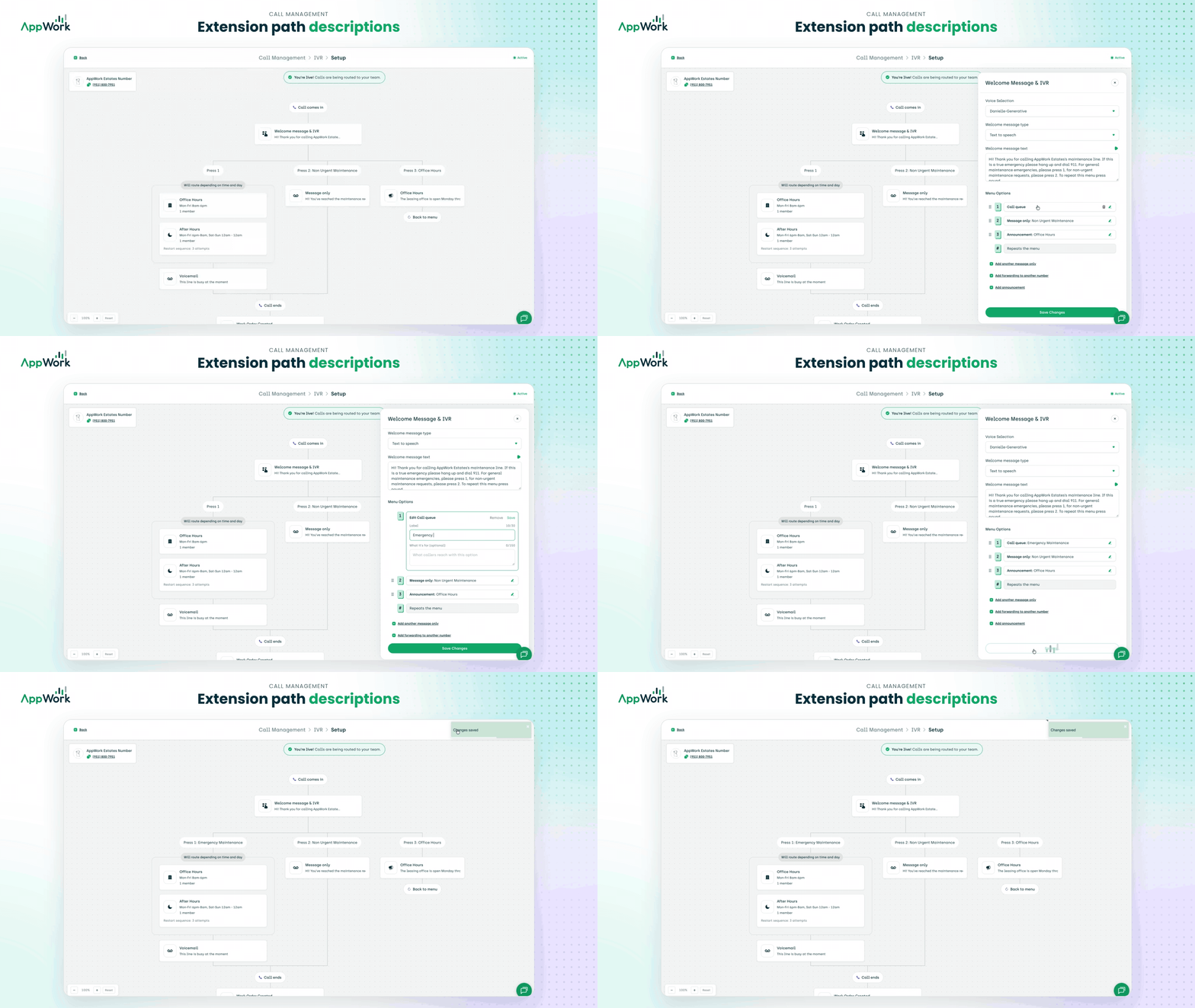
You can now add a description to each extension path, making it easy to see what each path is for. To update Call Management settings, navigate to: Settings > Property Settings > Call Management > Edit.
Work Orders:
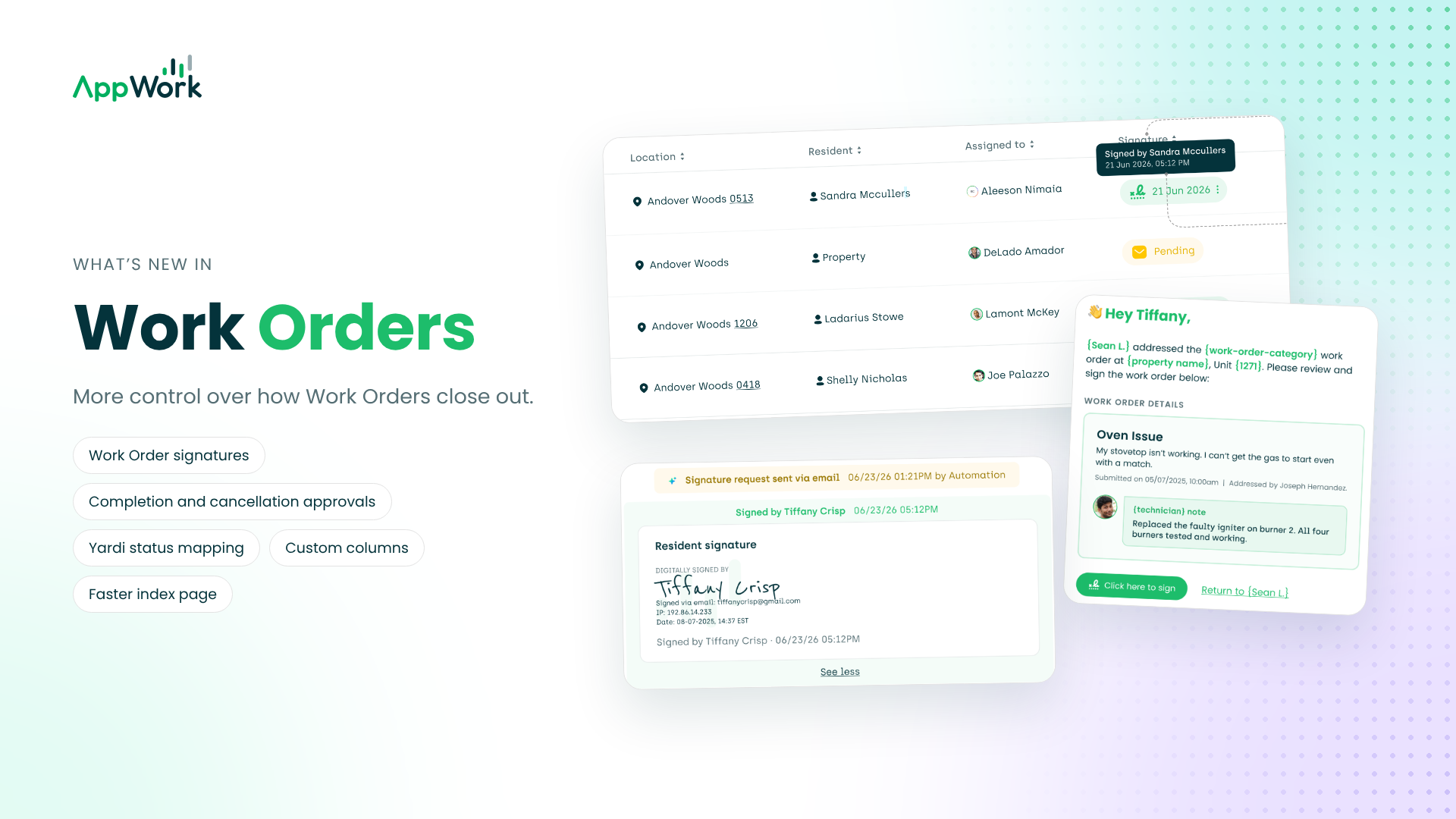
Work Orders got the most attention this round. You get more control over how they close out and less waiting around for them to load.
You can now turn on Work Order signatures. When enabled, AppWork sends the resident an eSignature request for every completed Work Order in their unit. If it isn't signed, AppWork automatically sends 3 reminder emails, 24 hours apart. You can see every reminder right in the Work Order timeline and send one manually from there too. Once it's signed, you can see the digital signature in the Work Order timeline and in the PDF export of the signed Work Order.
You can now map Work Orders that are waiting on parts or assigned to vendors to the corresponding Work Order status in Yardi.
You can now set up completion and cancellation approvals for Work Orders. Review and approve each completion or cancellation manually before the Work Order moves to its new status.
We've improved the integration between Yardi Purchase Orders and Work Orders. It's now faster and more streamlined. Contact us today if you'd like to learn more or enable this feature.
Introducing custom columns on the Work Order index page! You can now turn a column showing the Work Order ID on or off.
We've optimized the Work Order index page to load significantly faster!
Incident Reports:
A small one. But if you've ever tried to describe a burst pipe in a text box the size of a postage stamp, you'll feel it.
The description field is now larger, making it easier to write longer descriptions.
On-Call Calendar:
"Wait, who's on call right now?" should never take more than a glance to answer. Now it doesn't.
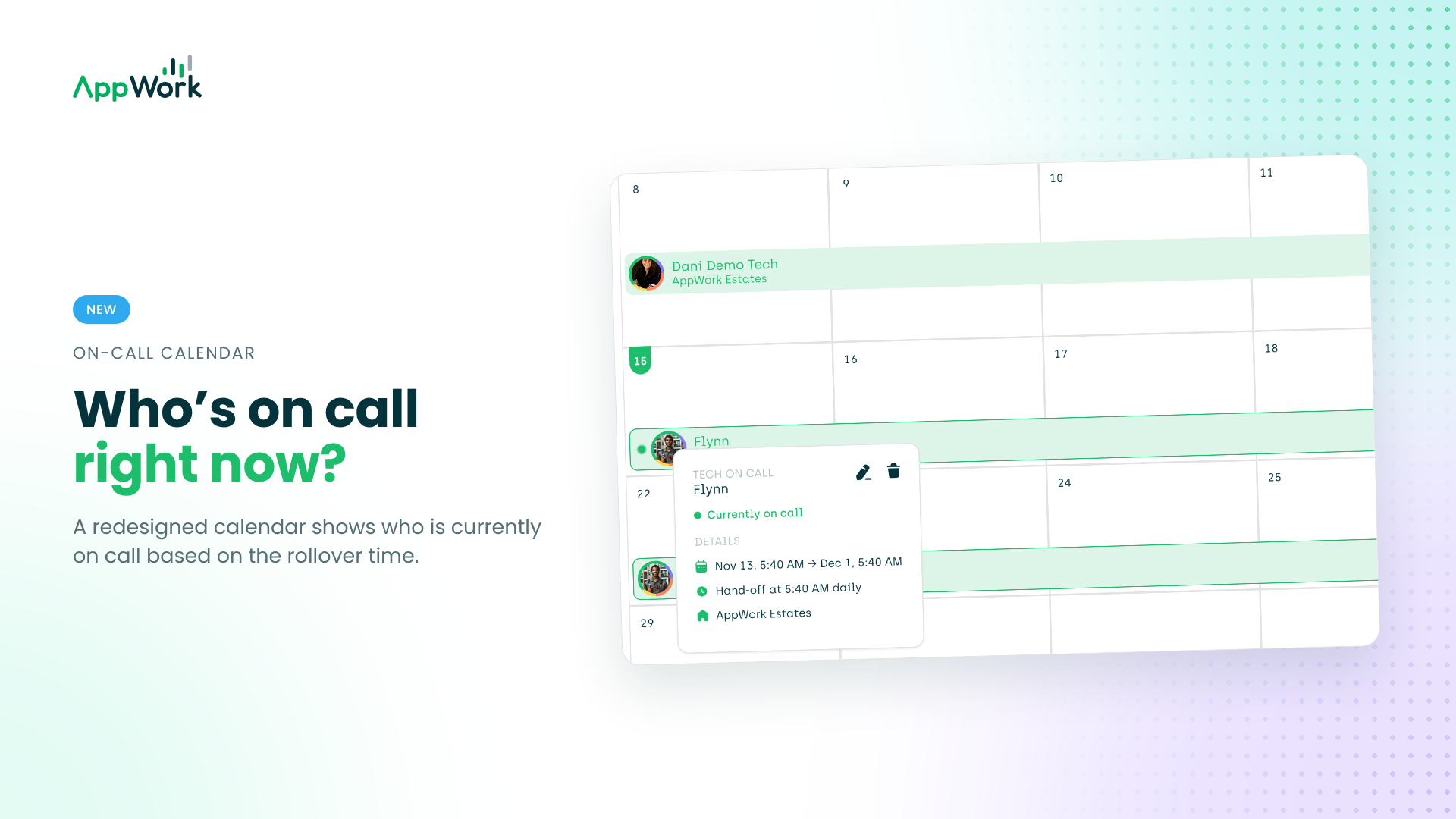
We've improved the design of the On-Call Calendar, making it easier than ever to see who is currently on call based on the rollover time.
Scheduling:
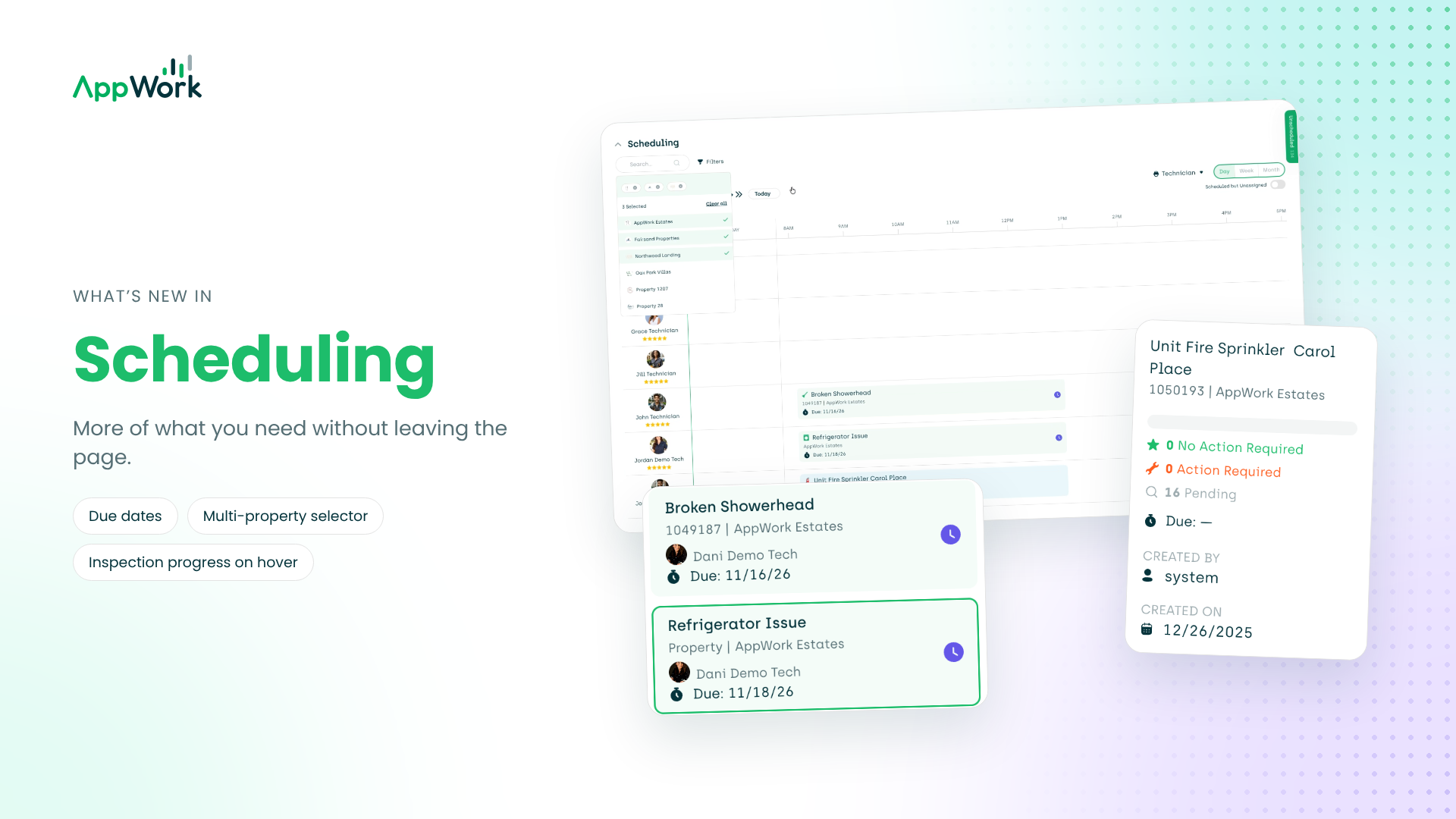
Scheduling now shows you more of what you need without leaving the page. Fewer tabs, fewer surprises.
You can now see due dates for Work Orders and inspections right on the Scheduling page, making it easier than ever to see what's due and make sure it's scheduled properly.
Running a centralized operation? You can now see everything at a glance. The property selector in Scheduling is now a multi-property selector, so you can view the schedule for a single property, a group of properties, or your whole portfolio combined!
You can now see an inspection's progress right on the Scheduling page by hovering over it.
Make Ready:
Short and sweet. When something goes wrong, we now tell you instead of keeping it to ourselves.
We now show post errors when updates don't post correctly to your Property Management System (PMS).
Most of what we build starts with something you told us, so keep it coming. If you have a question or want help turning any of this on, reach out to us. We love this stuff.
See you in the next release. Knowing us, it's not far off.