Lease File Audits V3 Adds Custom Fields and Charts


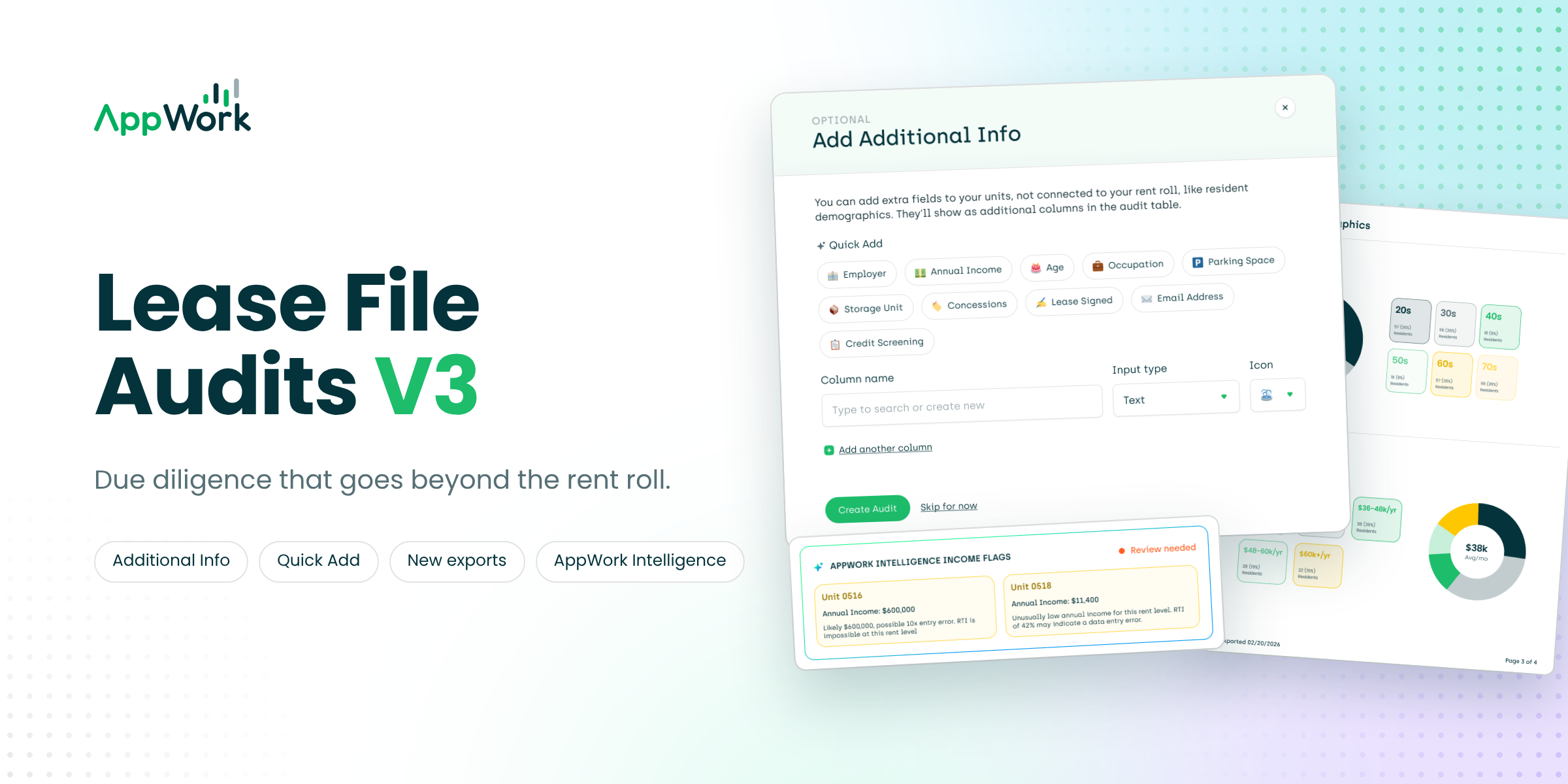
Today we are taking Lease File Audits (LFA) to new heights.
Lease File Audits V3 turns your due diligence audit into a full picture of the property you're auditing. Until now, a lease file audit confirmed that the leases matched the rent roll. With V3, you can capture anything else you want to know while you're already in the files, from employers and income to concessions and credit screening. That data flows straight into exports with ready-made charts, and AppWork Intelligence summarizes the audit and flags anything that looks off. You walk away from due diligence knowing who actually lives at the property, with a report you can hand to your owners and asset managers the same day.

Introducing "Additional Info"
This new feature lets you collect data during a lease file audit that goes beyond the rent roll.
You can now add custom questions and inputs to your lease file audits. Five input types give you control over exactly the data you are looking for:
- Text field
- Number
- Yes / No
- Date
- Dropdown
Quick Add
With our Quick Add options, setting up a lease file audit is easier than ever. Choose from 10 prepopulated fields during setup:
- Employer
- Annual Income
- Age
- Occupation
- Parking Space
- Storage Unit
- Concessions
- Lease Signed
- Email Address
- Credit Screening

During the Audit
When performing a lease file audit, you can view the additional information in the bottom section of the unit card or right from the list view.
Each custom item can be populated, marked as N/A, or marked as missing, giving you next-level control and visibility into what happened.

New Export Capabilities
Where this really gets exciting is our new export capabilities, which put all of this new data to work. You can now see graphs and charts for information like age range per unit, annual income per unit, top employers, rent-to-income ratio by unit type, credit screening results, and more.

Supercharged with AppWork Intelligence
We didn't stop there. LFA V3 is supercharged with AppWork Intelligence, which writes a quick summary of the notes and themes from the audit and flags anything that looks off, like an extra zero added to a resident's income.
Availability
This is now available to everyone. You'll find it in the Lease File Audits tab in the left navigation bar.