Inspections, Work Orders & More Just Leveled Up


Inspections
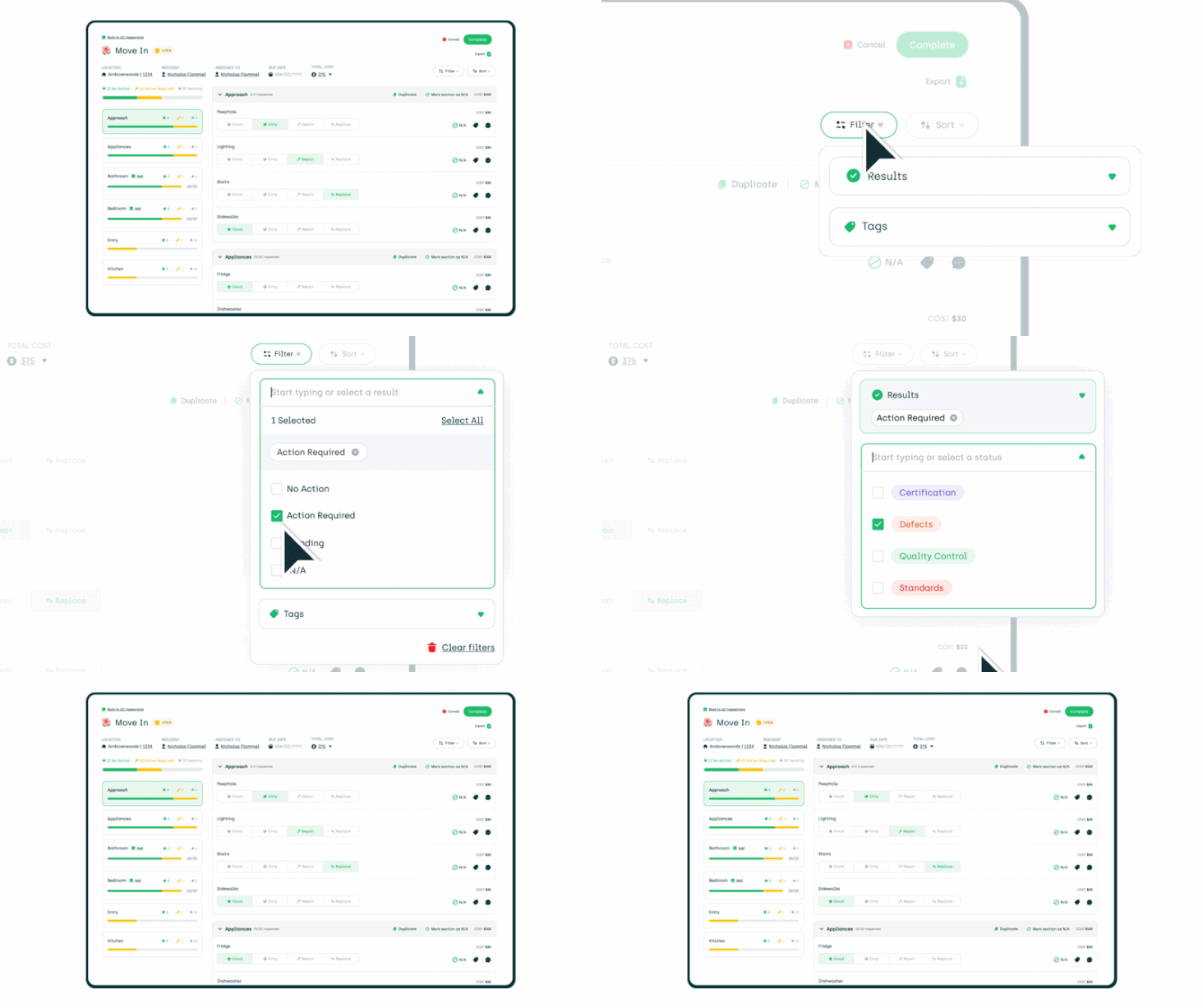
Inspection Filters You can now filter the inspection view page to show only items that need attention, the pending items or the tags!
Stop scrolling through completed items to find what actually needs follow-up.
More inputs work with Cost Forms Tag selectors, date inputs, and text fields now all support Cost Forms. More flexibility to capture the details that matter when something needs to be tracked or billed.
Work Orders
Filter by assigned technician or vendor You can now filter your Work Orders list by who it's assigned to. Easier to see what's on your team's plate at a glance.

Filter by parent category In addition to subcategory filtering, you can now filter Work Orders by their parent category. A faster way to zoom in on the type of work you're looking for.
Smarter auto-assign with "Group by Units" When using the "Group by Units" feature, AppWork now checks for existing assignments before auto-assigning. If a tech already has a Work Order from that unit, new ones go to them automatically. Fewer reassignments, less confusion, more efficient teams!
Resident photos from AppFolio, now in AppWork Images that residents submit with their Work Orders in AppFolio now pull directly into AppWork. Your team sees the full picture without having to jump between systems.
Assignments sync to AppFolio automatically When you assign a Work Order in AppWork, it now automatically assigns to the same technician or vendor in AppFolio. One action, both places updated.
Units in the correct order The units list when creating a Work Order now displays in the right order, making it easier to find the unit you're looking for.
Exact matches show up first Searching for a unit when creating a new Work Order now surfaces exact matches at the top. Faster to find, less time scrolling.
No more "Load More" All units now show by default when creating a new Work Order. Everything is right there.
Ceiling Leak replaces Roof Leak The "Roof Leak" category has been renamed to "Ceiling Leak" to better match how residents describe and log this type of issue.
Admin App: Load more. See more. The admin app now has a "Load More" button on the Work Orders page. Because apparently 15 work orders at a time wasn't cutting it. Now you can keep scrolling without hitting a wall.
Refrigerant Logs
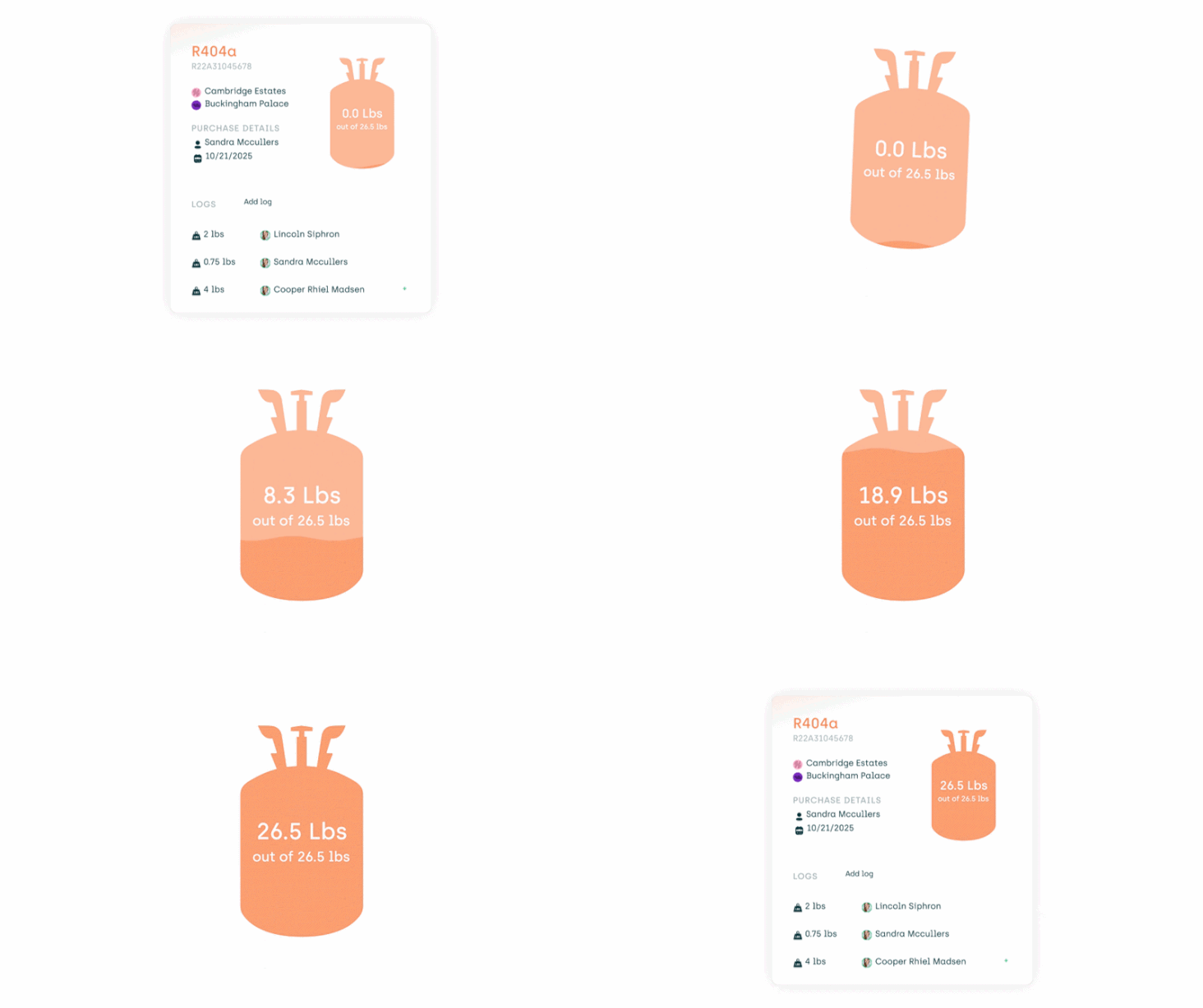
Your cylinder fill level is now live The cylinder view now shows a real-time rendering of exactly how much refrigerant is left in the tank. No more guessing, no more doing the math in your head. Just look at it and know.
Technicians
Assign access by property group You can now give a technician access to an entire property group instead of selecting properties one by one. A big time-saver for anyone managing multiple properties.
Vendors
Assign vendors to property groups Same as technicians: you can now assign vendors to a property group instead of individual properties. Consistent, simple, and a lot faster to set up.
Make Readies
RealPage sync fix Resolved an issue where units marked as ready in AppWork weren't always updating to ready in RealPage. They now stay in sync.
Settings
Assign new staff to property groups When creating a new staff member, you can now assign their property permissions to a group instead of selecting each property individually. Yes, this should save you a lot of time. You're welcome.
Cleaner property permissions for existing staff When editing an existing staff member, property permissions now use a simple dropdown that includes property groups. No more scrolling through individual checkboxes.
API Updates
Work Orders now include more data API results now return the ID number for custom items and the Last Updated timestamp. More detail, less guesswork for your integrations.
Upload attachments via API API users can now attach files directly to Work Orders. Build the workflow that works for your team.
Pull the full Work Order timeline via API You can now retrieve the complete history of a Work Order through the API. Every update, every status change, all in one place.
New Incident Report endpoint Brand new API endpoint for incident reports. Pull a list of all incident reports or retrieve the full details of a specific one. Everything you need to integrate incident data into your reporting workflow.