Faster Inspections, No More Duplicate Work Orders


Faster Pages, Smarter Work Orders, Fewer Duplicates
A meaty one. We're rolling out duplicate detection on Work Orders, a serious speed jump on Inspections and the Make Ready Board, two-way ready date sync for Rent Manager clients, and a stack of cleanups and bugfixes across the system. Your work order list is about to get a lot quieter.
Work Orders
Duplicates get caught at the door. When you create a new work order, AppWork checks against existing ones in real time and warns you before you spin up a copy. The duplicate problem, solved at the source.
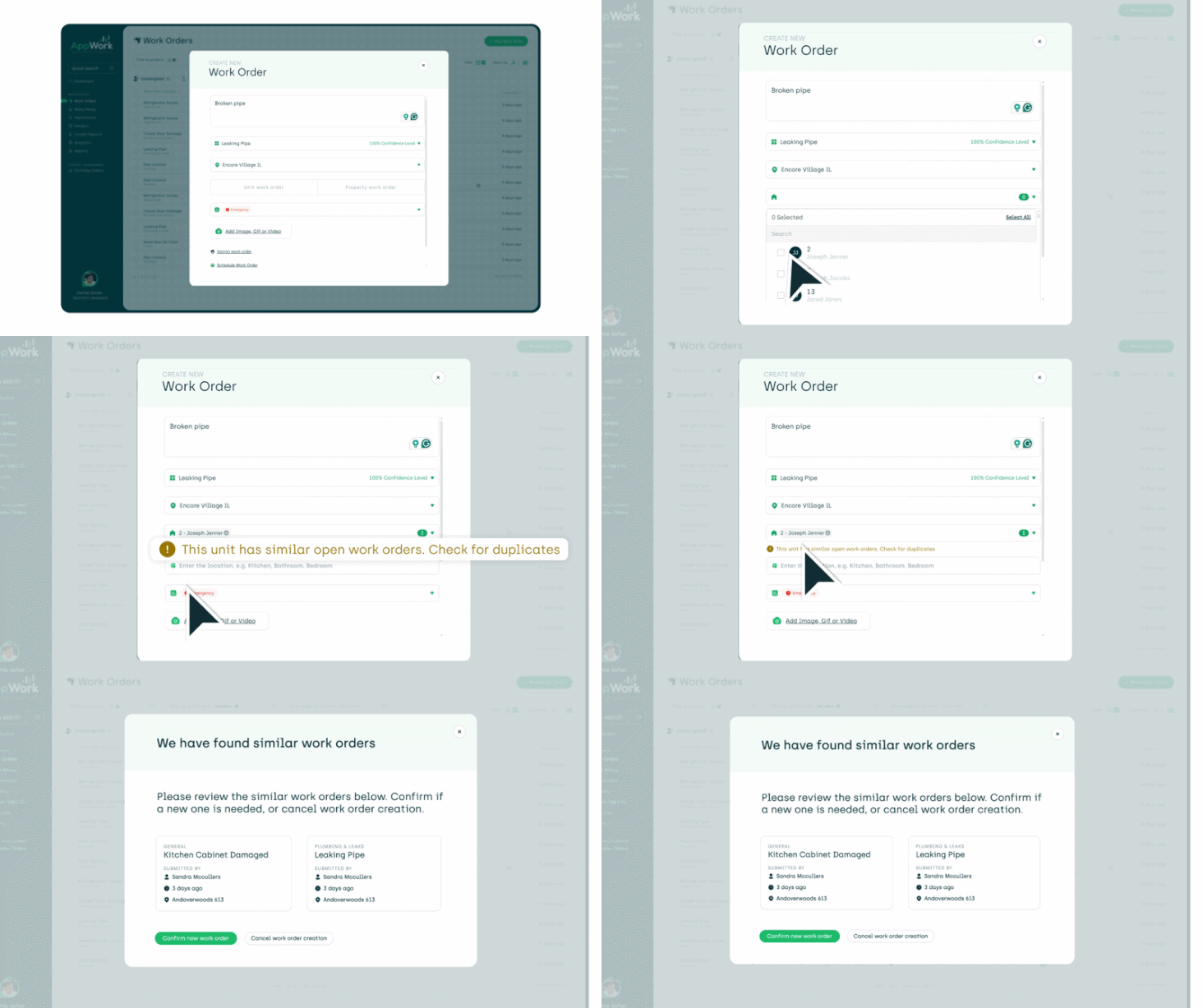
Yardi duplicate edge case, handled. Fixed an edge case where certain work orders were duplicating themselves in Yardi. They were multiplying on their own. They've been told to stop.
Lease Audits
The scoreboard is finally worth looking at. The four info boxes at the top of your lease audit now show percentages for Completed, Discrepancies, Matches, and Revenue at Risk. One glance and you know exactly where you stand.

Discrepancies now come with receipts. Click into the discrepancy box and you'll get the full breakdown of every discrepancy, your way. Table view if you like rows and columns. Chart view if you're more of a visual person. Either way, nothing hides anymore.

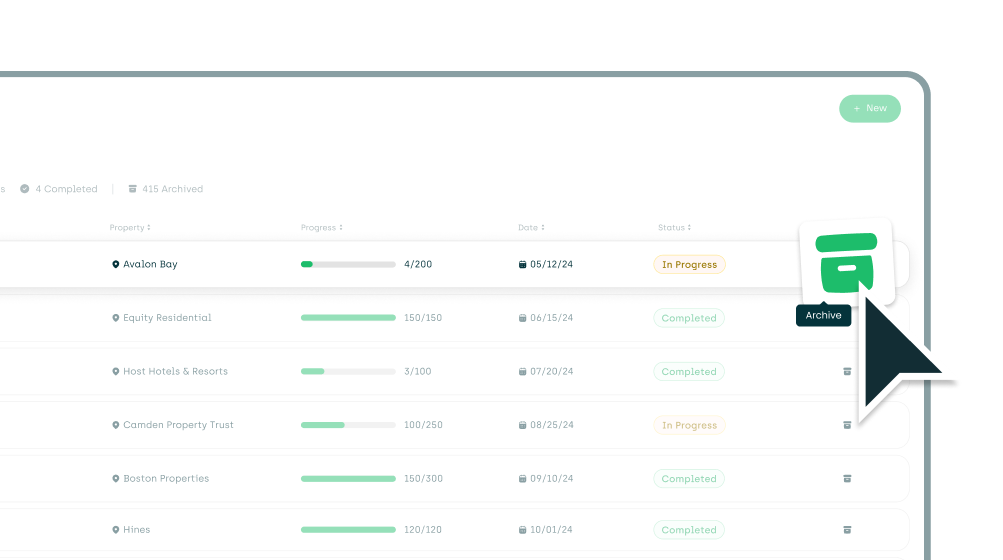
Archive a lease audit and move on with your life.
Hit the archive icon and the audit disappears into the archived tab. Clean, quiet, done. Like it never happened. (It did happen. It's just filed now.)
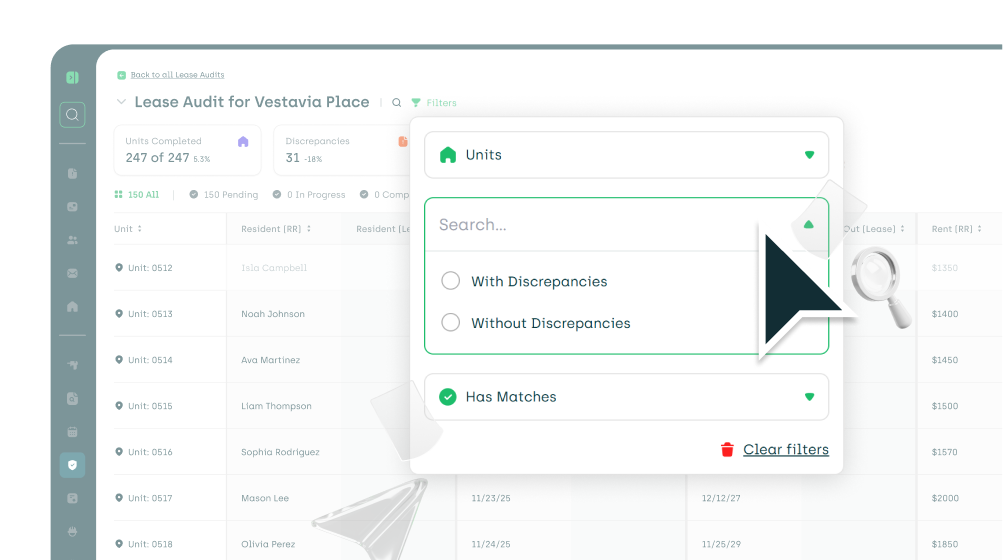
Filter the noise out. New filters let you narrow your lease audit by specific units, units with discrepancies, units without discrepancies, and units with or without matches. Stop scrolling. Start finding.
Call Logs & Call Management *BETA
Smarter on-call setup. Configuring your on-call schedule is cleaner and more flexible. Less guesswork, fewer "wait, who's on call tonight?" texts.
Better work order creation settings from calls. More control over how work orders get created when calls come in. Set the rules once. AppWork follows them.
Call queue numbers now show up correctly on the call log. The right queue number now shows up next to every incoming call. Yes, this should have shown up sooner. We agree.
Residents now know the call is on the record. A recording plays automatically at the start of each call letting residents know they're being recorded. Simple, clean, and one less compliance thing to lose sleep over.
The call ends. The Work Order is already assigned. If the technician who answers has AutoAssign turned on, the system now automatically assigns the Work Order to them the moment the call wraps up. Zero extra steps. Keep moving.
A handful of smaller fixes. Several Call Management bugs took their last breath in this release.
Inspections
The Inspections page is fast now. Like, really fast. We tore out the engine and rebuilt it. If the Inspections page used to feel sluggish, it won't anymore. You will notice it the first time you load it.
PDF inspection photos stopped expiring on you. Click a photo in a PDF inspection export an hour after exporting it? You used to get an angry "expired link" error. Now you get the photo.
Yardi resident attachments, fixed. Certain completed inspections weren't attached to the right resident in Yardi. They are now. Cleanly.
Recurring inspections actually recur. Fixed a handful of issues where autogenerated and recurring inspections weren't generating on schedule. Set them once. They'll show up like they're supposed to.
Inspections were showing up to the wrong party. Fixed an issue where inspections were autogenerating on the wrong date. They now generate on the correct date, every time, no negotiations required.
Inspection scoring got more inputs. Scoring now supports tags and date inputs alongside what was already there. More flexibility when you're designing inspections that actually score the way you want.
Make Ready
The Make Ready Board got a speed shot. It loads significantly faster. You'll feel it the first time you open it.
RentManager User Defined Field (UDF) mapping for ready dates. RentManager clients can now map the ready date field in AppWork to a UDF in RentManager. Finally, your systems agree on what "ready" means. To enable: Settings > Property Settings > Maintenance > Make Ready > Ready Date Name
Ready date sync with RentManager. Once the UDF above is mapped, the ready date updates in AppWork automatically when changed in RentManager.
Completed inspections stay put on the Make Ready Board. Fixed an issue where a freshly generated inspection was overwriting the completed one you already had on the board. Your finished work no longer gets bulldozed by the next round.
Cleaner Yardi sync when marking units ready. Improved how AppWork marks units as ready and pushes that status to Yardi. Fewer "why is it showing not ready?" questions.
RealPage finally got the memo. Improved the Make Ready RealPage integration so AppWork now handles marking units as ready in RealPage the way it should. Mark it ready in AppWork. RealPage follows. That's the deal.
General
See every email AppWork sent. You can now see every email AppWork has sent to your staff. Find the emails sent by going to settings > system settings > core > staff > select staff member > sent emails.
Okta login on the Admin App/Dashboard stopped throwing errors. Users logging into the Admin App or the Admin Dashboard through Okta were getting an error message that had no business being there. It's gone.
The stars are out. We added a magic star next to features powered by AI or automation across the platform. Now you'll always know when something has a little extra working for you behind the scenes.