Stop Duplicate Work Orders Before They Stack Up


May 31st Release:
Next Level Duplicate Detector, Updated Call Log, and Customizable Incident Reports
This one's got range. We're tackling the quiet inefficiencies that add up: more improvements to duplicate Work Order tracking, missed calls slipping through unnoticed, and incident reports that couldn't flex past their factory settings. Plus some long-overdue Lease Audit love, a couple of bug fixes we're not proud of, and one backend overhaul we're actually very proud of.
Work Orders
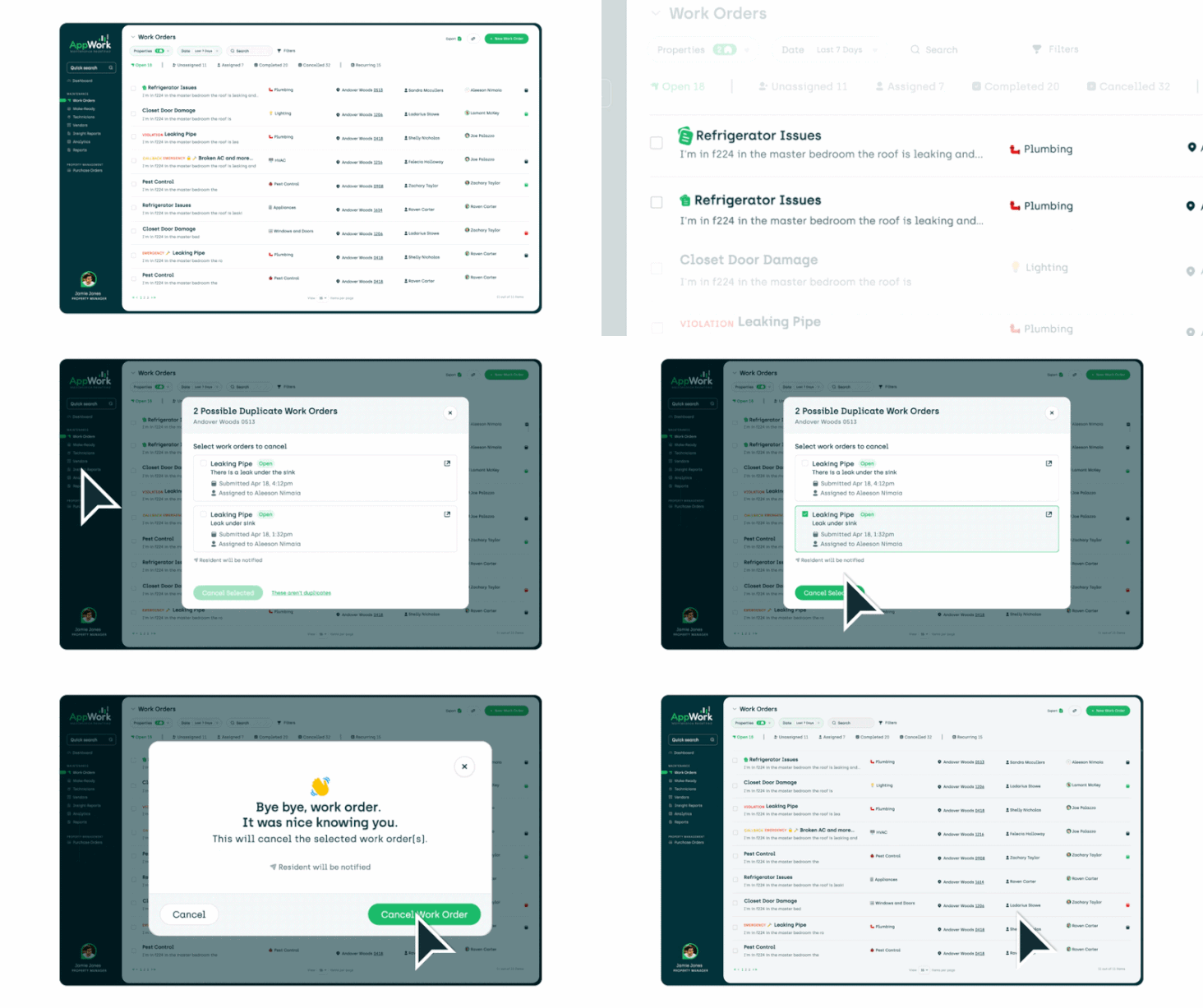
AppWork now sniffs out duplicate Work Orders. Our intelligence engine scans your open Work Orders and flags potential duplicates before they pile up on your team's plate. Review them, cancel the extras, and get a true and accurate list of the open work orders. Something so simple but never before possible in the industry!
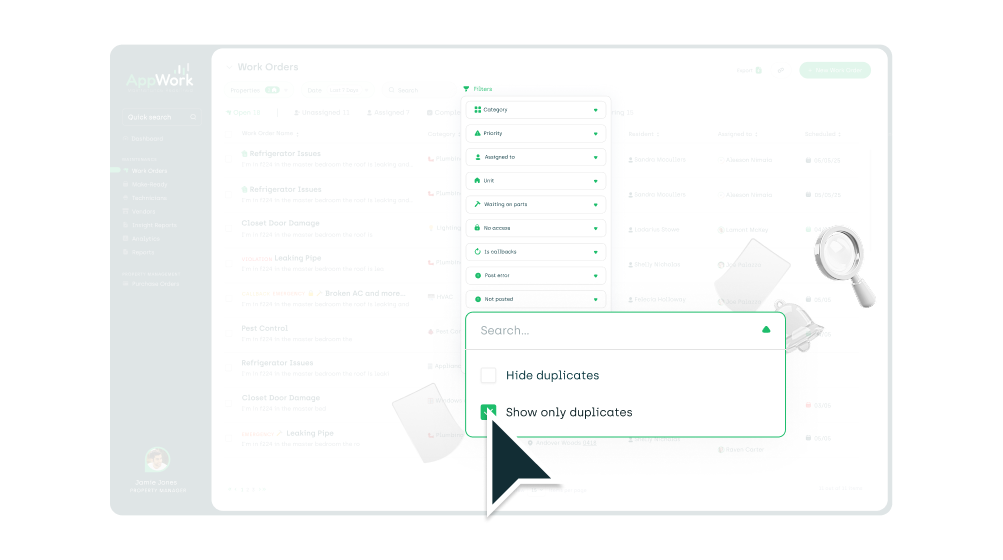
Filter by potential duplicates in one click. A new filter on the Work Orders list surfaces only the flagged duplicates. No scrolling. No hunting. Just clean up and move on.
Green dot = resident hasn't seen your message yet. We added a green dot next to a resident's name on the open Work Order page so you can instantly tell who still has an unread text message.
Attachments added to your Property Management System (PMS) after submission now sync to AppWork automatically. If someone (including residents) attach a photo in your PMS after the Work Order was already created, AppWork now pulls it in. Your teams always have the full picture, even when it arrives late.
Residents now get a heads-up when their Work Order is assigned to a vendor. A new automated text goes out the moment you make that assignment. Fewer "so... what's happening with my request?" calls.
Permission to enter changes now leave a paper trail. Permission to enter flips from Yes to No (or no to yes), a new timeline event captures it: what changed, when it changed, and who changed it. No more mystery! The receipts are right there on the Work Order.
Call Management
Outbound and inbound calls finally have their own lanes. We split the call log into two separate tabs: one for inbound calls coming through Call Management, one for outbound calls your technicians are making to residents. Each tab shows the information that actually matters for that call type. No more squinting through a mixed log trying to figure out which direction the call went.
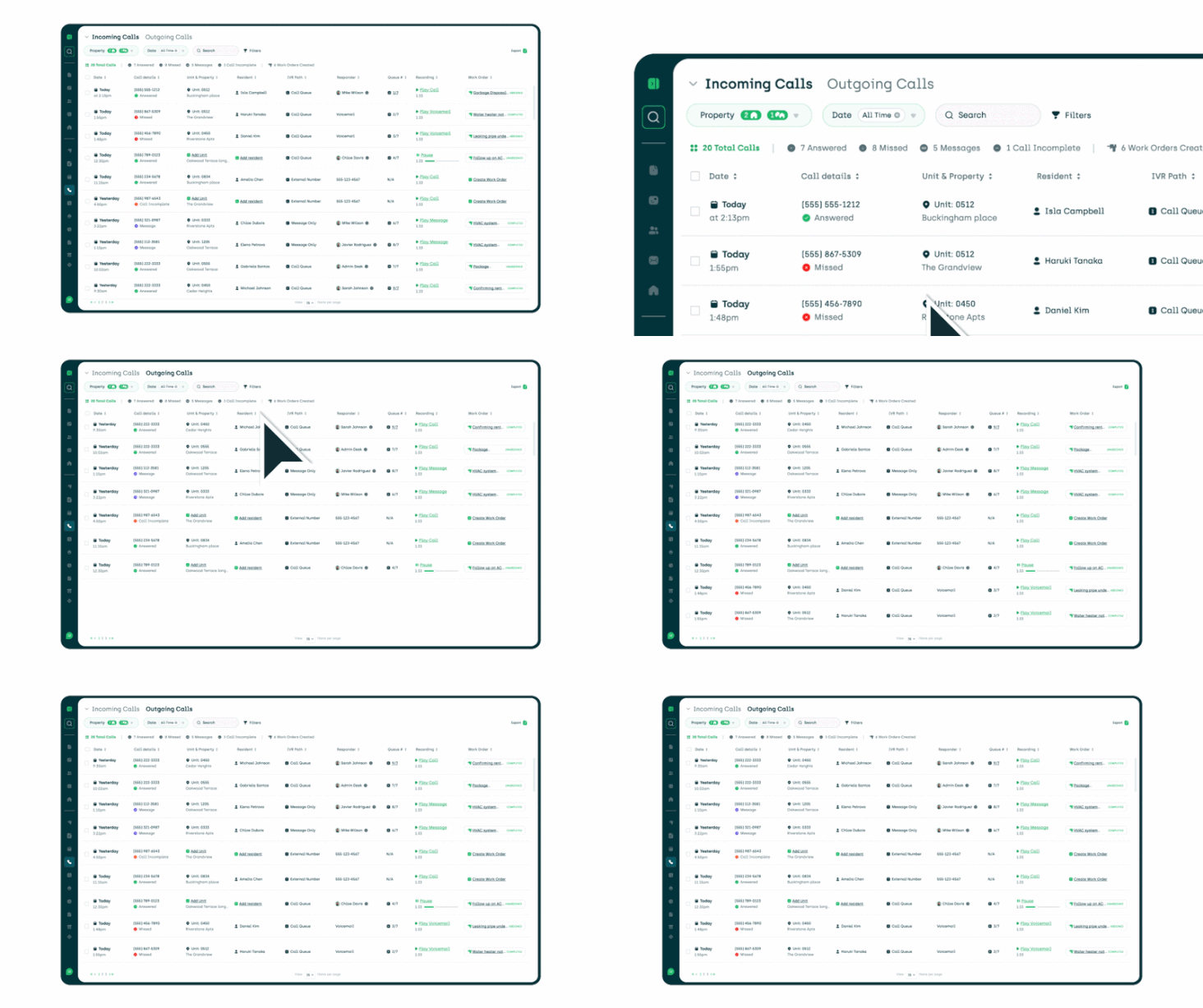
Hover over a queue, see exactly who's in it. On the call log, hovering over the Queue column now shows you every person sitting in that call queue. No more guessing who's covering what.
AppWork now summarizes calls instead of pasting the full transcript into your Work Order. When a call creates a Work Order, the description uses a clean AI summary rather than a wall of verbatim transcript. Better reading, better categorization, better everything.
Fixed the status tabs showing messages in the wrong place. Messages were landing in the wrong tabs. They're sorted correctly now.
Lease Audits
Mark a unit as missing a lease. Not every property has every lease neatly on file. You can now flag units where the lease is missing instead of leaving them in limbo. Clear status, clear accountability.
Missing lease status shows up on the Lease Audit page. Each unit with a missing lease gets its own status indicator right on the Lease Audit page. No digging. You can see the gap from the top.
A running count of how many leases are missing, and what percent of the total that is. A new info box keeps a live tally of missing leases across the property. Now you know exactly how big the hole is before you start filling it.
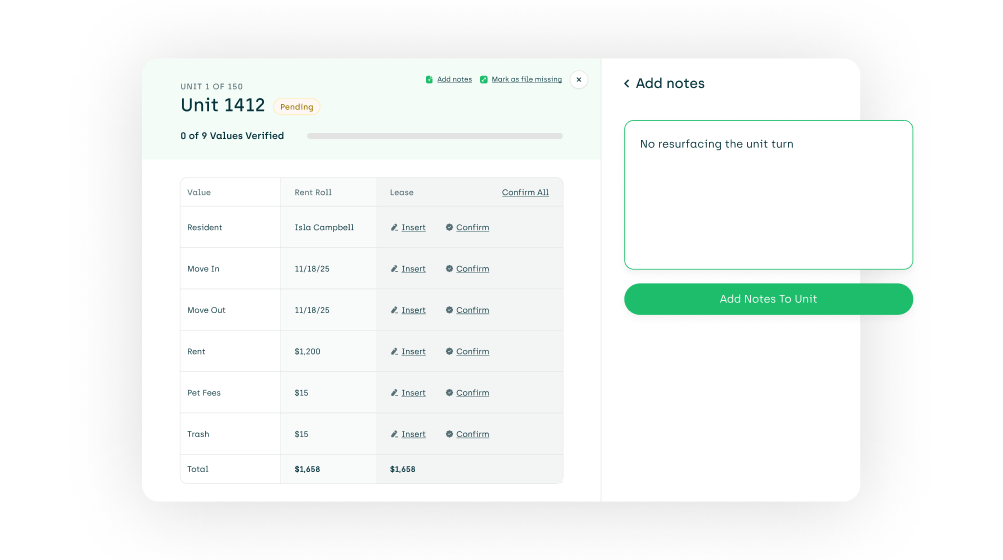
Add notes at the unit level. Click "Add Notes" at the top of any unit to jot down context. Unit occupied by the property manager? Note it. Lease is missing a few pages? Note it. Anything worth remembering can live right there.
Incident Reports
You can now build the incident report form you actually need. Customize your incident reports by adding new questions. This is the incident reporting flexibility you've been asking for.
This update also included a complete backend infrastructure rebuild — one that unlocks a lot of what's coming next for incident reporting. The foundation is set. Stay tuned.
New settings page, new design. The Incident Report settings got a full layout overhaul. Cleaner, more intuitive, and actually built to handle everything you can now do with it.
Mark any question as required or optional. You decide what's mandatory and what's not. Set it once and the form enforces it for you.
Hide questions you don't need. Default questions that don't apply to your properties can be hidden from the form entirely. Your incident reports should reflect your operation, not ours.
Add custom questions to any section. You're not limited to what we built in. Add your own questions anywhere in the report to capture exactly what you need documented.
Two input types for custom questions: dropdown and text field. Build structured answers with a dropdown, or let people write in their own with a text field. The right tool for the right question.
To customize: Settings > System Settings > Incident Reports.
Inspections
Cursor stops jumping to the end of the line while you're editing. If you were trying to fix a typo mid-word on an inspection input, the cursor had other plans. It would bolt to the end every time. That's fixed. Edit wherever you want.
Costs for conditional inspections now show on the inspection. If a conditional inspection triggers additional work, the associated costs are now visible right on the inspection itself. No digging required.
Fixed inspections generating before they were supposed to. Again. We know. We got it this time.
General
"Weather Report" is now "Weather Intelligence" everywhere. Same feature. Better name. It's been updated across the whole system so nothing looks out of place.
Continue from where you left off.