Drag and Drop Scheduling Plus Multi-Unit Incidents


Halloween is over, but one thing is still coming back from the dead: your schedule. Two weeks ago the Daily Schedule put your whole day on one screen.
Today it grows hands. Drag Work Orders to new times, hand them to different technicians, and pull unassigned and unscheduled work (Make Ready tasks included) onto the calendar where it belongs. Plus quieter incident report emails, multi-unit incident reports, and a Call Management setup you build once and copy everywhere. Read on. Nothing in here bites.
Scheduling
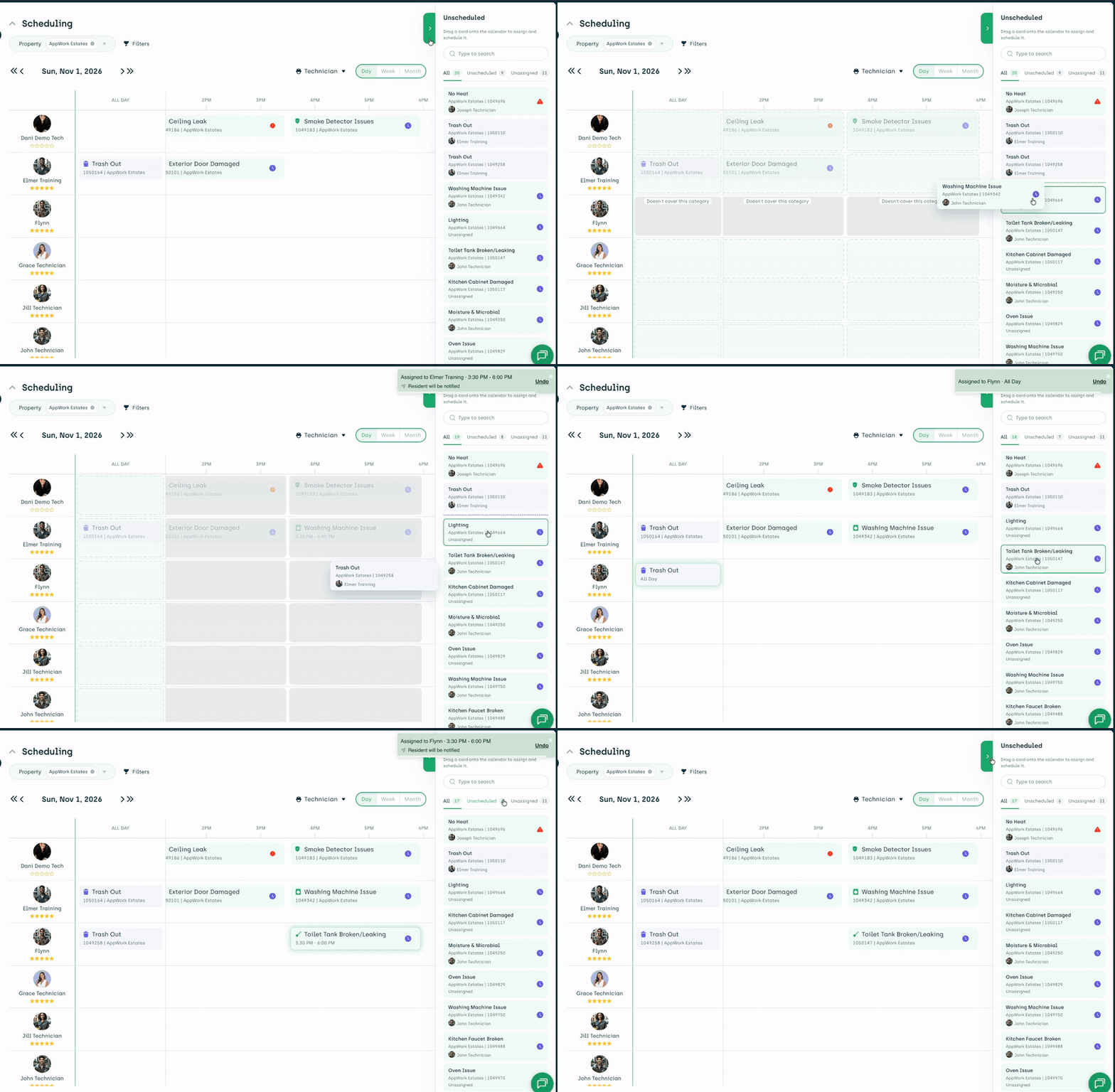
Drag it. Drop it. Done. Reschedule or reassign a Work Order straight from the daily view by dragging it to another time slot or another technician. No opening the Work Order. No edit screen. Pick it up, put it down, move on.
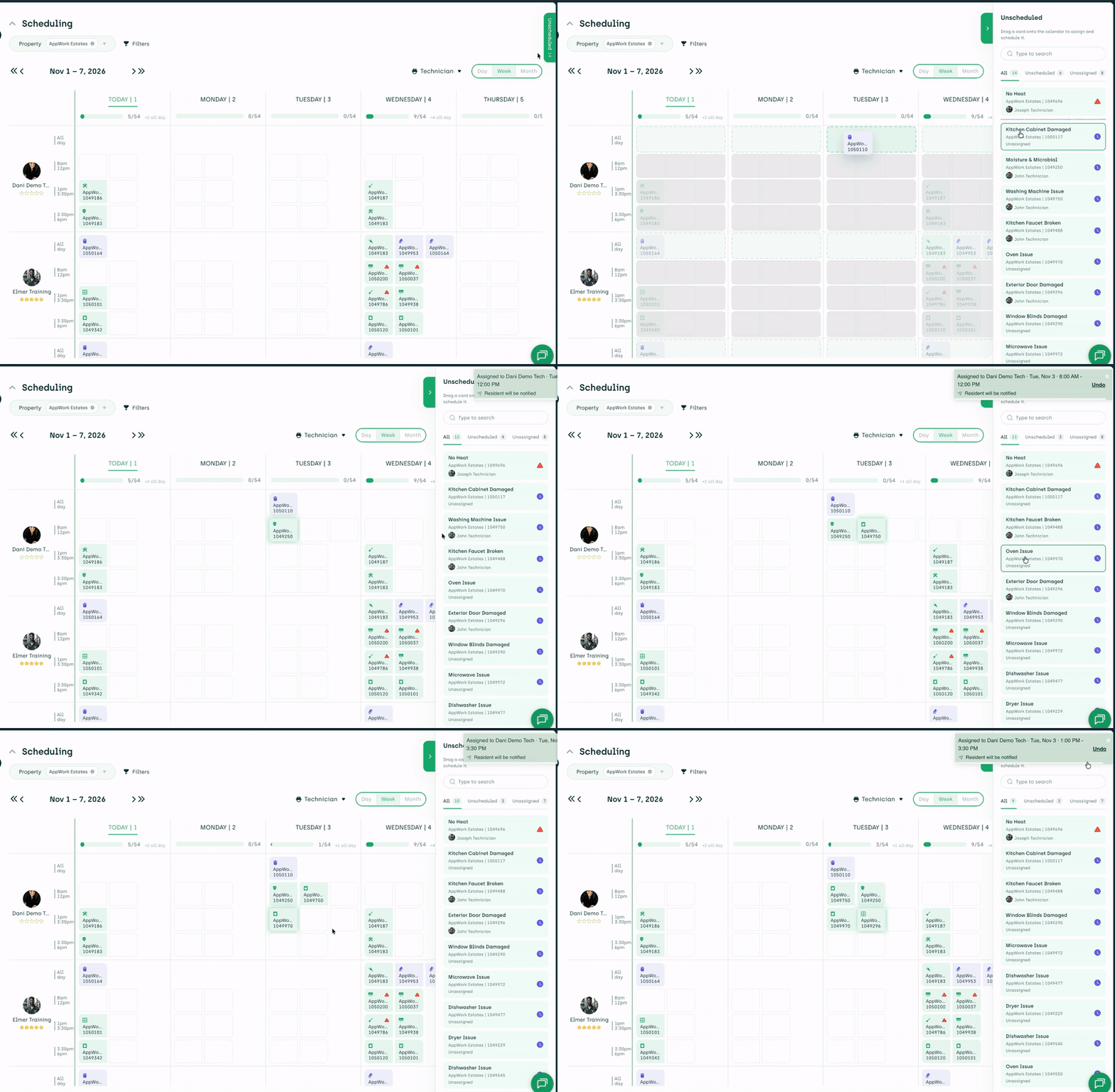
Unassigned and unscheduled, finally in plain sight. Every task still waiting for a home now shows up right on the scheduling page, in both the daily and weekly views. Pull one into a slot and it’s assigned and scheduled in a single motion.
Make Ready tasks joined the party. Unscheduled Make Ready tasks now appear on the Scheduling tab too, and you can assign and schedule them right there. The Make Ready Board and the schedule are finally talking to each other.
Incident Reports
Incident report emails learned discretion. Two new toggles. One removes the incident description from the emails. The other removes the tokenized links, so a forwarded email no longer doubles as a key to the report. Find both under Settings > System Settings > Incident Reports.
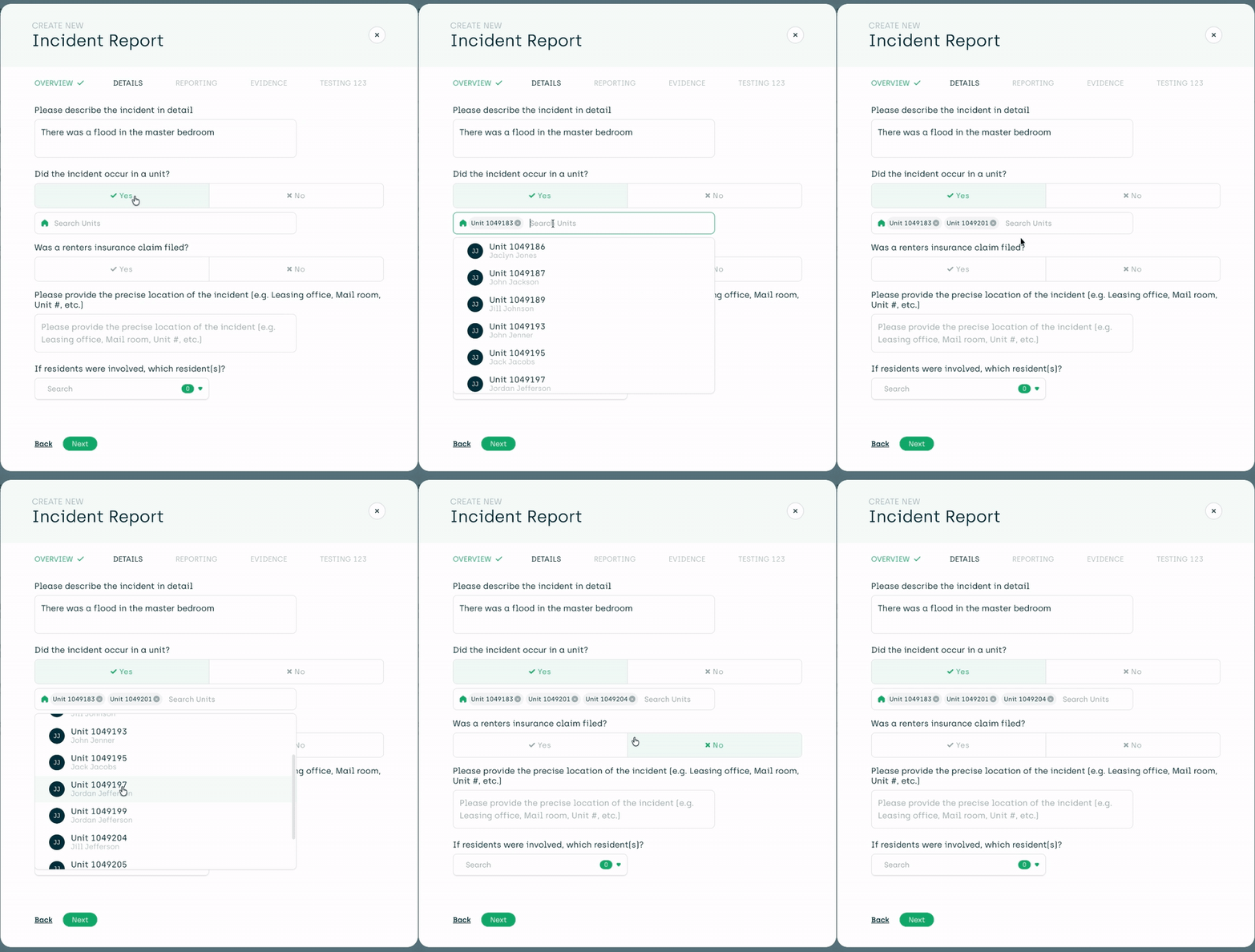
One incident, as many units as it takes. Water doesn’t respect unit boundaries. Now your incident reports don’t have to either. Add every affected unit to a single report instead of filing the same story five times.
Call Management
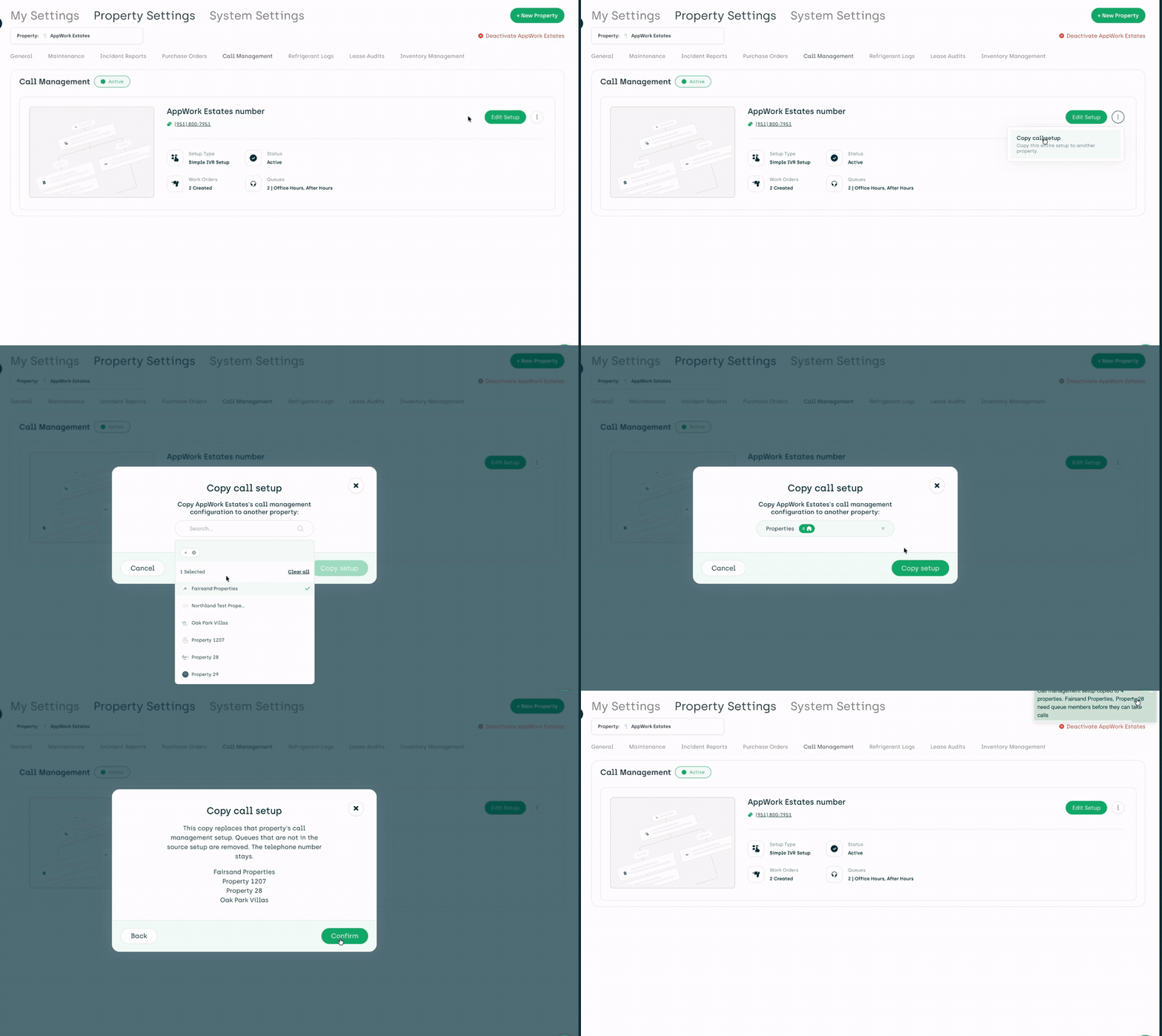
Set it up once. Copy it everywhere. Rolling out Call Management across a portfolio used to mean rebuilding the same setup property by property. Now you copy it from one property to the next and get on with your day.
--- Go drag something. The unassigned pile has been lurking long enough.
Want to see it move before you move it yourself? The release video is two minutes and nobody in it says “synergy”: https://youtu.be/fOiJxpY-ezY
We ship several times a week, and LinkedIn is where we talk about it first. Follow along: https://www.linkedin.com/company/appworkco/
Happy belated Halloween from AppWork. The candy is gone. The schedule is yours.