Make AppWork Yours with User Defined Fields


Build Your Own Fields with UDF's, Watch Your Coins Climb, and Call Management Went to Therapy
Two power moves for the AppWork Admin Portal, a visualization your maintenance team will love, and Call Management finally getting its act together. A lot happened.
New Features
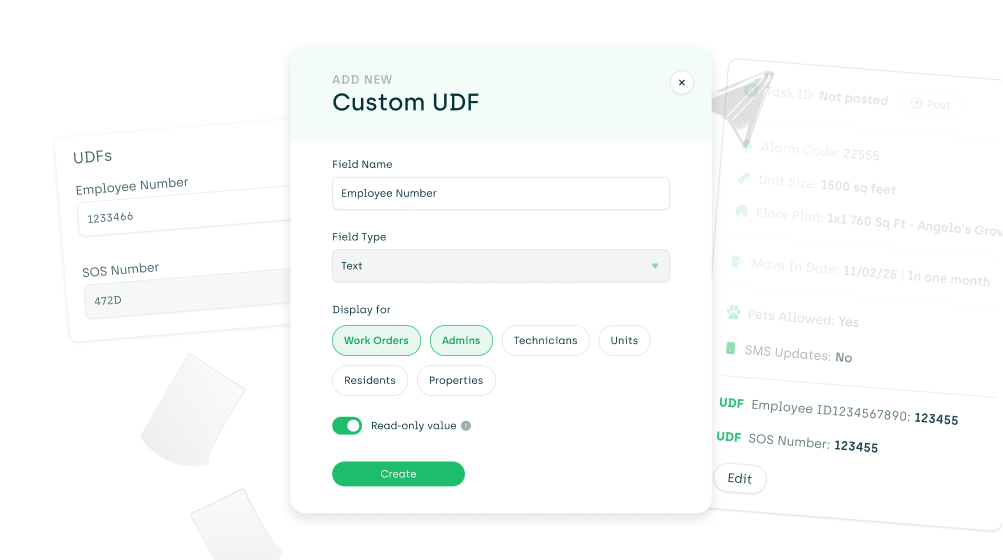
User Defined Fields (UDFs) AppWork can now be customized in a whole new way! User Defined Fields (UDFs) let you create your own custom fields for Admins, Technicians, and Units. If we didn't build the field you needed, now you can build it yourself. UDFs can also be populated and updated via the API, so your integrations stay in sync. To create a UDF, navigate to settings > system settings > core > UDFs
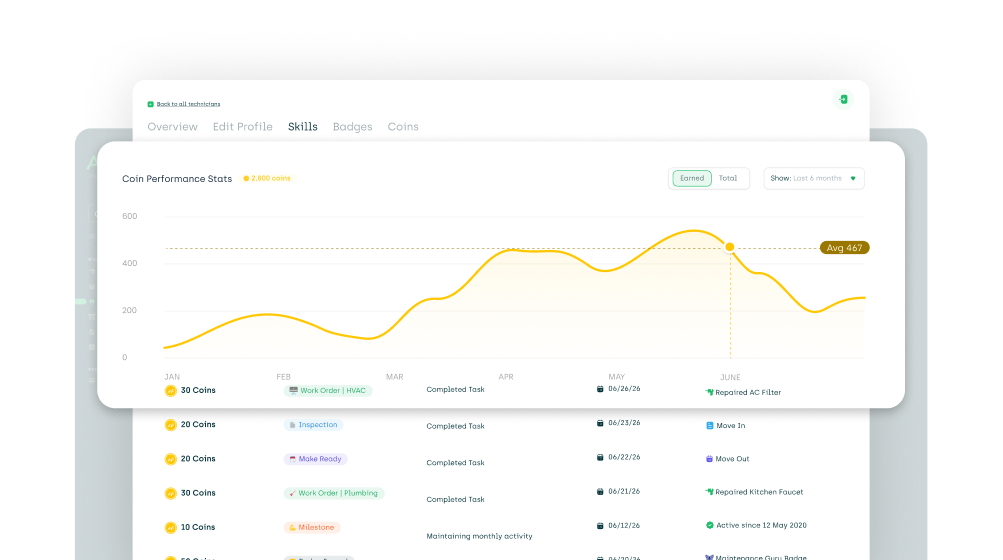
Coins Graph Your technician's coin journey, visualized. The Technician Overview page now has a graph showing coin gains and losses over time. See exactly how many coins each tech earned each month and watch the totals stack up as they accumulate. You can click into. To view the coins graph click into a technician from the technicians page and click on the coins from the Overview page to see the coins graph come to life!
Read-Only Access Read-only access for any role. You can now set any user role to read-only. Give your stakeholders full visibility without handing over the keys. Look but don't touch.
Multiple PMS Integrations Visible Multiple Property Management System (PMS) integrations are now visible. Running more than one PMS? You can now see which system is tied to each property right in property settings under "Location." No more guessing which one's running the show.
Improvements & Bug Fixes
Code Field in API The Code field crashed the API party. The /properties endpoint now returns the property's Code field. If you were waiting on this to build something, you're no longer waiting.
Engrain Maps Engrain Maps found their glasses. Data is now correctly populating across your Engrain map views. What you see matches reality. Novel.
Call Management
Live Call Tracking Live call tracking got sharper. Improvements to real-time call tracking mean your data is more accurate and more reliable. What's happening on the phones now actually reflects what's happening on the phones.
Call Recording Order Call recordings learned chronological order. Recordings in the Work Order timeline were showing up scrambled. Fixed. They now appear in the order they actually happened, which is the only order that makes sense.
Completed Call Status Calls stopped filing false reports. Completed calls were getting flagged as "Call Incomplete." They weren't. The label was wrong. Fixed.
Pending Calls The Pending waiting room has been cleared. Calls were getting stuck in Pending and just... staying there. They move through now like they should.
Outgoing Call Formatting Phone numbers started looking like phone numbers. The Outgoing Calls tab wasn't formatting numbers correctly. It is now. You can read them like a human.
Call Recording Downloads "Processing" finally became a temporary state. Call recording downloads were stuck showing "Processing" indefinitely. That was a lie. Fixed. Downloads work.