AppWork May 2026 Release Notes


Big release energy Today! We've got new ways to visualize inspections, smarter auto-assign, new kinds of badges to better reward your team, new AppFolio integration features, and a whole lot more. Let's get into it.
Inspections
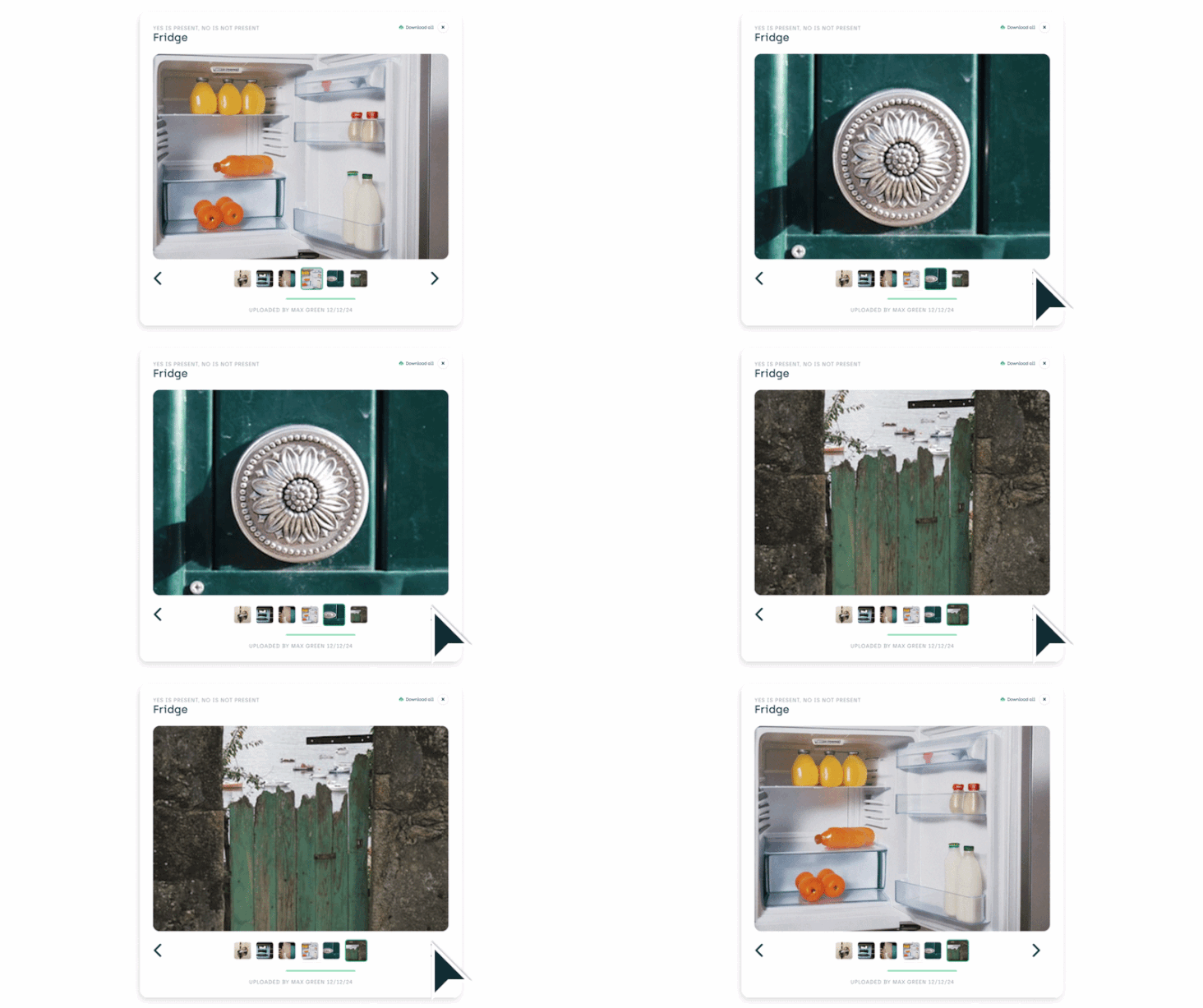
New Photo-Centric Inspection View Inspections just got a major visual upgrade. The new photo-centric view puts photos front and center, no more hunting for hard to see pictures buried in a list. Every photo is displayed prominently in the main view, with results, costs, and key context right alongside it so you never lose the thread.

Updated Photo Carousel Click into any photo from the new inspection view and you can scroll through every photo in the inspection with a single Next button, results still visible the whole time. All the context, none of the clicking around.
AppFolio: Upload Inspection PDFs to Residents in AppFolio AppFolio clients can now automatically upload completed inspection PDFs directly to residents in AppFolio. Close the loop without the manual export. To enable: Settings → System Settings → Maintenance → Inspections → Enable "Inspection Attachment To Resident"
Make Ready
AppFolio: Mark Units Ready, Now Two-Way AppFolio clients can now mark a unit as ready on the AppWork Make Ready Board and it will automatically mark it ready in AppFolio too. One action, two systems updated.
To enable: Settings → System Settings → Maintenance → Make Ready → Allow Users To Mark Units As Ready In AppWork
Work Orders
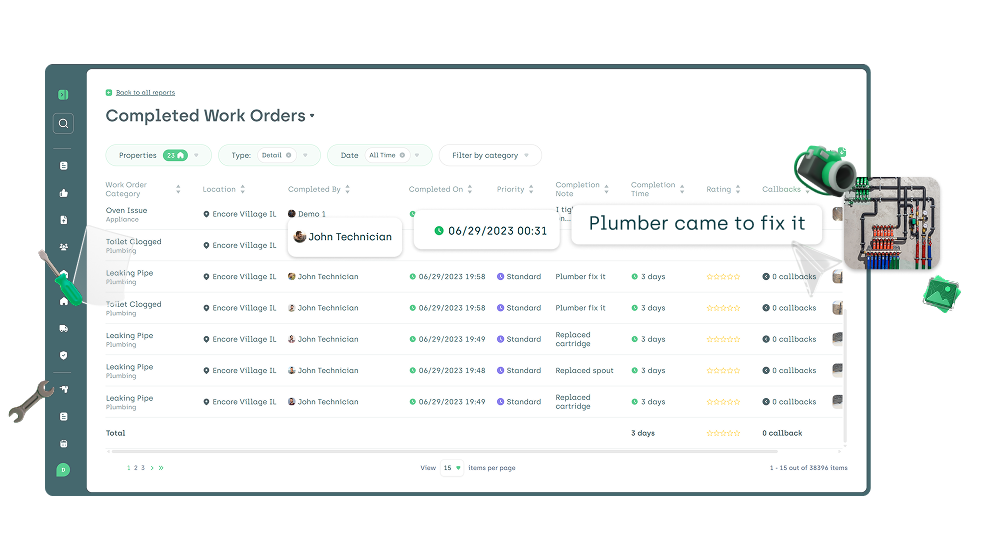
Upgraded Completed Work Order Report The Completed Work Order Report got a serious glow-up. You can now see:
- Completion note — what the tech wrote when they closed it out
- Completion image — photo proof, right in the report
- Completion timestamp — exactly when it was finished
- Who completed it — accountability at a glance
This is on top of everything already there: ratings, time-to-complete, and all the standard work order details. Auditing just got a whole lot easier.
Navigate to: Reports → Completed Work Order Report → Detail
Work Order Export Now Includes Description When exporting work orders, you'll now see a Description column in your export. More context, better data, less "wait, what was this work order about again?"
Gamification
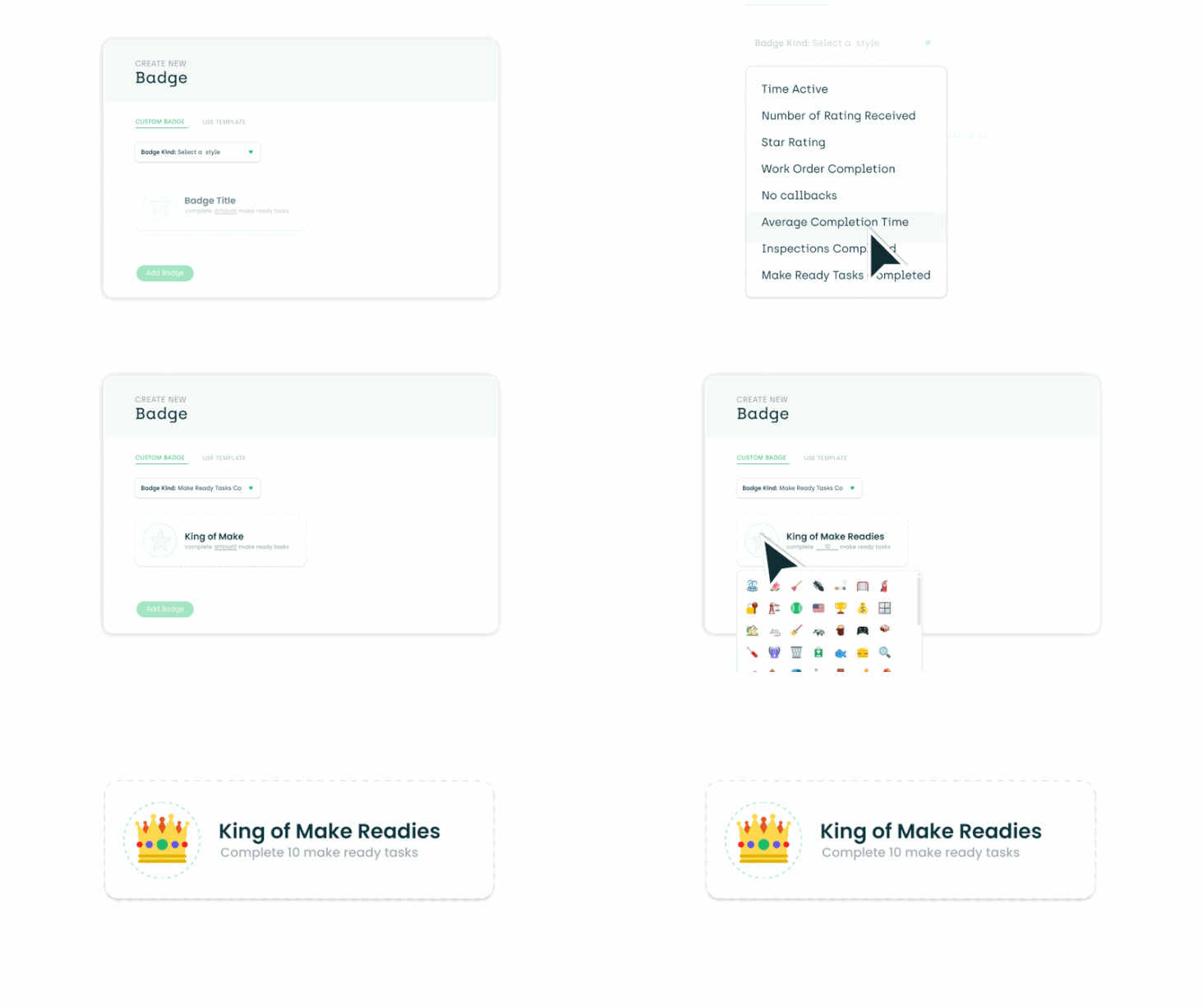
Two Brand-New Badge Types Your team just unlocked new achievements. AppWork's gamification system now supports two new badge types:
- Make Ready Badges: Reward techs for completing make ready tasks
- Inspection Badges: Recognize techs for completed inspections
Motivate the behaviors that matter most.
To set up: Settings → System Settings → Maintenance → Badges → Create New
Auto-Assign
Smarter Auto-Assign: Property & Unit Group Based Auto-assign just stepped up in a major way! Assign by Property: Have a tech that covers multiple properties but primarily works at one or two sites? Now you can tell AppWork exactly which properties to auto-assign from. No more wrong-property assignments.
To enable: Technicians → Click a Technician → Edit Profile → Enable AutoAssign → Select Properties
Assign by Unit Group: Take it even further by specifying which units or sections of a property a tech should receive work orders for. If your property has wings, floors, or zones, your assignments can now reflect that.
To enable: Technicians → Click a Technician → Edit Profile → Enable AutoAssign → Select Properties → Select Unit Groups
(Don't have unit groups yet? Set them up under Settings → Property Settings → General → Unit Groups → New Group.)

Refrigerant Logs
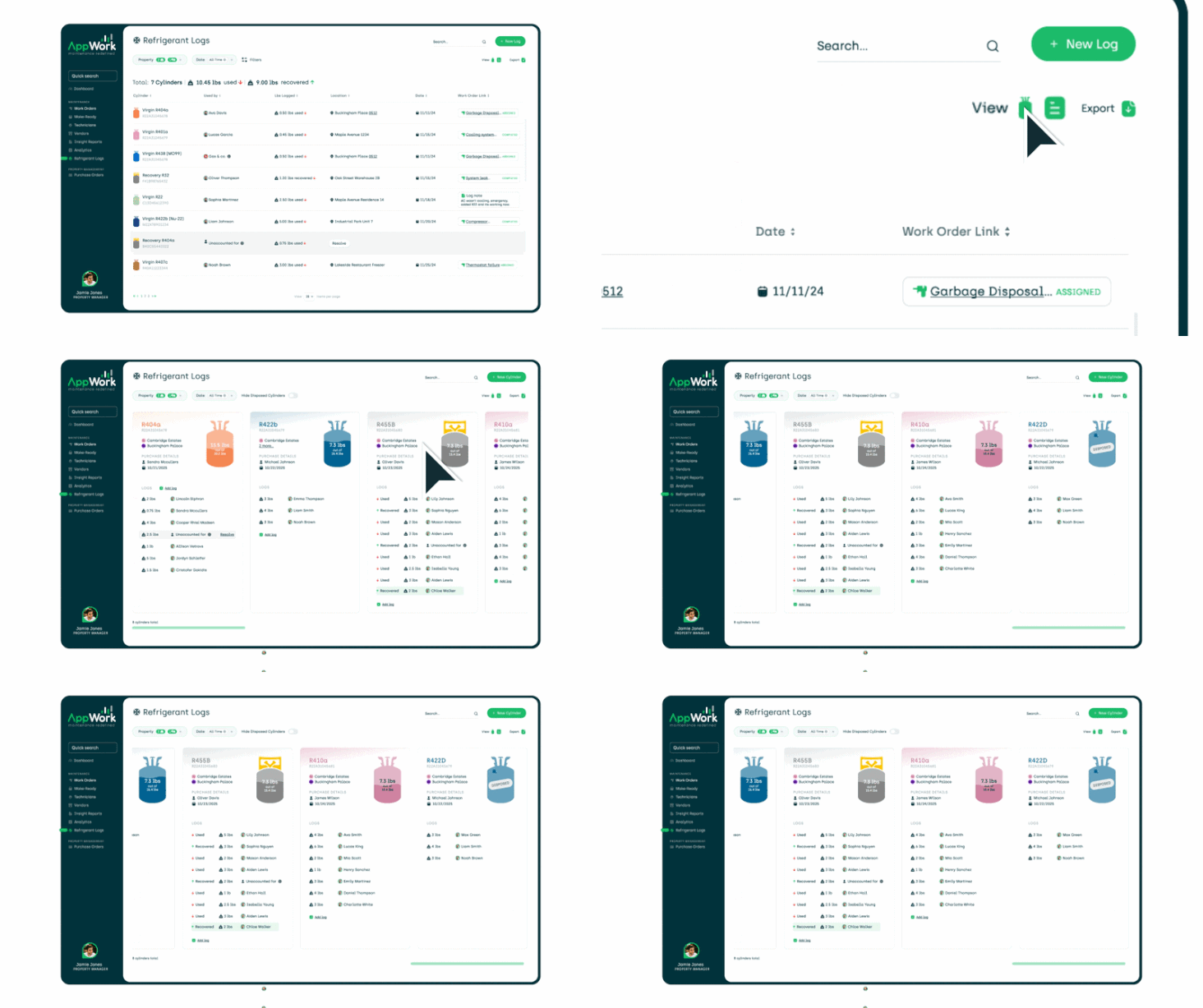
New Cylinder View Introducing a Cylinder View for Refrigerant Logs, a cleaner, more intuitive way to track your refrigerant data. Plus several additional improvements to make EPA compliance tracking smoother across the board.
Settings & User Management
New View-Only User Role Need to give someone visibility into AppWork without the ability to make changes? The new View Only role lets users see everything and run reports, but they can't edit a thing. Perfect for Asset Management, owners, or anyone who just needs to stay informed.
Bug Fixes & Improvements
- Yardi inspection sync, we fixed an issue where some completed inspections weren't uploading back to Yardi.
- Technician App, Improved logging and syncing reliability across the board.
- Tablet back button, Fixed the back button on the admin app (tablet) when viewing a work order.
- Entrata & Yardi posting, Improved error handling to ensure work orders post correctly and reliably.
Questions? Reach out to our support team — we're here to help you get the most out of every update.