Why Work Orders Get Lost (and How to Stop It)
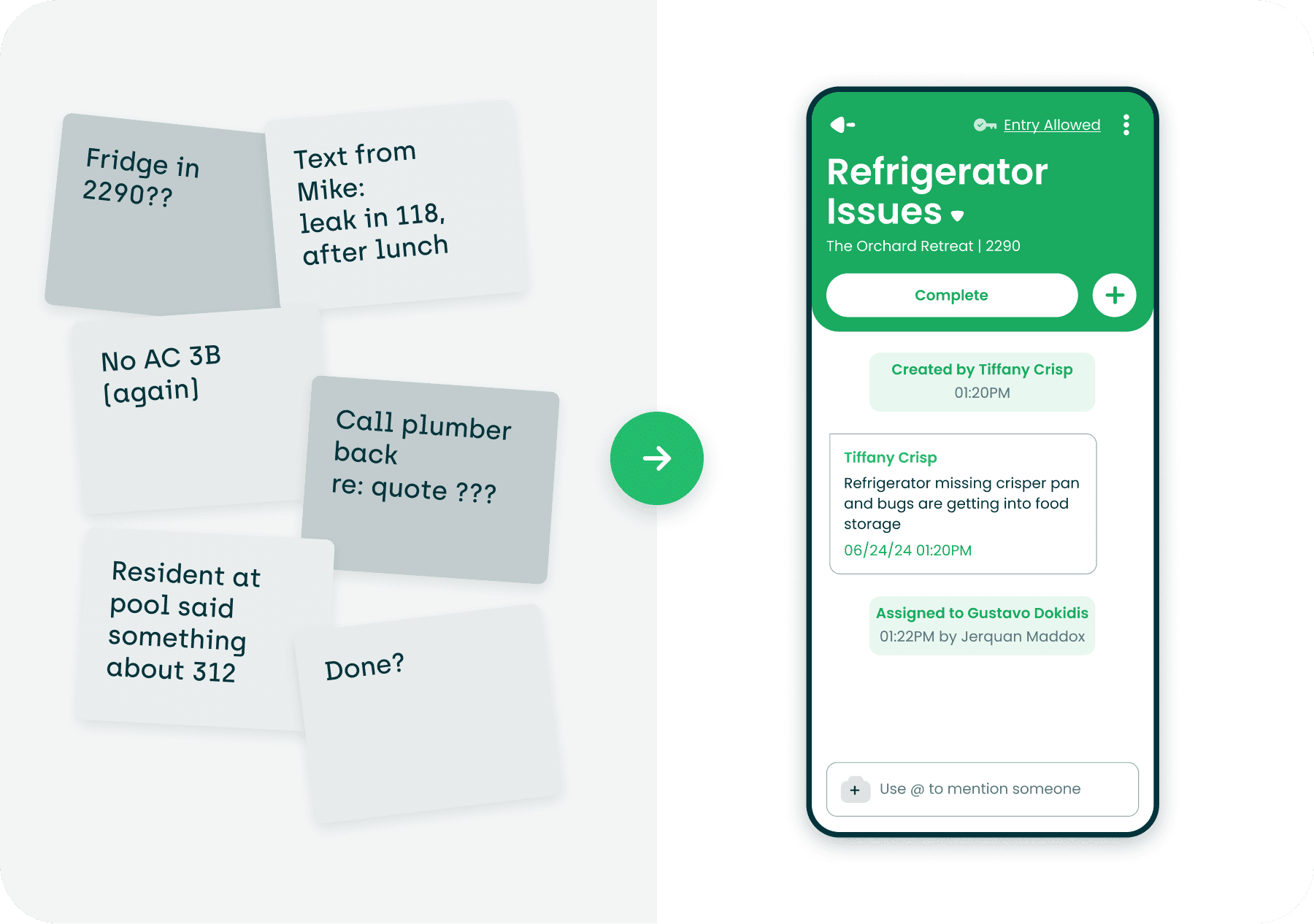
A guide for multifamily operators on intake, routing, tracking, and accountability
A lost work order is a system failure, not a people failure
Work orders don’t get lost because a technician is lazy. They get lost because the work order changed hands and nobody owned the handoff. The resident told the leasing agent in the hallway. The agent texted the technician. The tech was mid-turn and meant to write it down. Two weeks later the resident calls the regional, and now it is a complaint instead of a repair.
Every operator has a version of that story. Most treat it as a one-off. It is not. It is what happens when intake, routing, tracking, and accountability each have a gap, and the gaps line up.
This guide is for the people who own that outcome: regional managers, directors of maintenance, VPs of operations, and the property managers who hear about it first. It breaks down where work orders actually fall through, what each gap costs you, what to put in place so a request cannot disappear, and how to audit your own properties for the gaps. The fixes are mostly process. Software makes them stick, but the discipline comes first.
One note on language. Throughout, a work order means any maintenance request, whether a resident submitted it, a tech spotted it on a walk, a manager noticed it on a tour, or an inspection generated it. If it needs to get done, it is a work order, and it should be treated like one from the moment it exists.
The anatomy of a lost work order
A work order changes hands five times between the moment a resident notices a problem and the moment the problem is confirmed fixed. Each handoff is a place it can leak.
| Handoff | What should happen | How it leaks |
|---|---|---|
| The request is captured in one system with enough detail to act on | Verbal, text, sticky note, or email that never gets entered. Entered with no unit, no category, no photo, or no permission to enter |
| Someone decides how urgent it is and whether it is a repair, a vendor job, a turn task, or a capital item | Everything defaults to "normal." No one looks at the queue until a resident follows up |
| A named person owns it, with a due date | Assigned to "maintenance" instead of a tech. Assigned to a tech who is out, or left unassigned on the assumption someone will grab it |
| The tech does the work or moves it to a waiting state with a reason | Tech arrives, resident is not home, nothing is logged. Part is ordered, nobody notes it. Vendor is called, no follow-up date. Approval is needed, nobody asked |
| Work is verified, the resident is told, and the record is complete | Marked complete with no note or photo. Closed in the Property Management System (PMS) instead of the work order system. Resident never hears it was done and submits it again. Rated one star, nobody looks |
Notice that only one of the five is about the actual repair. Four of them are information handoffs. That is why the fix is mostly about process, visibility, and ownership rather than wrench time.
Why work orders get lost or delayed
The causes below show up at almost every property we have worked with. Most operators have several of them at once, and they compound. A verbal request that gets entered late lands in a queue nobody reviews, gets assigned to the wrong tech, and closes without a note. Each step made the next one worse.
Too many front doors
Residents reach out however is easiest for them: the office phone, the emergency line, a text to a tech they like, an email, a note under the door, a comment at the pool. If each of those paths depends on a human remembering to enter it, some will not get entered. The office is busiest on exactly the days when the most requests come in, so the ones that slip are the ones from the busiest days.
Requests captured without the details needed to act
"Something wrong with the sink in 204" is a request. It is not a work order. The tech does not know if it is a leak or a clog. They do not know if the resident granted permission to enter or if there is a dog. They go once to look and once to fix, or they skip it until they have time to find out. Missing detail turns a 20-minute job into a two-visit job, and two-visit jobs are where delays live.
No one owns the queue
At many properties the open work order list belongs to everyone, which means it belongs to no one. The property manager assumes the lead tech is watching it. The lead tech assumes requests get assigned as they come in. Nobody reviews the list daily, so items with no assignee or a bad due date sit until a resident escalates.
Priority is a feeling, not a definition
Without written rules for what counts as an emergency, what must be done today, and what can wait, every request is triaged by whoever read it first and how they felt about it. A no-AC in July and a dripping faucet both land as "normal." Techs then work the list in the order that is convenient for them, which is often the order that keeps the loudest residents quiet.
Assignment goes to a group, not a person
"Assigned to maintenance" is the same as unassigned. If two techs could do it, each one assumes the other has it. The fix is simple and operators resist it anyway: every open work order has exactly one name on it.
Waiting states that nobody tracks
A huge share of delayed work orders are not forgotten. They are waiting. Waiting on a part, waiting on a vendor quote, waiting on the resident to be home, waiting on approval for a cost over the threshold. The problem is that "waiting" is usually recorded nowhere, or as a note nobody reads. The work order looks like it is in progress, so nobody asks about it, and the thing it was waiting for never gets chased.
Vendor black holes
When a job goes to an outside vendor, the work order often leaves the system that was tracking it. The vendor gets a phone call or an email, the tech marks it as handled, and the next time anyone thinks about it is when the resident calls to ask why nobody came. Vendor work needs the same ownership, due date, and follow-up as in-house work, and it rarely gets it.
Tech turnover and tribal knowledge
When a tech leaves, every open work order in their head leaves with them. The ones in their truck notebook, the ones they promised a resident verbally, the part sitting in their truck, the vendor they called last week. If the system of record was the tech rather than the software, turnover erases the backlog without clearing it.
Duplicate requests
A resident who hears nothing submits again. Now the same problem is two work orders, possibly assigned to two techs, possibly closed once and left open once. Duplicates inflate the queue, waste trips, confuse residents, and hide the real signal, which is that the first request was not acknowledged.
Closeout without proof
A work order marked complete with no note and no photo is a guess. Sometimes the work was done. Sometimes the tech could not fix it and closed it anyway to clear their list, or closed it in the PMS and never updated the maintenance system, so the two disagree. Callbacks and reopened work orders are the symptom. Missing proof at closeout is the cause.
The maintenance system is not the system of record
If requests are entered in the PMS, printed, worked from the printout, and updated on paper at the end of the day, the software is a filing cabinet, not a workflow. Status is always a day behind reality. Reports are useless because the data is wrong. Nobody trusts the queue, so nobody uses it, so it gets worse. This is the most common root cause under all the others, and it is the reason tech adoption matters more than any feature.
What a lost work order actually costs
The repair itself is usually the cheapest part. The cost is in everything that happens around it.
Renewals. Residents forgive a slow repair. They do not forgive being ignored. A request that went nowhere is the story they tell at renewal time and in the review they leave. Maintenance responsiveness is one of the few parts of the resident experience your team controls completely, and a lost work order hands that control away.
Second and third trips. A request with missing detail, no permission to enter, or no note from the first visit gets worked twice. Multiply that across a property and you have a tech spending a meaningful part of their week redoing the first ten minutes of jobs they already started.
Small problems that become big ones. A slow drip that waits three weeks is a cabinet replacement. A running toilet nobody chased is a water bill. A reported smell that sat in someone's inbox is a mold remediation. A loose railing that waited is an injury claim. Delay is rarely free, and in plumbing and HVAC it compounds quickly.
Liability and habitability exposure. When a resident claims they reported a hazard and nothing happened, the question in any dispute is simple: what does your record show? If the request was verbal and the follow-up was a text, you have nothing. A complete work order history with timestamps, notes, and photos is the difference between a closed matter and a settlement.
Fair housing consistency. Residents in similar situations need to be treated the same way. When triage is a feeling and tracking is informal, you cannot show that they were. Written priority rules and a complete record protect your team as much as your residents.
Team burnout. Techs who work from a queue they do not trust spend their day reacting to whoever is angriest. Property managers who field the escalations absorb the frustration for problems they did not cause and could not see. Both leave. Turnover then erases more open work orders, and the cycle repeats.
Blind decisions. If a third of your work is tracked informally, every report you run is wrong by a third. Staffing decisions, vendor spend, capital planning, and your regional's view of which properties are healthy all rest on a work order count that is missing the hardest cases.
Intake: one front door, and everything goes through it
The goal of intake is simple. Every request, from every channel, becomes a work order in one system within minutes of being received, with enough detail that a tech can act on it without calling anyone.
Pick one system of record and mean it
Decide where work orders live, and make it the only place. Not the PMS and a spreadsheet. Not the software and a whiteboard in the shop. If a request is not in the system, it does not exist, and everyone on the team needs to hear that rule from leadership, not just from the software vendor. This sounds harsh. It is the single most effective change an operator can make, because it ends the argument about whether something was reported.
Give residents an easy path, then accept every other path too
Residents should have a self-service way to submit that works at 11pm from their phone, with no app to download. A link on the fridge magnet, or a number they can call that routes straight into the system. The more residents use it, the less your office has to transcribe.
But residents will still stop techs in the parking lot, and they will still call the office. The rule for those is not "tell them to use the portal." The rule is that whoever receives the request enters it, right then, before doing anything else. A tech with a mobile app can create the work order in the hallway in under a minute. If entering a request takes longer than that, the process is the problem.
Capture the fields that prevent a second trip
Structured intake is what turns a complaint into a work order. At minimum, every request should carry:
- Unit and specific location in the unit
- Category (plumbing, HVAC, electrical, appliance, and so on), which drives routing
- A description in the resident's words plus a photo when they can take one
- Permission to enter, and whether there are pets or access instructions
- The resident's preferred contact and best times, if entry needs scheduling
- Who submitted it and through which channel, so you can see which doors are busiest
Make the required fields few and the optional fields obvious. A form that asks for too much gets abandoned. A form that asks for too little creates the two-visit job.
Build the emergency path separately
Emergencies need a path that works after hours and escalates by itself. Define what counts as an emergency in writing (no heat in winter, no water, active leak, no AC above a stated temperature, lockout, anything that threatens safety) and make that list visible to residents and the office. Route those requests to an on-call tech with a phone call, not just a notification, and confirm receipt. An emergency that lands in the same inbox as a loose cabinet handle is going to wait.
Catch duplicates at the door
Before a new work order is created, the system or the person entering it should check for an open work order on the same unit and category. If there is one, the right move is to acknowledge the resident and update the existing work order, not create a second one. A duplicate is a resident telling you the first one went quiet. Treat it as feedback about your communication, not as a new task.
Acknowledge every request immediately
The moment a work order is created, the resident should get a confirmation with the work order number and an idea of when to expect someone. An automatic message does this with zero effort from the team. It also cuts the follow-up calls and the duplicate submissions, because the resident now knows they were heard.
Routing: the right person, with a due date, within the hour
Routing is where a captured request becomes someone's job. Done well, it takes seconds and nobody thinks about it. Done badly, it is where most of the delay in your portfolio hides.
Write the priority definitions down
Priority only works if everyone uses the same scale. Put it in writing, keep it short, and post it in the shop. A workable starting point:
| Priority | Definition | Target response | Target completion |
|---|---|---|---|
| Emergency | Safety, security, or habitability at risk: no heat, no water, active leak, lockout, electrical hazard, no AC above your stated threshold | Phone call to on-call tech, on site within hours | Same day, or temporary fix same day with a follow-up work order |
| Urgent | Major inconvenience with no safety risk: appliance down, single fixture not working, disposal jammed, no hot water in one unit | Acknowledged same day | Within 48 hours |
| Routine | Everything else: cosmetic, minor repairs, drips, noise from a fixture | Acknowledged same day | Within your stated standard, commonly 5 to 7 days |
| Scheduled | Preventive work, inspections, turn tasks, seasonal checks | Planned on the calendar | On the planned date |
Adjust the targets to your market and your staffing. What matters is that the targets exist, residents can see them, and the queue is sorted by them.
Assign to a person, never to a group
Every open work order has exactly one name on it. If the job needs two techs, one of them owns it. If it goes to a vendor, a staff member still owns it and is responsible for chasing the vendor. "Unassigned" is allowed for one reason: the work order was created in the last hour and the person who routes has not touched it yet. Anything unassigned older than that is a gap, and the daily review should catch it.
Route by skill, zone, and load
At a single property with two techs, routing is a conversation. Across a portfolio, it needs rules. The rules most operators land on:
- Certain categories go to certain people. HVAC and electrical to the techs certified for them. Appliance to whoever knows the brand you buy.
- Buildings or unit ranges are split into zones so techs are not crossing the property all day and residents see a familiar face.
- Load balancing. If one tech has 30 open work orders and another has 8, the next request does not go to the first one by default.
- A clear owner for after-hours and for days when the usual tech is out. If a tech is on vacation, their open work orders are reassigned before they leave, not discovered a week later.
Automation handles this well once the rules are explicit, because the rules are the hard part. Software that auto-assigns based on category, availability, and current load removes the daily routing chore and keeps the queue moving when the person who normally routes is busy or out.
Keep service work and turn work in separate lanes
Make Ready work competes with resident work orders for the same techs, and when both live in one undifferentiated list, the loud one wins. Turns have hard dates tied to move-ins. Service requests have residents waiting. Run them as two views with separate ownership of the schedule, and decide ahead of time what happens when they collide. A tech pulled into a turn should not leave a silent trail of resident work orders slipping behind them.
Give vendor work the same rules
When a work order goes to a vendor, it does not leave the system. It changes status. It keeps its owner. It gets a date the vendor committed to, and a reminder to the owner the day before. It stays on the aging report. If the vendor misses the date, the work order shows up as late, just like an in-house job would. Vendors tend to show up on time for the clients who track them.
Tracking: statuses that tell the truth
Tracking is not a list of open work orders. It is knowing, for every open work order, what is happening right now, who is waiting on what, how long it has been that way, and who is supposed to move it next. Most tracking fails because the statuses are vague and nobody updates them in real time.
Use statuses that mean one thing
"Open" and "In progress" hide everything. A work order that has been "in progress" for nine days could be nearly done or completely stalled. Replace vague statuses with ones that say what is actually true:
| Status | Means | Clock is running on |
|---|---|---|
| New | Created, not yet routed | The person who routes |
| Assigned | Has an owner and a due date, work not started | The tech |
| In progress | A tech has physically started the work | The tech |
| Waiting on resident | Could not enter, or resident asked to reschedule; next attempt date recorded | The office, to reach the resident |
| Waiting on parts | Part ordered; order date and expected arrival recorded | Whoever ordered the part |
| Waiting on vendor | Vendor dispatched; committed date recorded | The staff owner, to chase the vendor |
| Waiting on approval | Cost over threshold; approver named | The approver |
| Completed | Work done, note and photo attached, resident notified | Nobody, until the resident rates it or reopens it |
| Reopened | Resident or supervisor said it is not fixed | The original tech, with a supervisor looking |
Every waiting status carries a reason and a next date. Without the date, a waiting status is just a nicer way of saying lost.
Update status from the field, as it happens
If techs update work orders at the end of the day from memory, the tracking is already a day behind and missing half the detail. The update happens on the phone, in the unit, when the thing happens. Arrived: mark it. Could not enter: mark it, with a photo of the door tag. Need a part: mark it, with the part. Called a vendor: mark it, with the date. This only works when the tech app is faster than a notebook, which is why tech adoption, not manager adoption, decides whether tracking is real.
Watch aging, not just count
The number of open work orders tells you almost nothing. Forty open work orders that were all created yesterday is a normal Monday. Forty open work orders with twelve older than two weeks is a problem. Track age by priority against the targets you set, and look at the oldest ones first. Every tracking view your managers use should sort by age by default.
For reference, across the AppWork platform the average work order is completed in about 3.9 days and roughly two thirds are completed within 24 hours. Treat those as a sanity check, not a target. Your own targets come from your priority definitions.
Tell the resident at every status change
Residents do not need details. They need to know someone is on it. An automatic message when the work order is assigned, when the tech is on the way, when it is waiting on a part, and when it is complete does more for satisfaction than finishing a day faster. It also eliminates most duplicate submissions and most "any update?" calls to the office.
Run the daily board review
Ten minutes every morning, same time, same people. The property manager and the lead tech open the queue and walk through four things:
- Anything unassigned or past due. Fix the assignment or the date on the spot.
- Every waiting status older than its next date. Chase it or move it.
- Emergencies and urgents from the last 24 hours. Confirm they are handled.
- What is coming today, including turns, so collisions are decided now rather than at 2pm.
This meeting is the single most reliable way to make sure nothing sits. It replaces the escalation call from the regional, because the regional's question has already been asked and answered.
Accountability: proof at closeout and numbers people actually look at
Accountability is not about catching techs. It is about making the state of the work visible enough that the right thing is also the easy thing, and making sure a work order cannot be closed on a guess.
Closeout requires proof
A work order is complete when it has a note that says what was found, a note that says what was done, a photo of the finished work, and a message to the resident. If any of those are missing, it is not complete. Most software can enforce this. Most operators turn the requirement off because techs complain about it during the first month. Leave it on. Within a few weeks the note and photo take 30 seconds, and the reopen rate drops because techs stop closing jobs they did not finish.
Completion notes are also resident-facing, so they should read like something you would want a resident to see. "Replaced flapper and fill valve, tested, no leak" tells the resident the problem is solved and tells the next tech what was already tried. "Done" tells nobody anything.
Close it in the maintenance system, never in the PMS
If your maintenance platform syncs with your PMS, work orders are completed in the maintenance platform only. Closing in the PMS breaks the sync, creates a work order that is closed in one system and open in the other, and poisons every report built on either one. This is a training item on day one and a check item every month after.
Let residents rate the work
A rating request after every completed work order does two things. It tells you whether the problem is fixed from the only point of view that matters, and it gives techs direct feedback and recognition they rarely get otherwise. A low rating should automatically flag the work order for a supervisor, and a reopened work order should go back to the same tech with the supervisor watching.
Supervisors review completed work, not just open work
Most managers review the open queue and ignore what closed. Flip that once a week. Pull the completed work orders, look at the notes and photos, and spot-check a few in person. You will find the jobs that were closed to clear the list, the recurring problems that keep getting patched, the vendors who are quietly late, and the techs whose notes are so good you want everyone to copy them.
Track a few metrics and look at them weekly
Pick the handful that reveal gaps and review them at the same meeting every week, by property and by tech.
| Metric | What it tells you | Warning sign |
|---|---|---|
| Time to first touch | How long from created to assigned or acknowledged | Rising means intake or routing is slipping |
| Open work orders past target, by priority | Whether your service standard is real | Any emergency or urgent past target |
| Oldest open work order | Where the forgotten ones are | Anything older than twice your routine target with no waiting reason |
| Work orders in a waiting status past their next date | Whether waiting means tracked or means lost | Growing count, or any without a date |
| Reopen and callback rate | Whether closeout is honest | Climbing rate, or one tech far above the others |
| Completion notes and photos present | Whether closeout proof is being enforced | Anything under 100% |
| Resident rating | Whether residents think it is fixed | Average drifting down, or unrated work orders piling up |
| Work orders per channel | Which front doors residents use and which the office is transcribing | A large share entered by staff from verbal requests |
The numbers are only useful if something happens because of them. A property that misses its target two weeks running gets a conversation and a plan. A tech with a high callback rate gets coaching, not a write-up. A metric nobody acts on will stop being reported honestly.
Recognize the people who do it right
Accountability that is only about catching failures turns into hiding. Techs who keep clean queues, write good notes, earn high ratings, and pick up the hard calls should hear about it, publicly, from leadership. Recognition is cheaper than turnover and it is what makes the standard stick after the initial push fades.
Make ownership survive turnover
When a tech or manager leaves, their open work orders are reassigned the same day as part of offboarding, and the incoming person inherits a queue with full history rather than a verbal download. This only works if the history is in the system, which is why every earlier section matters here.
The gap audit: find your leaks this week
You do not need a consultant to find where your work orders are leaking. Pick one property and spend an afternoon answering these honestly. Every unchecked box is a place a work order can disappear.
Intake
- There is one system of record for work orders, and leadership has said so out loud
- Residents can submit from their phone without downloading an app, 24 hours a day
- Verbal and phone requests are entered within minutes by whoever received them
- Unit, category, permission to enter, and pet information are required at creation
- Emergencies are defined in writing and route to an on-call phone, not an inbox
- The system or the office checks for an open duplicate before creating a new work order
- Every resident gets an automatic confirmation when their work order is created
Routing
- Priority definitions and response targets are written down and posted
- Every open work order has one named owner, not a group
- Nothing has been unassigned for more than an hour during business hours
- Routing rules by category, zone, and load exist and are applied consistently
- Open work orders are reassigned before a tech goes on leave, not after
- Turn work and service work are managed in separate views with a plan for collisions
- Vendor work keeps a staff owner, a committed date, and a reminder
Tracking
- Statuses distinguish in progress from each kind of waiting
- Every waiting status has a reason and a next date
- Techs update status from the field as it happens, not at end of day
- Managers can see open work orders sorted by age against
- Residents are notified automatically at assignment, arrival, delay, and completion
- A daily board review happens at the same time every day with the same people
Accountability
- A work order cannot be completed without a note and a photo
- Work orders are completed in the maintenance system only, never in the PMS
- Residents are asked to rate every completed work order, and low ratings flag a supervisor
- A supervisor reviews completed work weekly, not just open work
- Time to first touch, past-target count, oldest open, waiting past date, and reopen rate are reviewed weekly
- Something happens when a metric misses: a conversation, a plan, coaching, or a reassignment
- Techs who do it right are recognized publicly
- Open work orders are reassigned the day someone leaves
Then do the hard part
Pull the ten oldest open work orders at that property and read each one. For every one, write down which handoff it leaked at. You will usually find that most of them leaked at the same one or two places. Fix those first. Then run the audit again in 30 days.
What good looks like, and how AppWork is built for it
At a property that has closed its gaps, a resident submits a request from their phone at 10pm and gets a confirmation before they put it down. By 8am it has a priority and a named owner with a due date, and nobody had to assign it. The tech sees it on their phone with the unit, the photo, permission to enter, and the note that the cat is friendly. They mark arrival, do the work, write two sentences, take a photo, and the resident gets a message that it is done before the tech is back in the truck. The next morning the manager's board review takes six minutes because there is nothing stuck.
None of that requires heroics. It requires that the four systems in this guide exist and that the team actually uses them. The second part is where most software fails, which is why we built AppWork around technician adoption first.
Intake. Residents submit through a portal link with no app to download, or by calling a property number that routes the request straight into a work order through Call Management. Techs and office staff create work orders from the mobile app in the hallway. Every request lands in one queue with the fields that prevent a second trip.
Routing. Auto-Assignment routes each work order to a tech based on category, skills, availability, and current load, so the queue keeps moving when the person who normally routes is busy or out. The Make Ready Board runs turn work in its own lane so it stops colliding silently with resident requests.
Tracking. The Technician App works offline and updates status from the unit as it happens, with waiting states that carry a reason. Residents get automatic email and SMS updates at each step. Managers see the queue by age and priority, and status syncs back to your Property Management System (PMS) so the two never disagree.
Accountability. Work orders close with notes and photos, and AppWork Intelligence turns a tech's quick note into a clear, resident-ready completion note without asking the tech for anything extra. Residents rate every completed work order. Techs earn AppWork Coins for completed work and high ratings, and lose them for callbacks, so the standard enforces itself in a way techs actually like. Insight Reports surface the aging, reopen, rating, and response-time trends weekly so the numbers get looked at.
And because adoption is the whole game, every AppWork launch includes live training for your techs and managers, in person wherever possible. The system of record only works if the people doing the work are the ones using it.
If you want to walk through the gap audit for one of your properties with someone who has run maintenance operations, book a demo at appworkco.com/book-a-demo.