AppWork Maintenance What We Built Jan to May 2026

We have shipped a lot this year. A lot. And while we try to celebrate every release individually, sometimes it helps to step back and see the full picture of everything that landed in just five months.
This is that post.
From a brand new Asset Tracking module to some of the most-requested inspection upgrades in AppWork history, 2026 has been defined by one thing: building what your teams actually need. Not features for a demo. Not checkboxes on a roadmap. Practical tools that make maintenance operations more efficient, smarter, and a lot less frustrating.
Here is everything that shipped from January through May.
Work Orders
The work order is the heartbeat of your operation, so we treated it like one.
See everything in one place
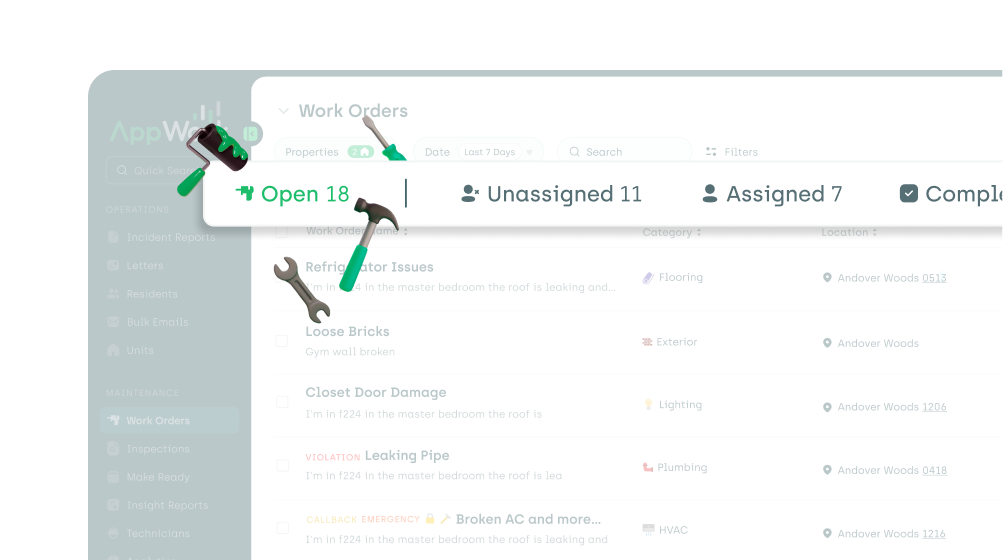 We added an Open tab to the work orders page so your team always has a single, consolidated view of every open work order across the portfolio. No more toggling between filters just to see what needs attention.
The work order is the heartbeat of your operation, so we treated it like one.
Stop creating duplicates before they happen
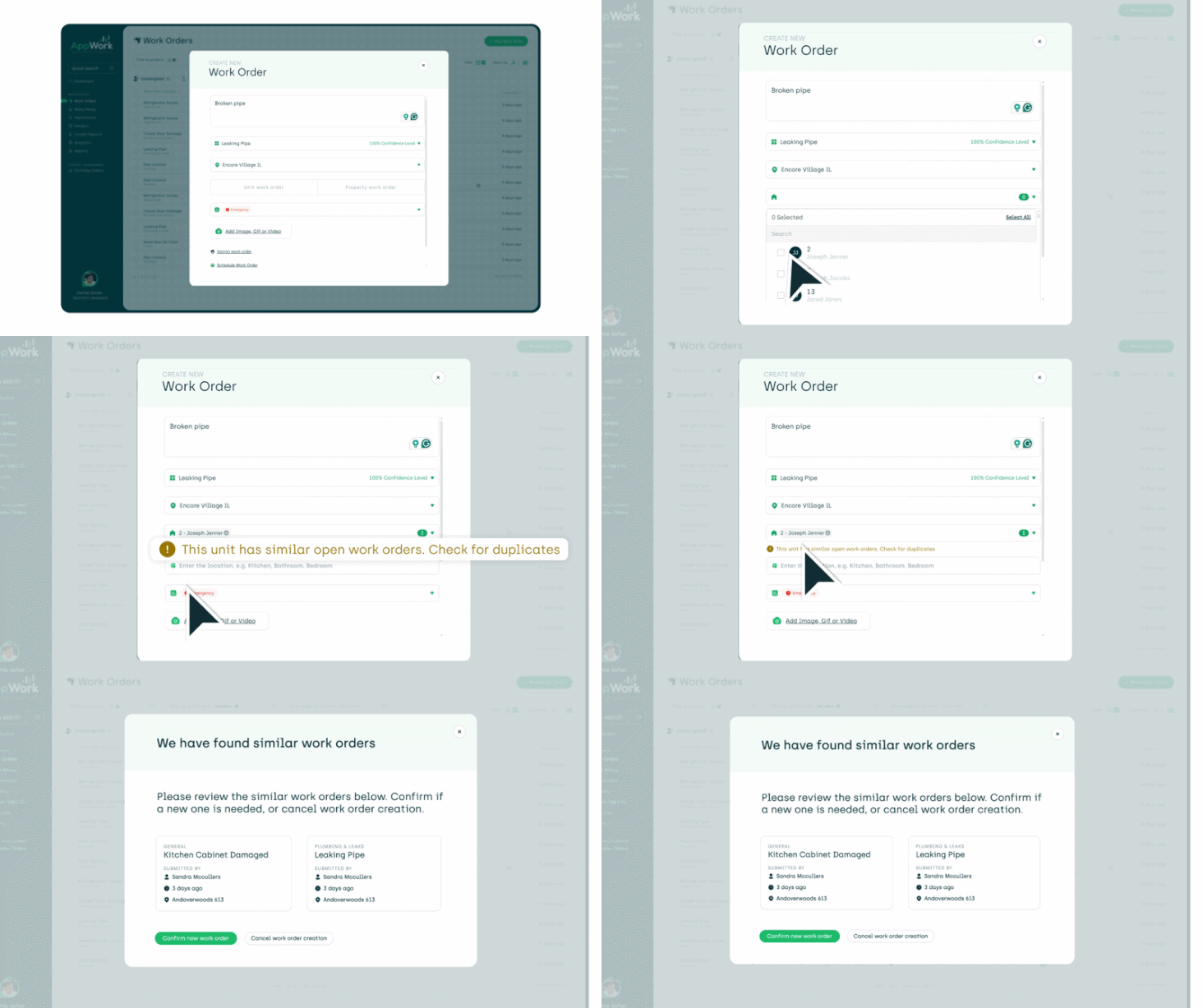 AppWork now detects potential duplicate work orders in real time as you create them. If a similar work order already exists for that unit, you see a warning right away. The result: fewer redundant work orders, cleaner data, and less time sorting through duplicates at the end of the month.
Smarter AI work order assignment
 Auto-assign got a significant upgrade. AppWork now checks existing assignments before handing out new ones, so technicians are not overloaded while others are idle. You can auto-assign by specific property or by unit group, and the system groups units together to give each tech a logical, efficient run of work.
Better work order filtering
 Filter work orders by assignee type (vendor or technician), by the specific person assigned, or by parent category. All three were highly requested, and all three are live.
AppFolio sync Resident photos now pull into AppWork automatically, and work order assignments sync back to AppFolio in real time. No manual updates, no double entry.
Upgraded Completed Work Order Report
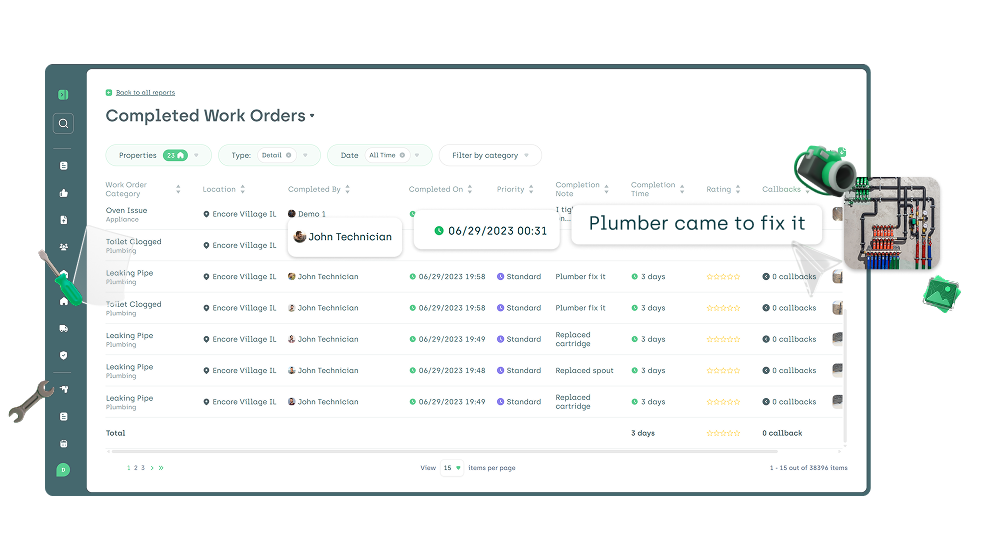 The Completed Work Order Report now includes the completion note, a photo, the exact timestamp, and the name of who completed the work. It also exports with a Description column. Everything you need for accountability and auditing, without digging through individual records.
New categories More than a dozen new work order categories shipped this year, including Window Cleaning, Pest Control Mosquitos, Flooring (Vinyl, Hardwood, Grout, Transition Strip), Safety Alarm, Property Walkway/Pavement, and more. And "Ceiling Leak" has replaced "Roof Leak" to better match how teams actually describe the issue.
Inspections
Inspections saw the most ground covered of any module this year. New input types, scoring, conditional logic, major speed improvements, and a full wave of Tech App updates.
Four new input types
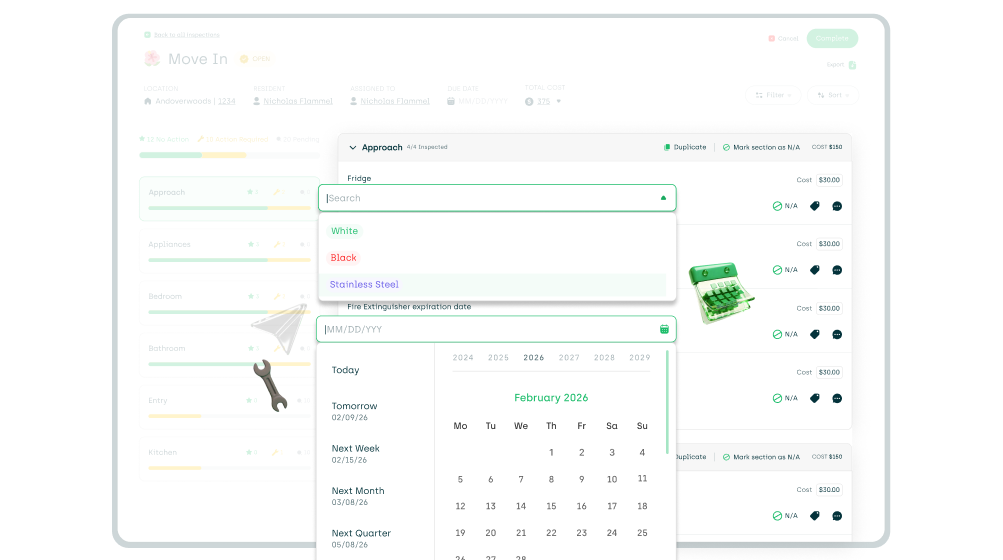 You can now add Custom Dropdowns, Date Inputs, Monetary Inputs, and Media Uploads to your inspection templates. More flexibility in how you capture data means less relying on workarounds and more clean, structured results you can actually act on.
This one has been a long time coming. Assign point values to inspection sections and individual items. Scores update in real time as your team works through the inspection
Inspection scoring
 This one has been a long time coming. Assign point values to inspection sections and individual items. Scores update in real time as your team works through the inspection and convert to a percentage on completion. A new Inspection Score Report tracks scores over time, so you can see trends, benchmark properties, and hold teams accountable with real data.
Conditional questions
 Templates are now dynamic. Configure questions to appear or be skipped entirely based on how earlier questions were answered. This keeps inspections focused, reduces irrelevant items, and makes the experience faster for your technicians in the field.
Default responses
 Set a default response for any inspection item, and it gets applied automatically when a technician skips past it. Especially useful for standard items that are almost always passing. Your team marks what matters and moves on.
Template editing improvements
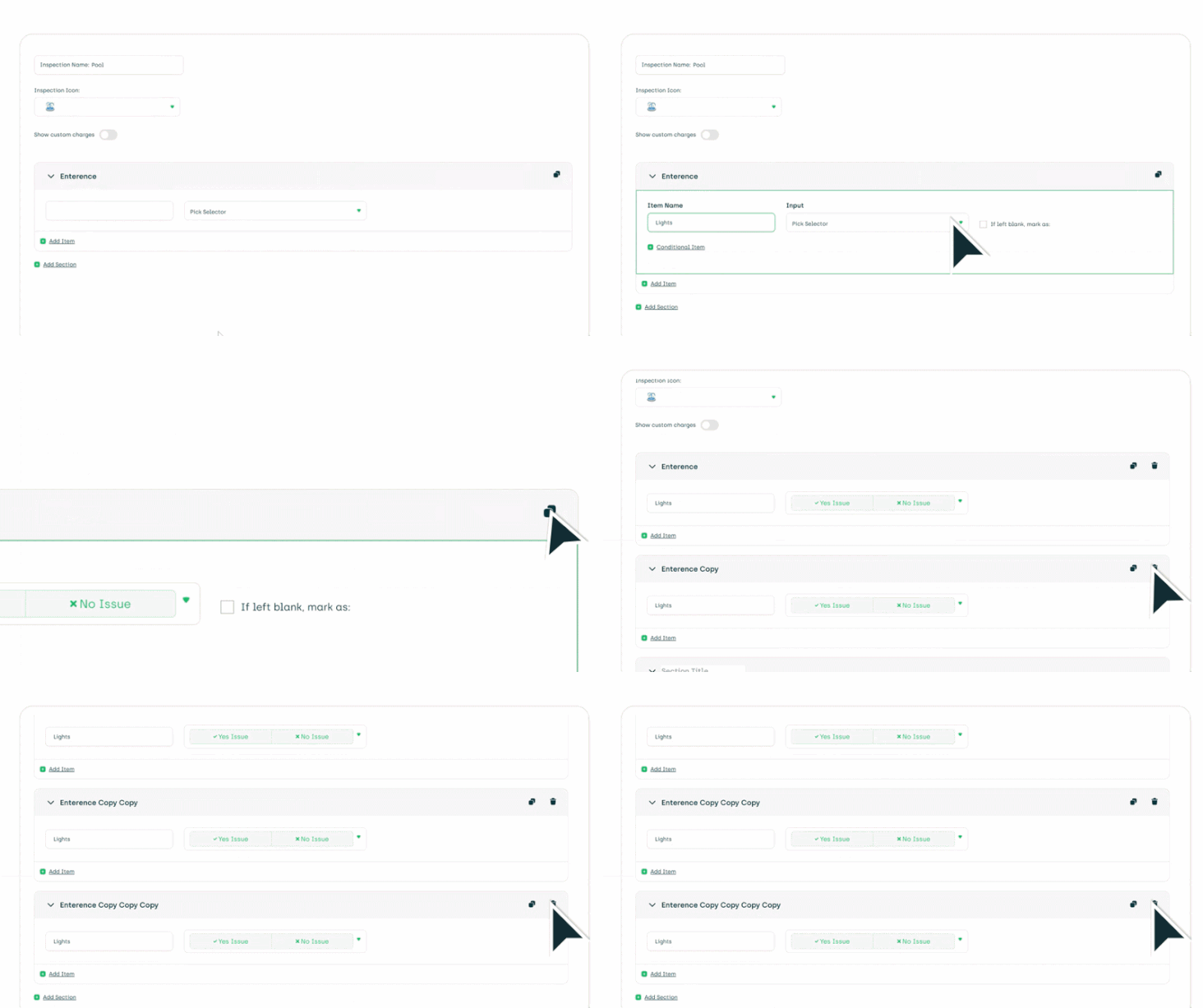 Duplicate and delete sections directly in the template editor. The inspection settings layout got a full redesign. Per-property cost sheets let you configure costs at the property level rather than globally. And more input types now support cost tracking: custom dropdowns, tag selectors, date inputs, and text fields.
Better photos, faster pages
 Inspection photos in PDF exports are now clickable and no longer expire. There is also a new photo-centric inspection view for when reviewing photos is the priority. The inspections page itself is significantly faster across the board.
Recurring inspection fixes Recurring inspections now generate on their correct schedule, and they can generate even if a previous inspection of the same type is still open. Two bugs that caused real headaches for teams managing large portfolios.
PMS integration
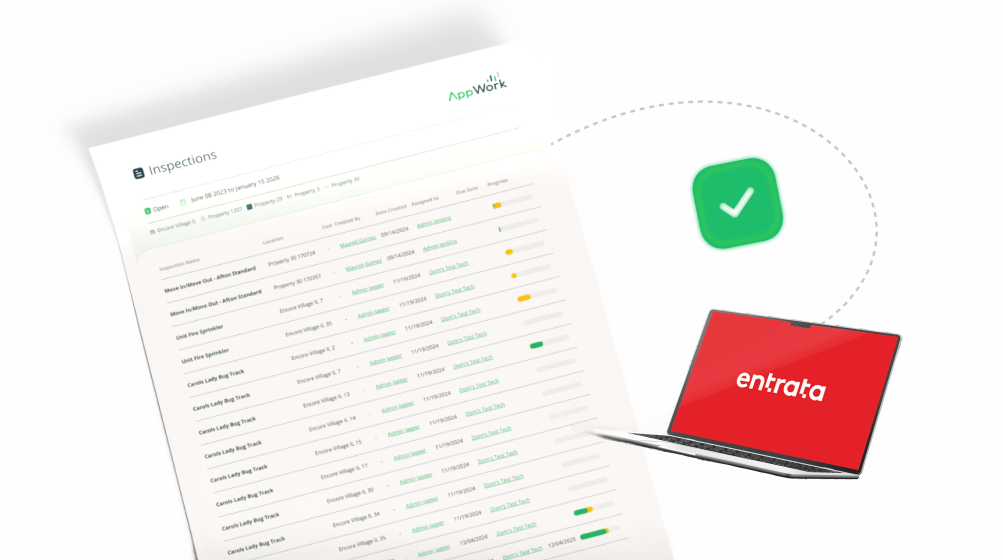 Completed inspection PDFs can now be uploaded to residents in AppFolio, Entrata, and ResMan. RealPage users can access completed inspections directly from their PMS.
Tech App inspection updates
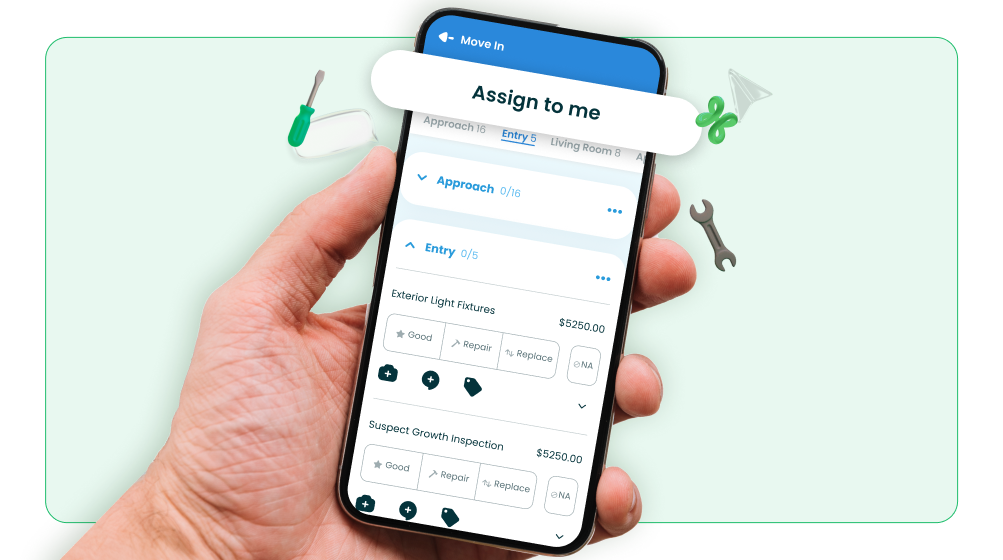 The Tech App got a full round of inspection upgrades: self-assignment for unassigned inspections, the ability to mark an entire section as N/A in one tap, collapsible sections, conditional questions, default responses, media uploads as responses, and admin-controlled visibility for custom text inputs. Everything that landed on the admin side made its way into the field too.
Make Ready Board
The Make Ready Board got faster, more connected, and more controllable.
Unit status filtering and speed
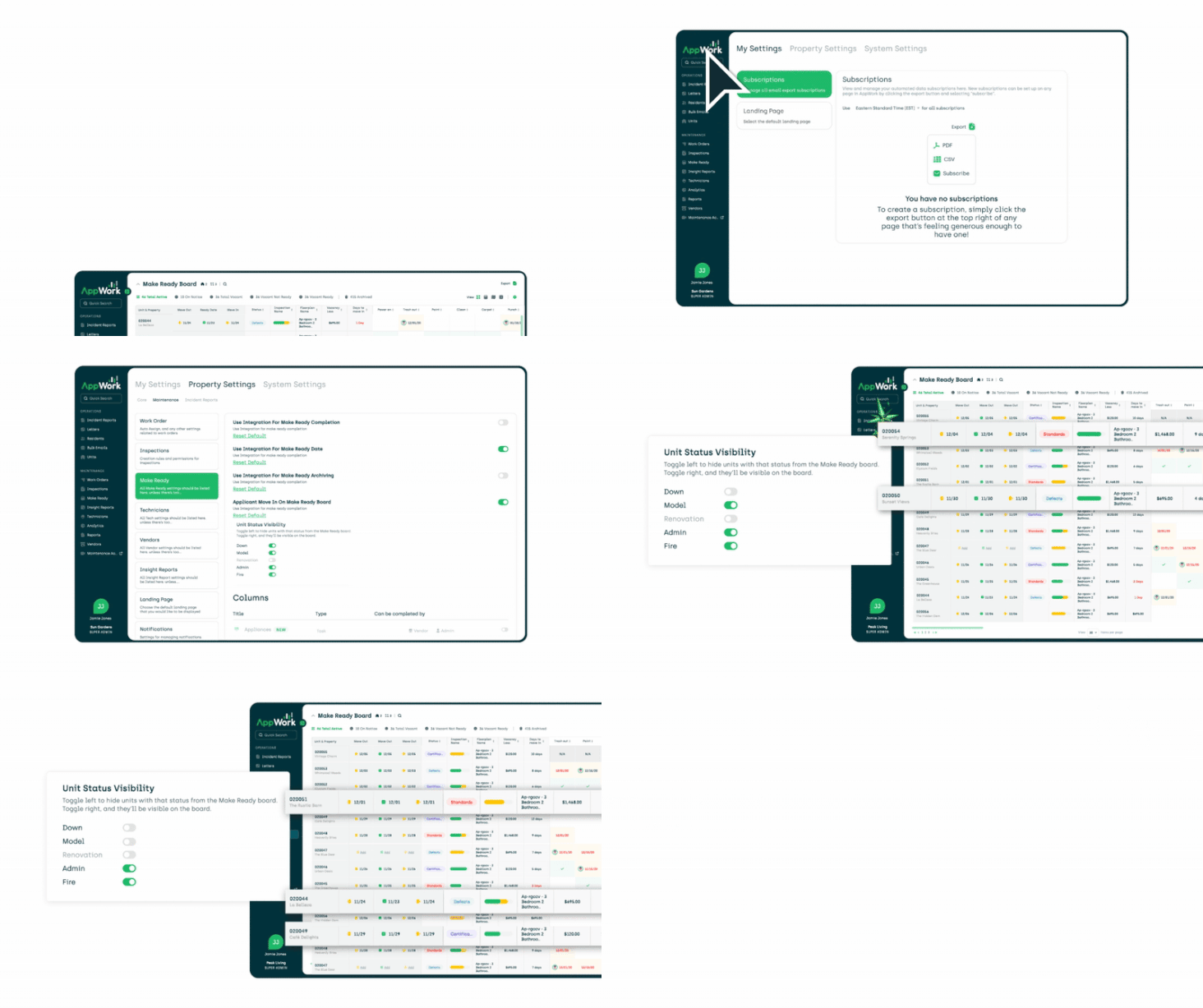 Filter the board by unit status to quickly surface the units that need attention. Combined with significant load time improvements, jumping in and out of the Make Ready Board is no longer something you put off.
Two-way PMS sync
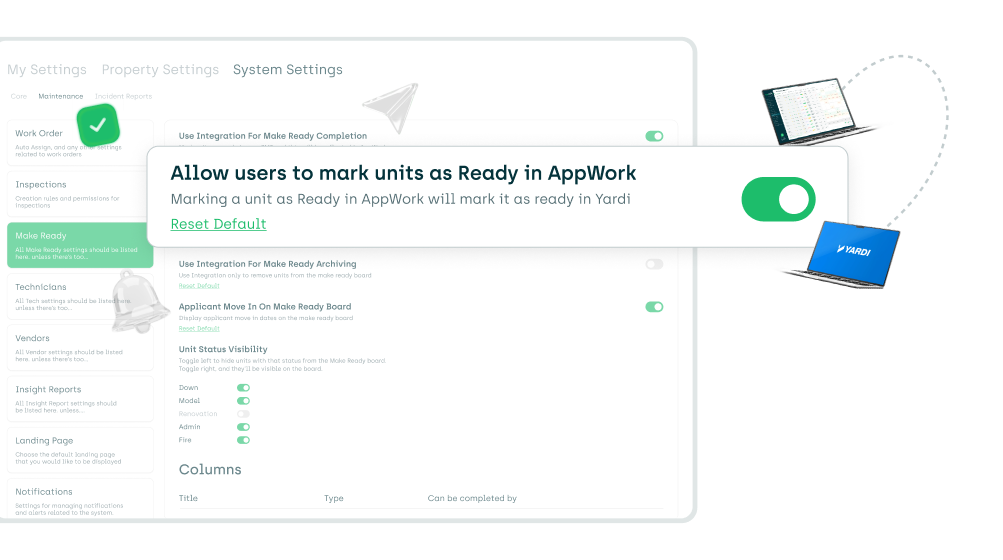 Yardi and AppFolio now support full two-way sync for unit ready status. Mark a unit ready in AppWork and it updates your PMS automatically. RealPage clients can mark units ready directly in AppWork as well. RentManager users got UDF mapping for ready dates plus automatic ready date sync.
Require completion before marking ready A new system-level setting lets you require that all tasks are either completed or marked N/A before a unit can be marked ready. No more accidentally marking a unit ready with open items still in the queue.
Inspection overwrite fix A bug where newly generated inspections overwrote completed ones on the Make Ready Board is resolved. Completed inspections stay put.
Call Management

Call Management launched earlier this year and has been building momentum. Here is where it stands.
Auto-create work orders from calls AppWork can now create work orders automatically from inbound calls. The system captures what the resident says and generates the work order without manual data entry. If AutoAssign is enabled, the work order gets assigned to the technician who answered the call.
Intelligent call routing Calls route based on time of day and priority. Configure your on-call schedule, and AppWork handles the routing. The scheduling configuration also got a usability upgrade this year.
Call Logs page
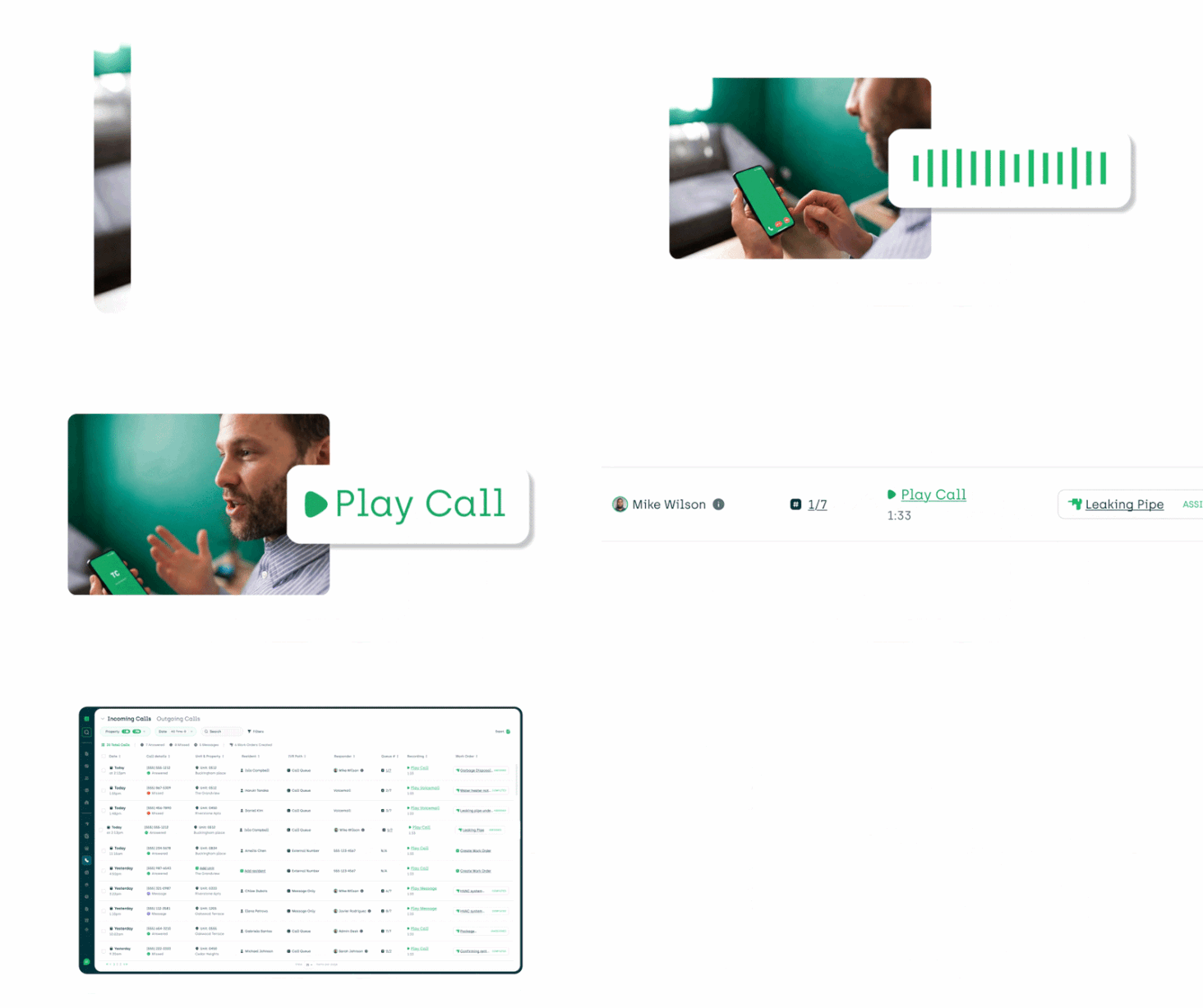 All inbound and outbound calls now live in one place. Filter, sort, and listen to recordings directly from the Call Logs page. Recordings also appear inside the relevant work order timeline so the full context stays with the work order, not buried somewhere separate.

Resident experience Text Message Auto-Reply goes out to residents after a call. Residents who call back hear a Missed Call Announcement so they know their call was received. An auto-recording notification plays at the start of each call so residents know the conversation is recorded.
Asset Tracking
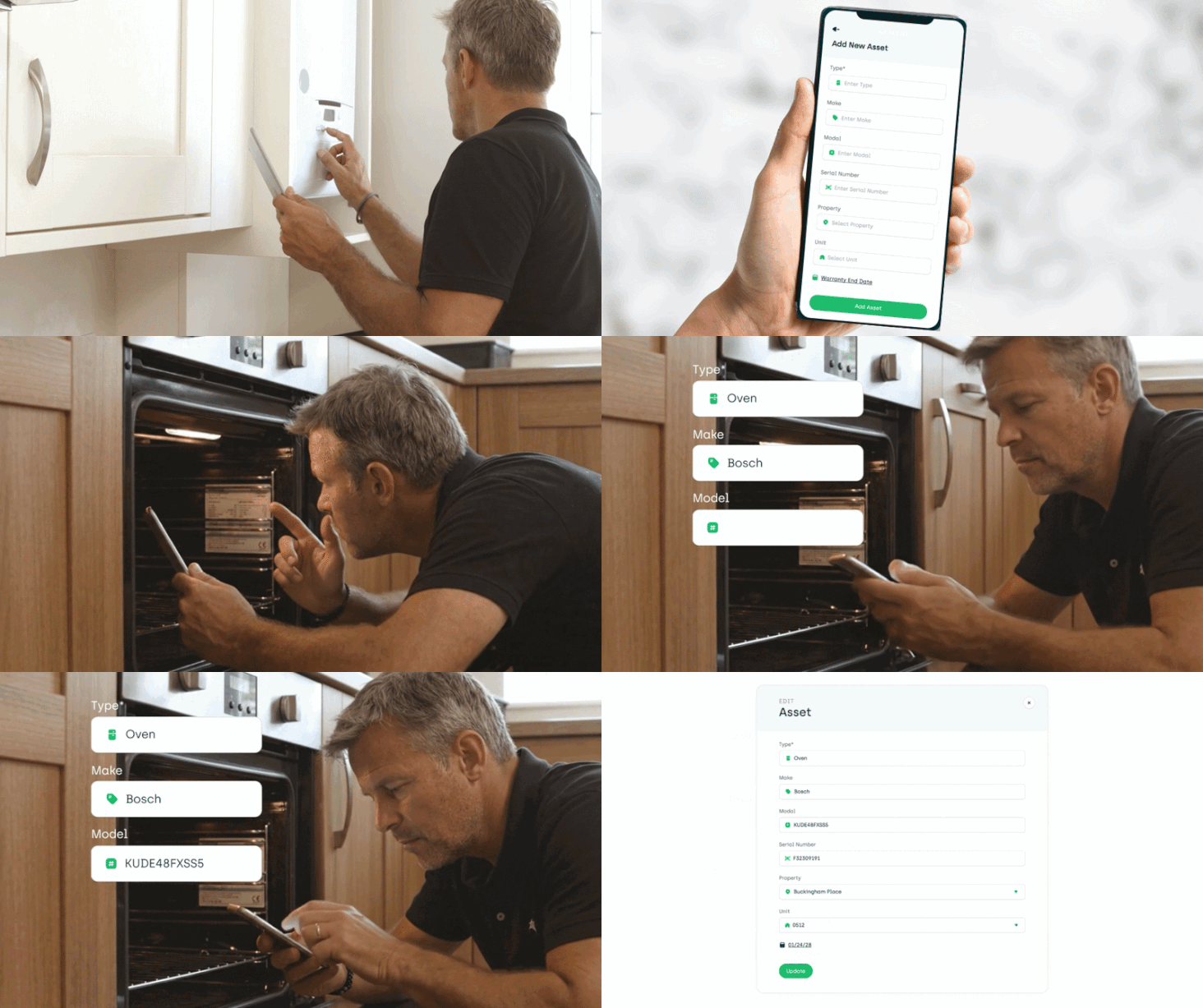
Asset Tracking is live and free for all AppWork clients.
Log your community assets including location and warranty information directly in AppWork. No spreadsheets, no guessing when something was installed or when the warranty expires. Export everything to CSV whenever you need it.
This is the first iteration of a module that will keep growing. The foundation is solid, the data is yours, and it is already saving teams time.
The foundation is solid, the data is yours, and it is already saving teams time.
Lease Audits

Lease Audits launched this year and addresses one of the most time-consuming processes in multifamily operations.
Drop in your RentRoll and AppWork automatically generates the audit template. Work through the units and AppWork tracks Completed, Discrepancies, Matches, and Revenue at Risk in real time. The discrepancy breakdown gives you both a table view and a chart view so you can communicate findings in the format that works for your audience. Filter by units with discrepancies, archive audits, and move on.

For teams doing unit inspections, a new unit-level Due Diligence inspection template is also available.
Technician App
The app your technicians use every day got meaningfully better this year, beyond just the inspection updates covered above.
SSO login Technicians can now log in with Okta or Apple SSO. Fewer passwords, faster access, less friction at the start of every shift.
Task list visibility Three things that used to require opening a work order now show directly in the task list: PTE (Permission to Enter) status as a green or red key icon, a parts icon when parts are involved, and access attempt counts. Your techs know what they are walking into before they even tap.
Better navigation
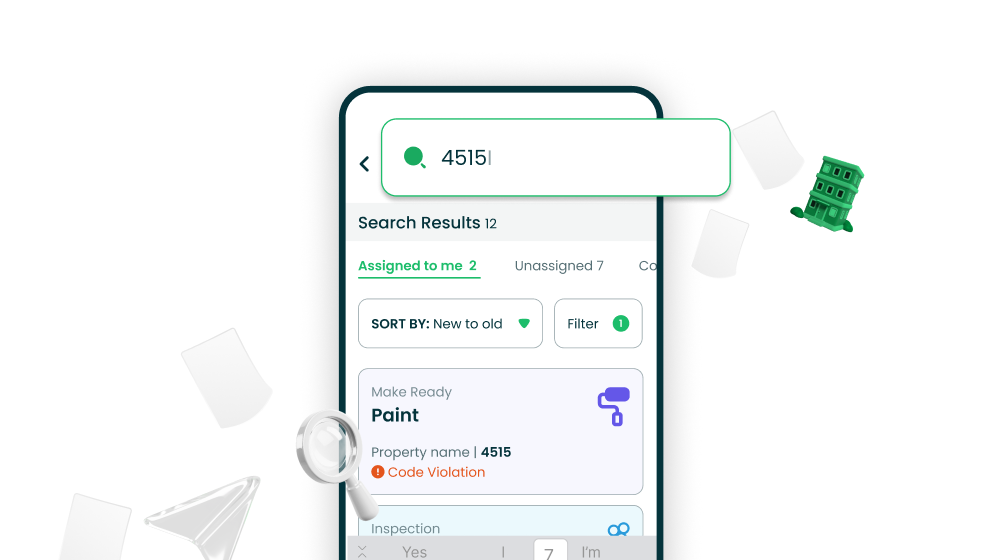 Search tasks by unit number and filter by task type (inspections, work orders, make readies) so technicians can find exactly what they need without scrolling through the full list.
Unit Groups

Unit Groups let you organize your units into logical groupings: buildings, phases, sections, or anything else that maps to how you actually manage your community.
Once your groups are set up, filter work orders by group, auto-assign work by group, assign vendors and staff to specific groups, and manage property permissions using group-based dropdowns. A cleaner, more scalable way to handle large and multi-building communities.
Integrations
Every major PMS integration got meaningful updates this year. A quick summary:
- Yardi: Two-way make ready sync is live.
- Entrata: Technician mapping, work order assignment sync, completed inspection uploads to resident profiles, and work order location display.
- RealPage: Mark units ready from AppWork, access completed inspections, and click through from a work order directly into RealPage.
- AppFolio: Technician and vendor mapping, completed inspection PDF uploads, two-way mark units ready, resident photo sync, and work order assignment sync.
- ResMan: Upload completed inspections.
- RentManager: Improved move-out inspection generation, UDF mapping for ready dates, and ready date sync.
- SSO: Microsoft Entra, Okta, and Apple SSO all added this year.

Gamification
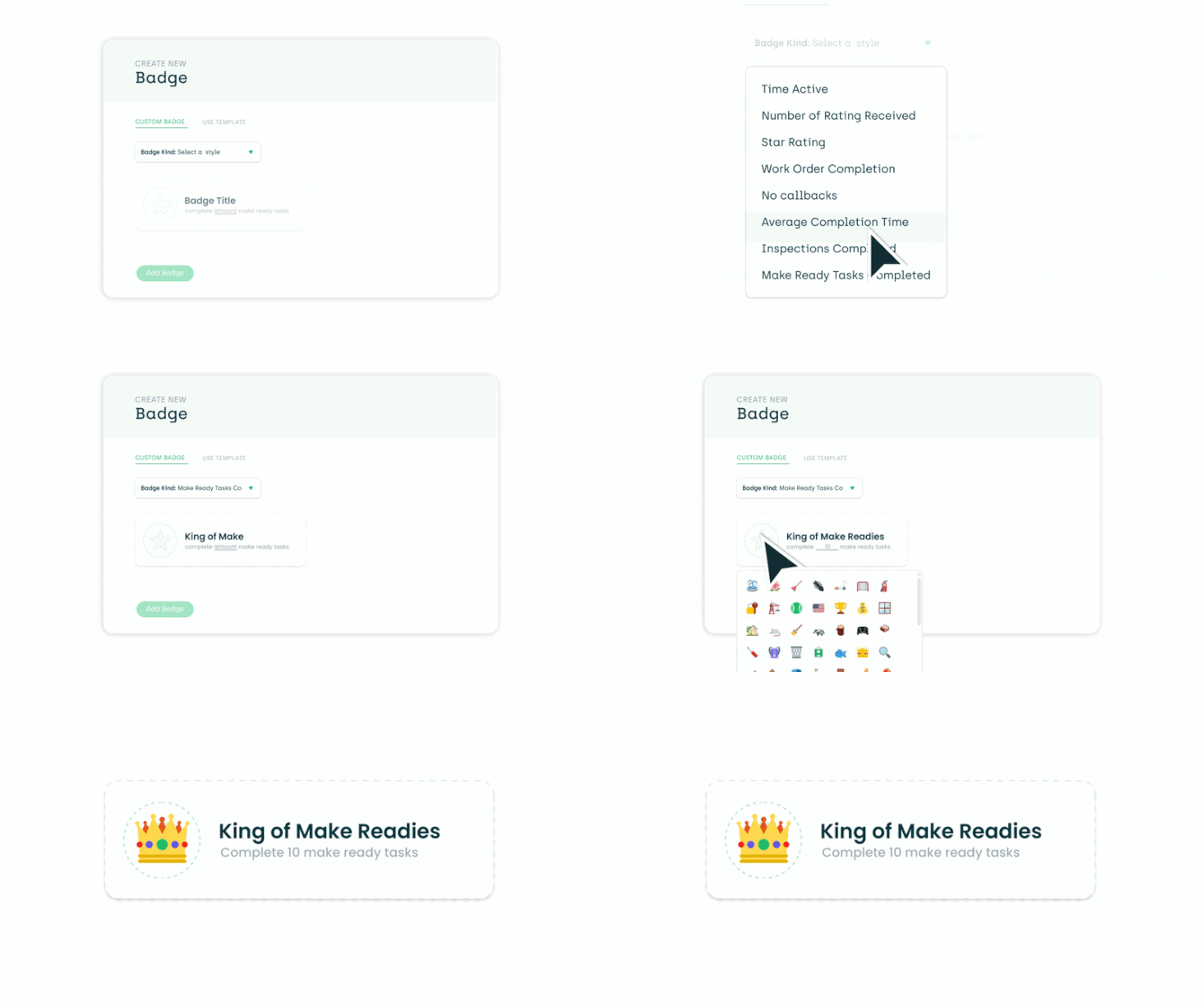
Two new badge types launched this year: Make Ready Badges and Inspection Badges. Recognize your team for the full scope of their work, not just work order completion.
API
For teams building on top of AppWork, the API expanded significantly this year:
- Update technician data fields
- Create and update admin users
- Create vendors
- Update admin roles and usernames
- Retrieve the technician email field
- Work Orders API returns custom item IDs and Last Updated timestamp
- Upload attachments to work orders
- Retrieve full work order timelines
- New Incident Report endpoint
Every feature on this list started as a real request from a real team, and that is still how we build.
What Comes Next
We are not slowing down. Every feature on this list started as a real request from a real team, and that is still how we build. If there is something your team needs, tell us. It ends up on the roadmap faster than you might think.
To every client who filed a support ticket, sent a feature request, or told us what was not working: this list exists because of you. Thank you.
Here is to a strong second half.
The AppWork Team