12/7 Release: Make Ready Upgrades, Vendor Tags, Better Dates Now


Thanksgiving Release: Make Ready Parts Tracking, Vendor Tagging, & More
As we roll into the season of gratitude, we’re thankful for the opportunity to continue improving your operations and supporting your teams. This week’s updates serve up a hearty helping of new features, from enhanced vendor communication to powerful new Make Ready functionality. Here’s what’s fresh out of the oven:
1. Make Ready Enhancements: ‘Waiting on Parts’ Support
Make Ready tasks now support Waiting on Parts, just like work orders.
You can add and manage parts directly from the Make Ready board. These parts will:
- Appear in the Parts Pending Report
- Trigger Parts Pending Notifications you already have set up
Why it matters
- Greater accuracy: Make Ready delays are often due to parts, now you can track this formally.
- Better planning: Teams can see which units are waiting on materials before scheduling labor.
- More reliable reporting: Your parts reports will now reflect Make Ready needs, not just work orders.
Use case example:
A unit needs new blinds and a new fridge during the make ready process. Marking the task as “Waiting on Parts” automatically updates your pending parts pipeline, making supply chain visibility easy and eliminating surprise delays.

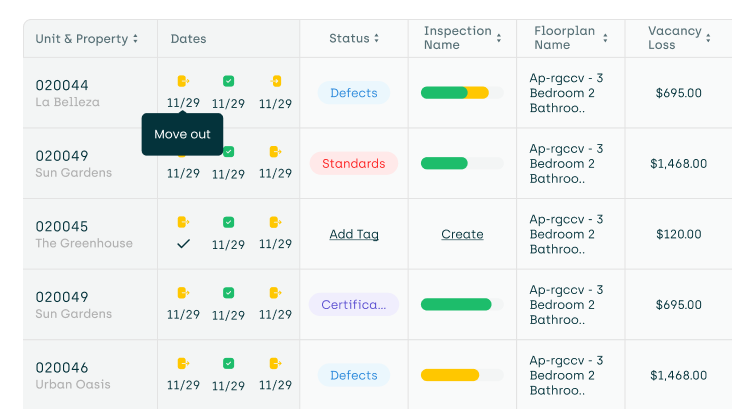
2. Make Ready Board UI Enhancement: Auto-Condensing Date Columns
To help give you access to even more information on the make ready board, the date columns (Move Out, Ready, and Move In) will now automatically condense as you scroll, so they take up less space on the page.
Why it matters
- More usable space: View more tasks and details at once while scrolling less.
- Better visibility: Keeps important date information available but unobtrusive.
- Improved navigation: Makes large portfolios and busy seasons (like turn season!) easier to manage.
3. Tag Vendors Directly in WOs and Make Ready Tasks
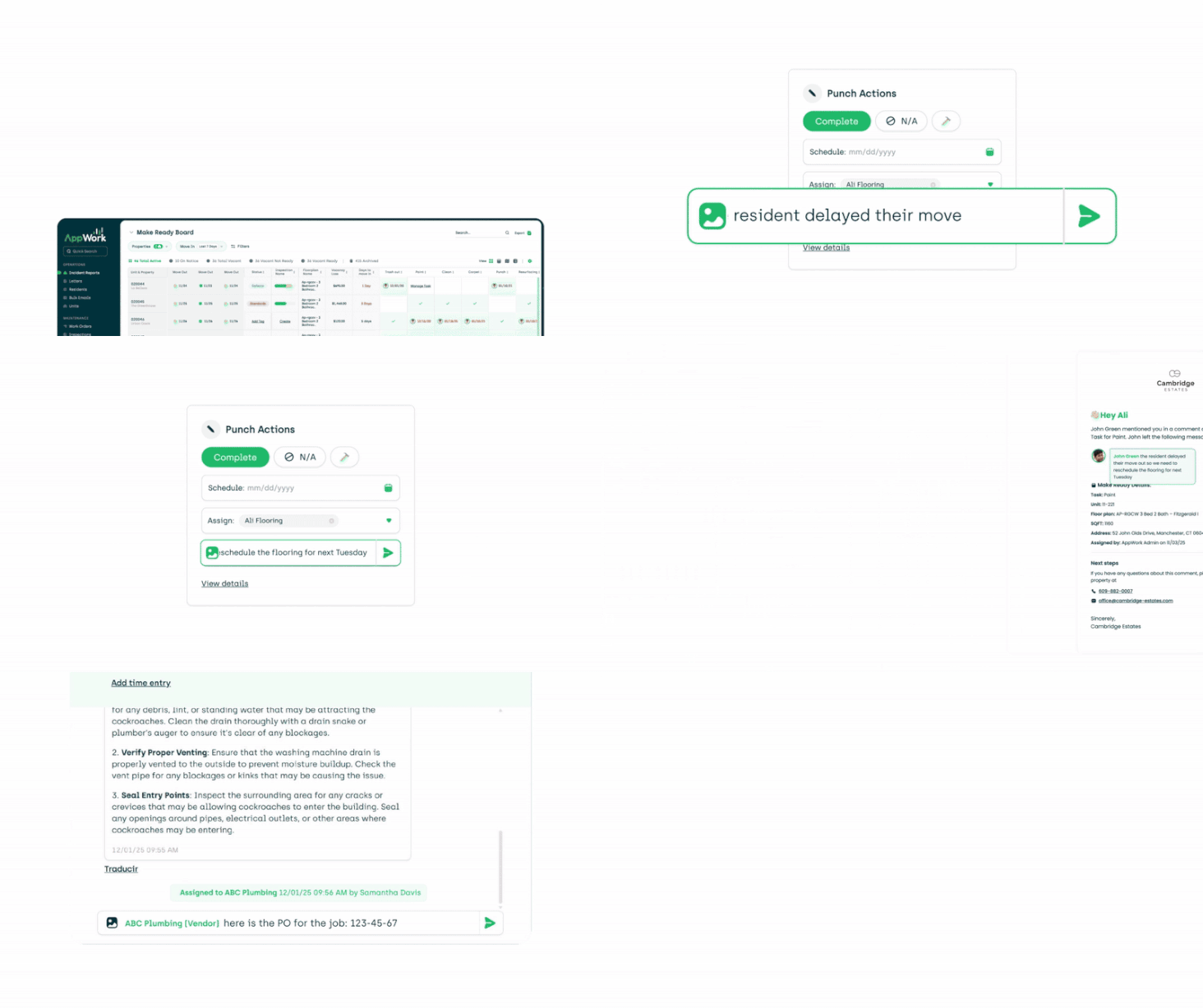
You can now tag vendors the same way you tag techs, admins, and residents. When tagged, vendors receive direct emails providing them easy access to the message.
Why it matters
- End-to-end vendor communication inside AppWork: No more jumping between email and AppWork.
- Clear documentation: All vendor communication stays tied to the task — perfect for tracking, disputes, and compliance.
Use case example:
Want to provide the PO # to the vendor? Simply send a message that says @vendor here is the PO #: 123-8931
4. Resident Move-In & Move-Out Dates Now Visible in WO Details
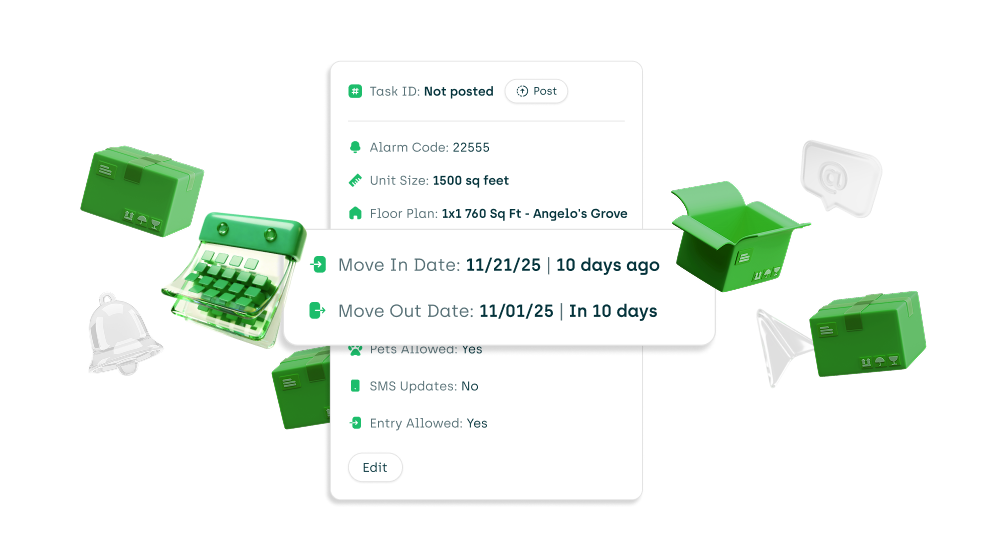
Within the Additional Info section of any Work Order, you will now see:
- The current resident’s move-in date
- Their expected move-out date (if the resident is on notice)
Why it matters
- Smarter scheduling: If a resident is moving out soon, teams can plan work more proactively.
- Better resident experience: Avoid unnecessary disruption by understanding their timeline.
- Quality Control: Quickly identify if a resident recently moved in when attending to their work orders.
Use case example:
A technician sees that a resident moves out in two weeks they can decide whether to complete a repair now or coordinate with Make Ready to handle it during turnover. Additionally, if a technician sees that the resident recently moved in, you may want to look back at the make ready process to see what happened.
5. Detailed Quantity View for Incident Report Actions
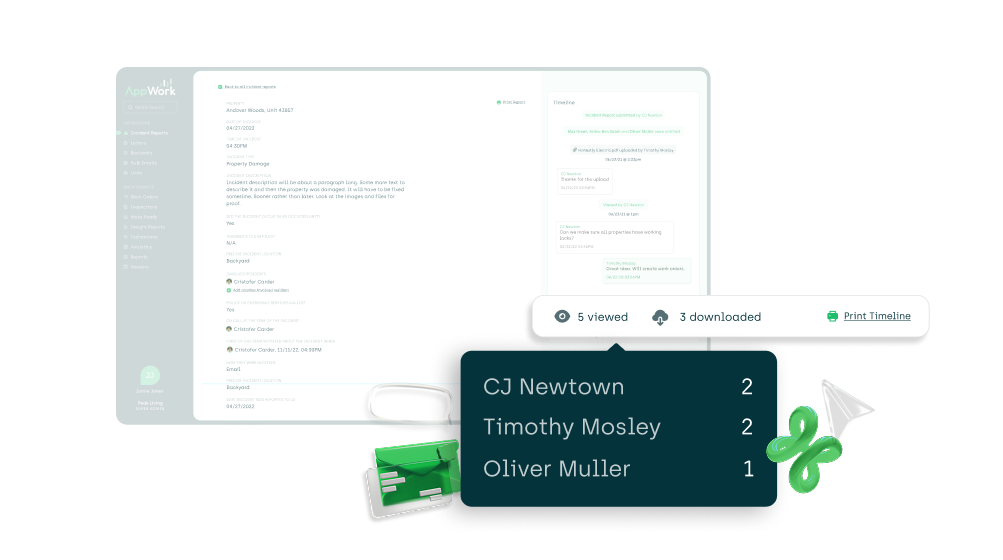
You can now see how many times each user has viewed or downloaded files within an Incident Report. Simply hover over the action tooltip to get an exact count.
Use case example
After a major incident, a regional manager can confirm whether the onsite team reviewed the uploaded photos and documents before escalating or closing the report.
Small but Appreciated Improvements (Perfect for Thanksgiving Seconds)
These fixes may be smaller than a full turkey dinner, but they still pack plenty of flavor:
Maintenance Academy Link Restored
We’ve added the Maintenance Academy link back to the side menu, making it easier for your teams to access maintenance training.Improved Cancel Work Order Feature
We’ve polished and improved the cancel work order functionality released last week for a smoother, more intuitive experience.Task Time Report Subscription Enhancements
The subscription modal for the Task Time report now correctly displays the individual tech-filter dropdown, ensuring you can fine-tune exactly who you want included.AppFolio Integration Improvements
We’ve made behind-the-scenes enhancements to the AppFolio integration to improve reliability and syncing performance.Vendor Assignment
When assigning work orders to vendors from within the work order, we now only show vendors with the correct Skills/Categories.
Thank You for Being Part of the AppWork Family
These updates are designed to streamline your workflows, enhance communication, and bring even more transparency to your operations. As always, we’re grateful for your partnership. If you have feedback or ideas for future improvements, we’d love to hear from you.