Major Product Update With Core Workflow Upgrades


This is our biggest release of the year so far. Yes, we say that every time, but you’ll read in a moment why it earned the title! We’ve packed in meaningful upgrades across work orders, make readies, inspections, and technician management. Inspections, in particular, went from “pretty solid” to “next level”.
Inspections
New inspection settings layout:
We gave the inspection settings a facelift. Not just for looks, though we won’t pretend that doesn’t matter. This redesign makes room for the wave of new features while keeping things simple enough that you don’t need a user manual and a coffee IV to navigate it.
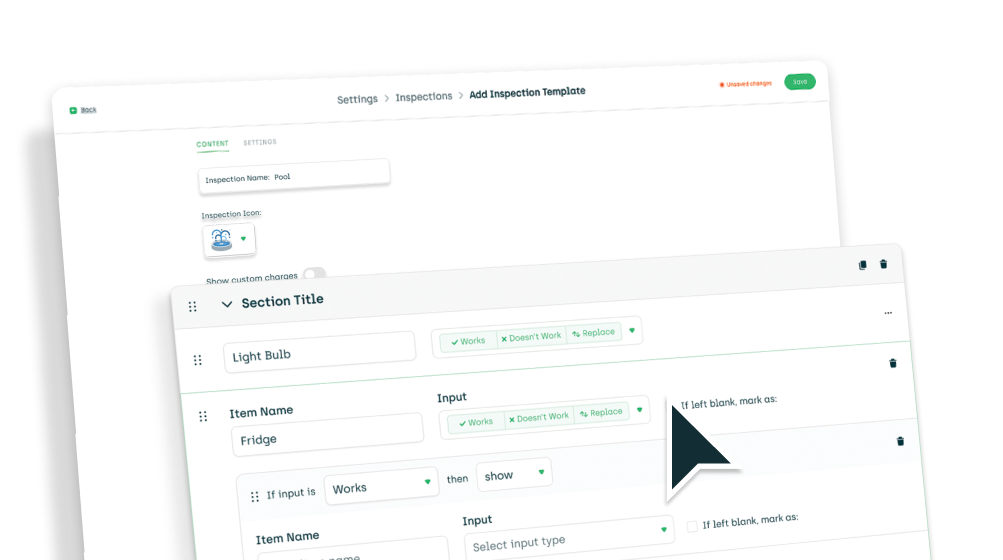
When creating or editing an inspection template, you can now delete or duplicate a section. Because rebuilding the same thing over and over again is not a personality trait we wanted to support.
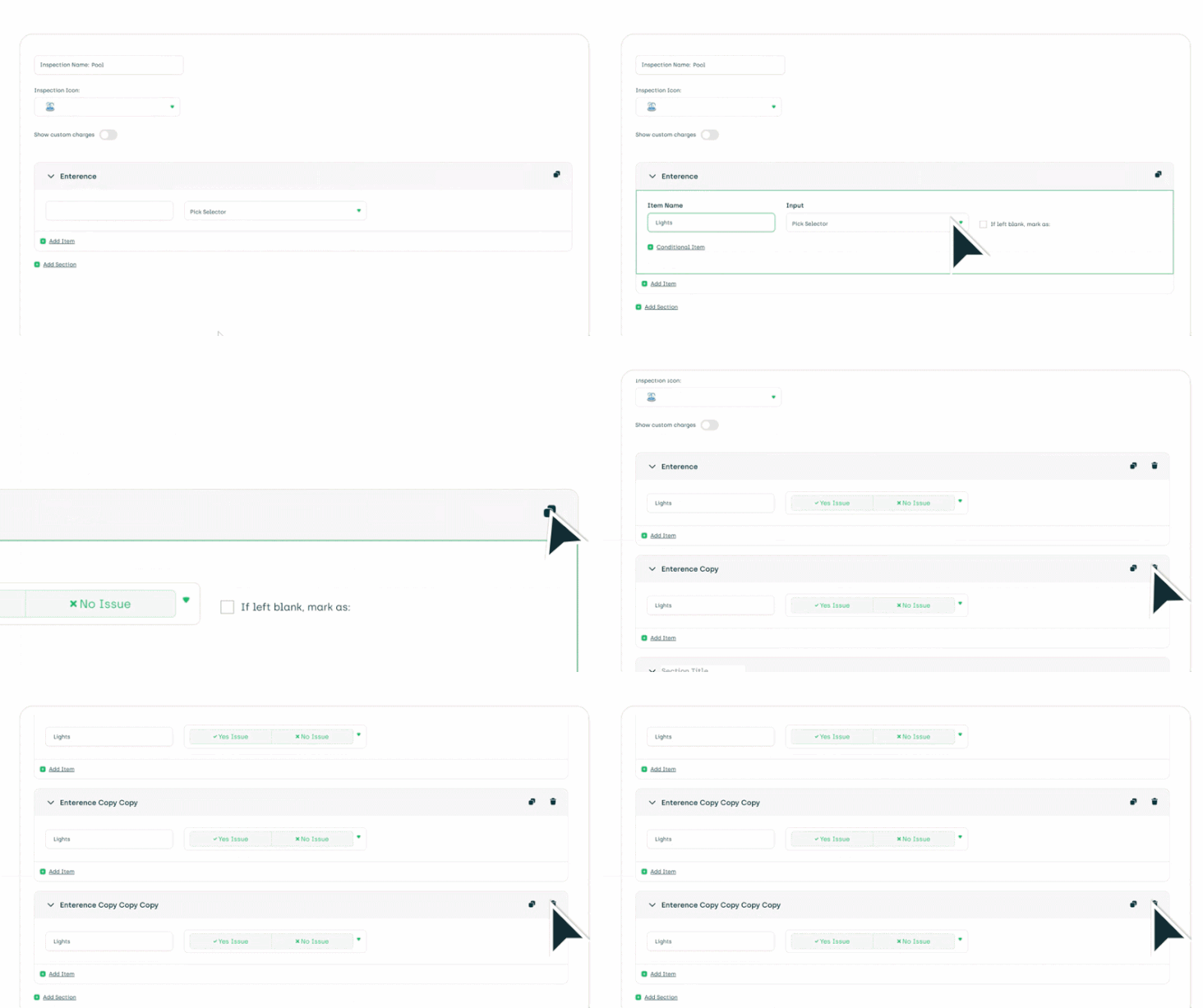
Conditional inspections:
Yes, they’re finally here. You can now create conditional questions that add or skip questions based on answers. Inspections that actually respond to reality—what a concept. Set it up in the inspection template settings.

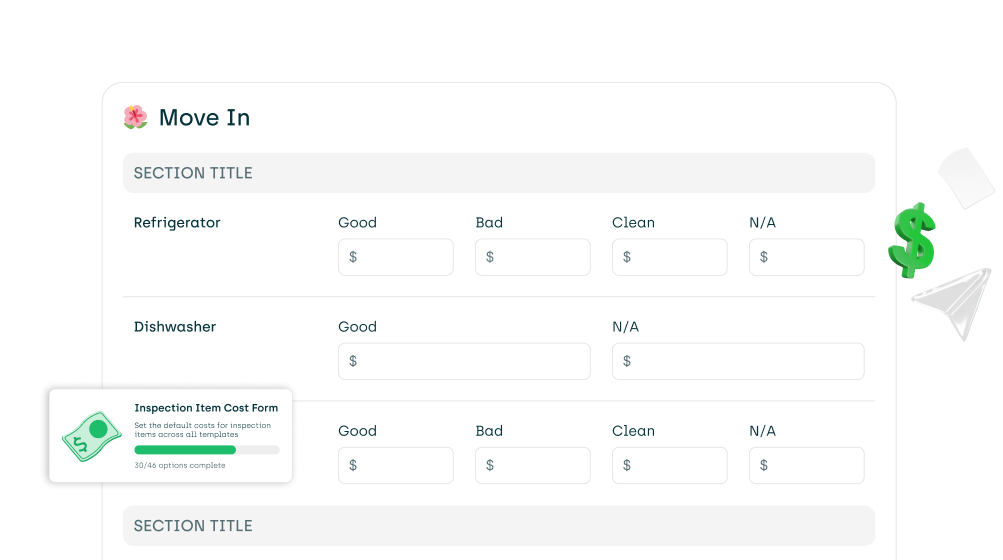
Inspection cost sheet:
Each property can now maintain its own inspection cost sheet, so you’re no longer pretending every property lives in the same universe with the same pricing.
If a cost sheet is filled out, it overrides the templated cost form. As it should. You’ll find cost sheets under property settings. Admin access is required.
You can now access completed inspections directly from RealPage. Because switching between systems builds character, we decided to give you a break.
Work Orders
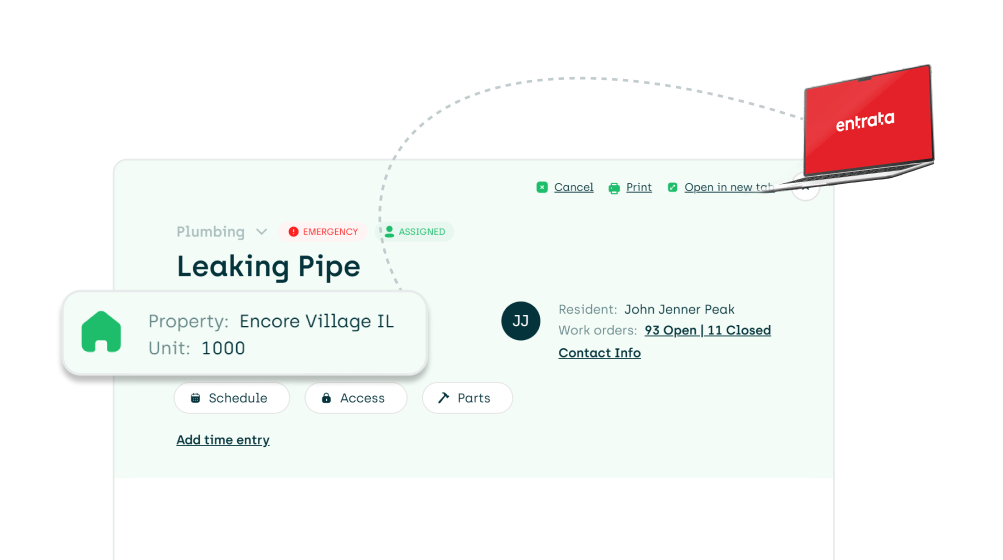
AppWork now displays the location of work orders coming in from Entrata. Groundbreaking, we know, but also very useful.
When creating work orders in AppWork, you can now add the location of the issue to the work order!
We fixed an issue where AppWork was a bit overenthusiastic with Yardi attachments, uploading a new file every time anything changed. We’ve calmed it down. Now attachments are only sent when the work order is completed or canceled.
We also fixed an issue where AppFolio users were seeing the wrong resident on work orders. That one was… not ideal.
Make Ready
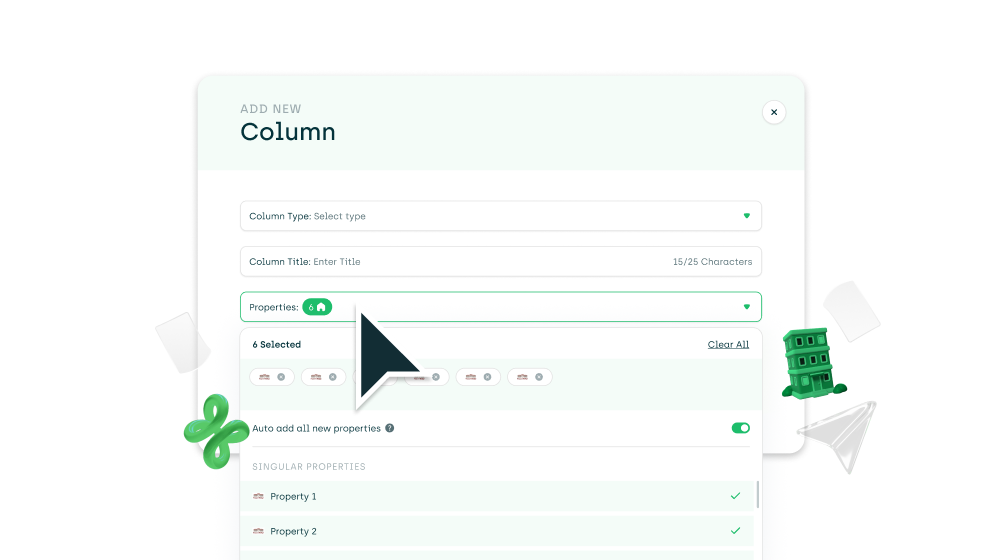
There’s now a property selector when creating or editing custom columns in Make Ready settings. A small change that will save you an unreasonable amount of time.
We also fixed an issue where ready dates were still editable from the board, even when that setting was turned off. Turns out “off” should actually mean off.
Technicians
You can now map AppWork technicians directly to Entrata technicians. Finally, your systems can agree on who’s who.
Work orders assigned in AppWork will now automatically reflect the assigned technician in Entrata. Less syncing stress, more actual work getting done.
We also updated the public API to return the technician’s email field, because that felt like important information to include.